
A lead comes in through your website chat. They answer a few questions, seem like a solid fit, and then… nothing. The rep follows up two days later with zero context. The CRM record is blank. This isn’t a people problem. It’s a workflow problem. When chat and CRM operate as separate systems, opportunities fall through the gap.
An AI chatbot CRM connects chat directly to your customer records, so every qualified exchange becomes structured data, a routed lead, and a triggered next step. Here’s how it actually works, from matching visitors to existing records and capturing qualification data, to routing leads and keeping your pipeline accurate. We’ll also cover integrations, governance, and what to measure. Platforms like monday CRM show how this connected approach turns chat into a reliable pipeline engine.
Key takeaways
- Chat without CRM connection is just conversation: When a chatbot reads and writes to your CRM records, every interaction becomes a pipeline action, not a dead end.
- Qualification only works if the data lands somewhere useful: Structure chat answers as real CRM fields, not transcripts, so reps inherit context, not homework.
- Routing is where speed is won or lost: The moment a lead qualifies, it needs an owner, a next step, and a record, not a queue.
- monday CRM keeps the whole handoff in one place: AI actions, automations, and real-time dashboards connect chat-sourced leads directly to pipeline stages, so nothing slips between systems.
- Governance is what makes AI trustworthy at scale: Set role-based permissions, audit trails, and human review steps before you expand, not after something breaks.
What is an AI chatbot CRM?
An AI chatbot CRM is a chatbot connected to your CRM. It uses customer data during a conversation, then updates records, routes leads, and triggers follow-up without a manual handoff.
Your CRM stores contact, account, and deal data. It tracks relationship history, who owns what, pipeline stage, and every action tied to an opportunity. An AI chatbot handles the conversation. It asks questions, interprets replies, and guides the next step. But on its own, it doesn’t know a person’s account history or buying stage.
The difference is simple: an AI chatbot CRM can read from and write to customer records. That turns a chat from a one-off exchange into part of the revenue process.
These are the core jobs that matter most for an AI chatbot CRM. Each one affects data quality, ownership, and how fast a real opportunity moves through your pipeline.
- Identify people: Recognize whether a visitor is new, known, or tied to an existing account.
- Use CRM context: Pull relevant details like owner, segment, or open deal stage.
- Qualify interest: Ask fit, need, urgency, and decision-process questions.
- Update records: Write answers into usable fields, not just a transcript.
- Route next steps: Send the lead to the right rep, schedule a demo, or create follow-up.
How do AI chatbots work inside a CRM?
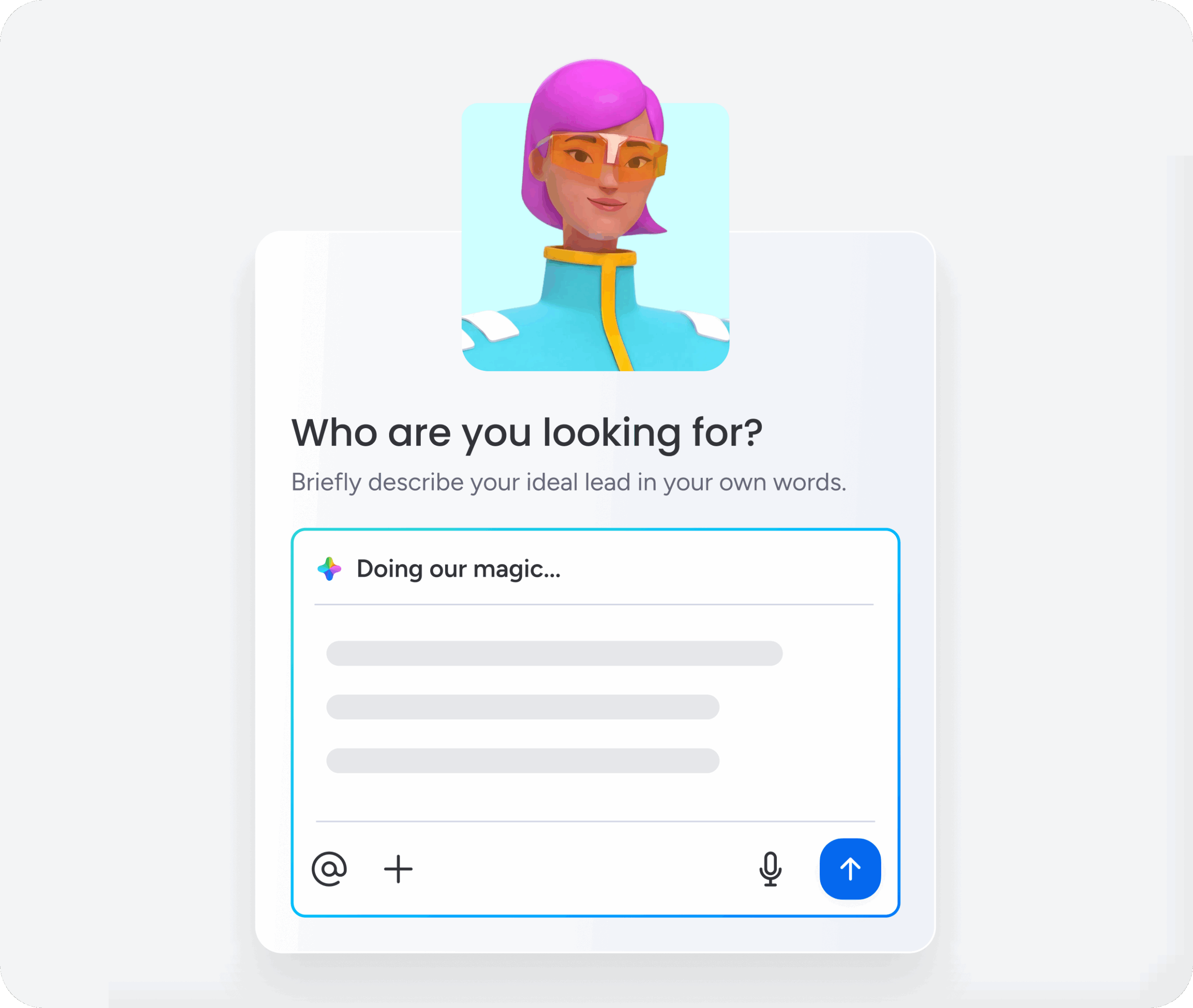
Picture one running example: a buyer lands on a B2B software site and types, “I’d like a demo.” What happens next determines whether that buyer becomes pipeline or a missed opportunity. Here’s how a conversation turns into pipeline movement in 6 steps.
Step 1: Match the visitor to an existing CRM record
Identification means matching a person to an existing CRM record, or deciding they need a new one. That decision shapes everything that happens next. Common signals include:
- A work email that matches a contact
- A logged-in session
- Prior conversation data
- A phone number tied to a record
Step 2: Pull only the CRM fields that matter for the conversation
Once the system knows who it’s speaking to, it reads only the fields relevant to the conversation. Not every field belongs in chat. That’s a good thing. What typically gets pulled:
- Contact data: Name, title, company, region
- Account data: iIndustry, segment, owner
- Deal data: Stage, value range, expected timing
- Activity data: Recent emails, meetings, notes, or past chats
Step 3: Personalize the conversation based on what the CRM already knows
Personalization isn’t “Hi, Sarah.” It’s changing the path of the conversation based on what the CRM already knows.
- A new lead might get discovery questions.
- An open opportunity might route straight back to the assigned rep.
- An existing customer might reach the right commercial owner for expansion.
Step 4: Capture new lead details as structured data
Here’s where chat becomes structured data. The chatbot asks for the fields the team needs first, then fills in more later through progressive profiling. It collects the highest-value details up front. That short list usually covers these:
- Name and work email
- Company and role
- The problem to solve
- Team size and timeline
- Product interest
Step 5: Create or enrich the CRM record after the chat
After the chat, CRM automation AI can create a new record or enrich an existing one. Lead enrichment? Add useful context from trusted sources like prior CRM activity or website behavior. The write actions typically include:
- Create a record
- Update fields
- Log the interaction
- Stamp the source with time and channel
Step 6: Hand off to a rep or workflow without losing context
A handoff passes the conversation to a rep or workflow without losing what was learned. A strong handoff means the rep picks up right where the chat left off, with full context in hand. A good handoff includes these:
- A conversation summary
- Qualification answers
- A record link
- A suggested next step
When records, automations, and follow-up live together on monday CRM, revenue teams keep that context attached to the same workflow instead of scattering it across separate systems.
How can an AI chatbot qualify leads and trigger follow-up?
Lead qualification means deciding whether a lead fits your business and what should happen next. Lead scoring ranks that lead based on fit and buying intent. What should the chatbot ask? What should it infer later? Start with a short question set. Reveal fit, need, urgency, and who’s involved.
| Purpose | Example questions |
|---|---|
| Fit | What type of company are you? How large is your team? What region are you in? |
| Need | What problem are you trying to solve? What does your current process look like? |
| Urgency | When are you looking to decide? Is there a target timeline? |
| Decision process | Who else is involved? What step are you in? |
Enrichment fills in the blanks so the buyer doesn’t have to. Firmographic data covers company-level details like industry, employee count, or region. Useful sources:
- CRM history
- Website behavior
- Approved public sources
- Connected data providers
A strong score shows its work. No mystery numbers. Sales leaders need to see why a lead scored high, especially when routing affects pipeline coverage. Good scoring signals:
- Stated need and urgency
- Company size and segment
- Engagement like pricing-page visits
- Timing tied to active evaluation
Routing assigns ownership. Who should get the demo request the second it qualifies?
| Routing type | How it works |
|---|---|
| Territory | Assign by region or country |
| Segment | Send SMB and enterprise leads to different teams |
| Product line | Route by product interest |
| Account ownership | Send known accounts to the current owner |
| Specialization | Match by language or expertise |
Book a meeting after you’ve captured enough context to justify it. Some leads book instantly. Others need follow-up. Others need AI lead follow-up such as a draft email, a nurture path, or a fast alert for time-sensitive opportunities. Revenue teams using monday CRM can turn chat text into structured records using AI actions like Extract information and Assign label, then automate the next step.
Try monday CRMWhat data flows between a chatbot and CRM?
If reporting matters, pay attention here. A chatbot becomes useful when the right data moves both ways. Only the right data. Knowing what belongs in a structured field versus a note is part of CRM data management and keeps your pipeline accurate and your forecasting honest.
What typically flows between a chatbot and CRM:
- Contact and account data: Name, email, phone, role, company, owner, and lifecycle status. A contact is the person record. An account is the company tied to them.
- Conversation history: The transcript or summary, timestamps, and source channel.
- Lead qualification details: Structured outputs like use case, urgency, product interest, and result.
- Deal and pipeline fields: Stage, expected timing, owner, or forecast category for known accounts. Sensitive changes often deserve review first.
- Notes, activities, and follow-ups: Notes capture freeform context, activities log what happened, and follow-ups define what’s next.
- Permissions and activity logs: Permissions decide what the chatbot can read or change, while activity logs record what changed and when.
AI chatbot vs. standalone chatbot vs. AI agent: What's the difference?
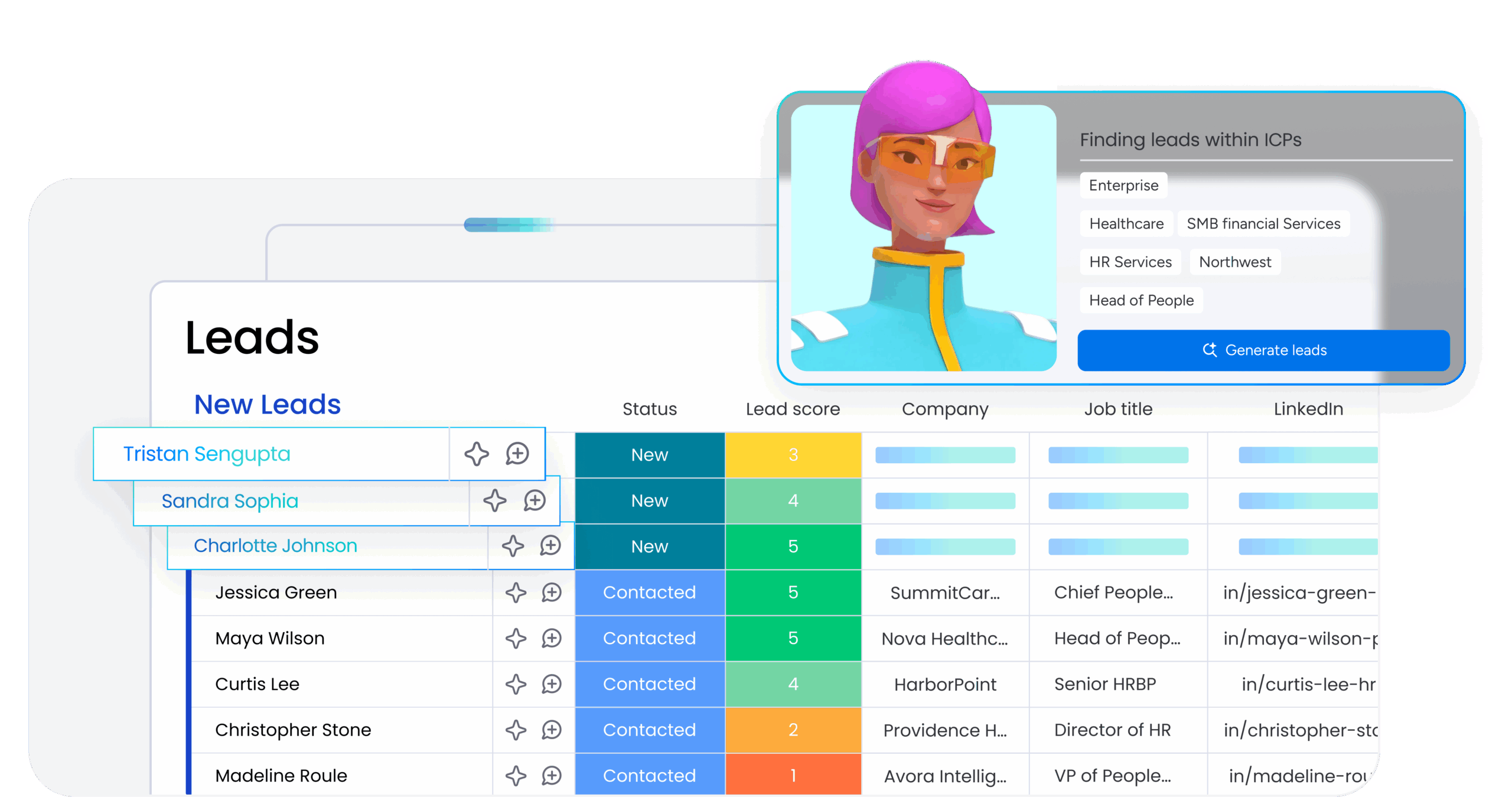
These options look similar. The real difference comes down to data access, ownership, and what happens after the chat. Understanding the distinctions helps you pick the right setup. Choose a setup that connects chat directly to your CRM records rather than sitting on top as a front-end layer.
| Capability | AI chatbot | AI agent | Automation |
|---|---|---|---|
| What it does | Talks with people | Takes action across workflows | Runs fixed rules |
| How it decides | Interprets responses | Reasons across inputs | Follows "if this, then that" logic |
| CRM example | Asks demo questions | Scores the lead and drafts follow-up | Assigns owner when status changes |
| Human oversight | Low for conversation | Medium for sensitive actions | Low after setup |
The chatbot handles the conversation. A CRM agent can score leads, draft outreach, update records, or prepare a deal brief. Automations run the repeatable parts.
A standalone chatbot can still work, but it usually needs connectors or middleware. That adds sync risk and weaker handoff context. Embedded AI keeps the conversation, record updates, routing, and follow-up in one environment. Teams spend less time stitching context back together.
What integrations matter most for an AI chatbot CRM?
An AI chatbot CRM is only as good as its connections to your revenue workflow. Leads come in through chat, forms, email, and ads. Fragmented systems drop handoffs. Which connections keep work moving?
- Forms and lead sources: Capture leads from website forms, social ad campaigns, or other sources.
- Email and calendars: Connect Gmail or Outlook for follow-up and meeting booking.
- Communication channels: Route alerts and updates to Slack or Teams.
- Meeting and signing tools: Connect Zoom and DocuSign to move deals forward.
- Ad platforms: Tie chatbot-sourced leads back to campaign spend.
monday CRM connects to hundreds of integrations across the tools revenue teams already use. Chatbot data lands where reps already work. Teams can collect leads from forms and campaigns, centralize them, and automate follow-ups. Setup stays light and manageable.
Try monday CRMHow to set up and govern an AI chatbot CRM
Start with one flow, not 12. A narrow rollout makes governance, testing, and reporting far easier. These 6 steps keep your first workflow clean:
- Choose the revenue workflow: Pick one starting point, like inbound demo requests.
- Define the CRM data needed: List the identity, account, qualification, and next-step fields.
- Map chat fields to CRM fields: Decide exactly where each answer goes to avoid duplicates.
- Set follow-up and routing rules: Define what happens for high intent, low intent, and known accounts.
- Test read, write, and handoff flows: Test new leads, returning contacts, and drop-offs.
- Monitor results and improve: Review where visitors leave and whether qualified leads convert.
Governance lets revenue teams scale AI without turning the pipeline into a guessing game. Solid governance in practice:
- Role-based permissions: Control who can view conversations or edit fields.
- Human review steps: Owner changes, stage changes, and outbound messages often need a human check before they go through.
- Audit trails: Record what changed, when, and by what process.
On monday CRM, Run history lets teams review what an AI action did and why. monday.com states it does not use customer data or content to train its AI models.
What are AI analytics in a CRM, and what should teams measure?
AI analytics tie chatbot activity to revenue outcomes. The lesson is simple. Measure the workflow, not the chat volume. That’s how you get dashboards with sharp, actionable answers. These metrics tie chatbot performance to the pipeline results your leadership actually cares about.
- Speed to lead: How fast a lead gets a meaningful response or owner.
- Qualified lead volume: How many chats become real pipeline candidates.
- Meeting booking rate: How often qualified conversations book time.
- CRM data completeness: Whether important fields get populated accurately.
- Follow-up completion: Whether the next action actually happens.
- Pipeline movement: Whether chat-sourced leads advance and close.
Revenue teams using monday CRM can track this with real-time dashboards and forecasting. Chatbot-sourced leads stay tied to pipeline stages and ownership. Leads show up in reporting as a meaningful signal that leadership can act on.
Can small businesses use AI in CRMs?
Yes, small businesses can use AI in CRMs. AI in CRMs is available to teams of every size. AI helps smaller teams cut manual copy-paste work. It captures every lead and drafts follow-ups faster.
The setup can start simple. One workflow, a handful of fields, and a clear routing rule. Expand from there as your process grows. monday CRM’s no-code automations and AI actions let small teams put AI to work. Small teams can be up and running quickly, without an IT project.
What to look for in an AI chatbot CRM
When picking a platform, focus less on flashy chat and more on control. Can your team trust the data? Adapt the workflow? Report on results? These capabilities separate a real revenue workflow from a chatbot bolted onto the front end.
- Native CRM integration: Read and write records directly.
- No-code workflow setup: Adjust logic without engineering queues.
- AI lead qualification: Support scoring, labels, and rationale.
- CRM write controls: Limit edits for owner, stage, or value fields.
- Human handoff: Preserve summary, answers, and record links.
- Dashboards and reporting: Show pipeline impact, not just chat count.
- Flexible integrations: Connect email, calendars, alerts, and external systems.
How monday CRM turns chat into a connected revenue workflow
monday CRM is built for teams that want chat conversations to become pipeline, not loose transcripts. It keeps contacts, accounts, deals, and follow-up on one platform, so a chat-sourced lead lands in the same place your reps already work.
That matters for AI chatbot CRM use cases because the handoff is where most opportunities get lost. With records, ownership, and next steps living together, revenue teams can trust the data a chatbot creates and act on it fast.
AI actions that structure chat data
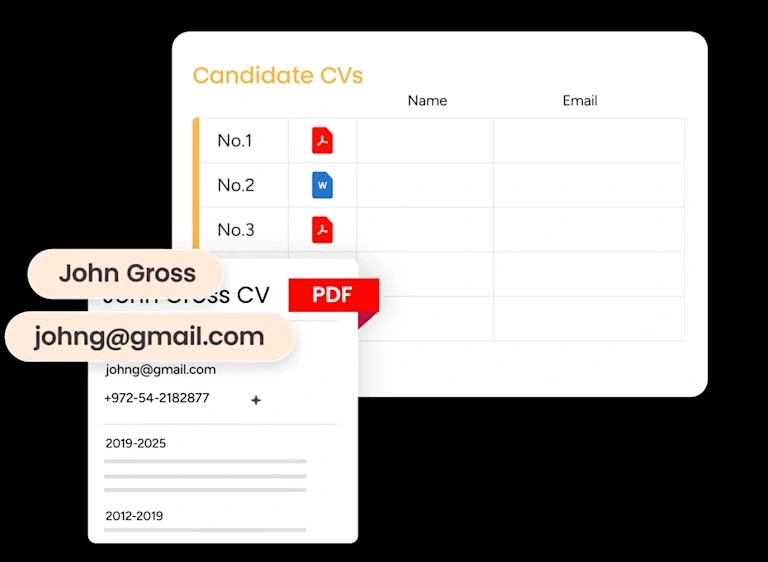
AI actions like Extract information and Assign label turn raw chat text into usable CRM fields. Qualification answers such as use case, urgency, and product interest get written to the record instead of buried in a transcript. Reps inherit context, not homework.
No-code automations for routing and follow-up
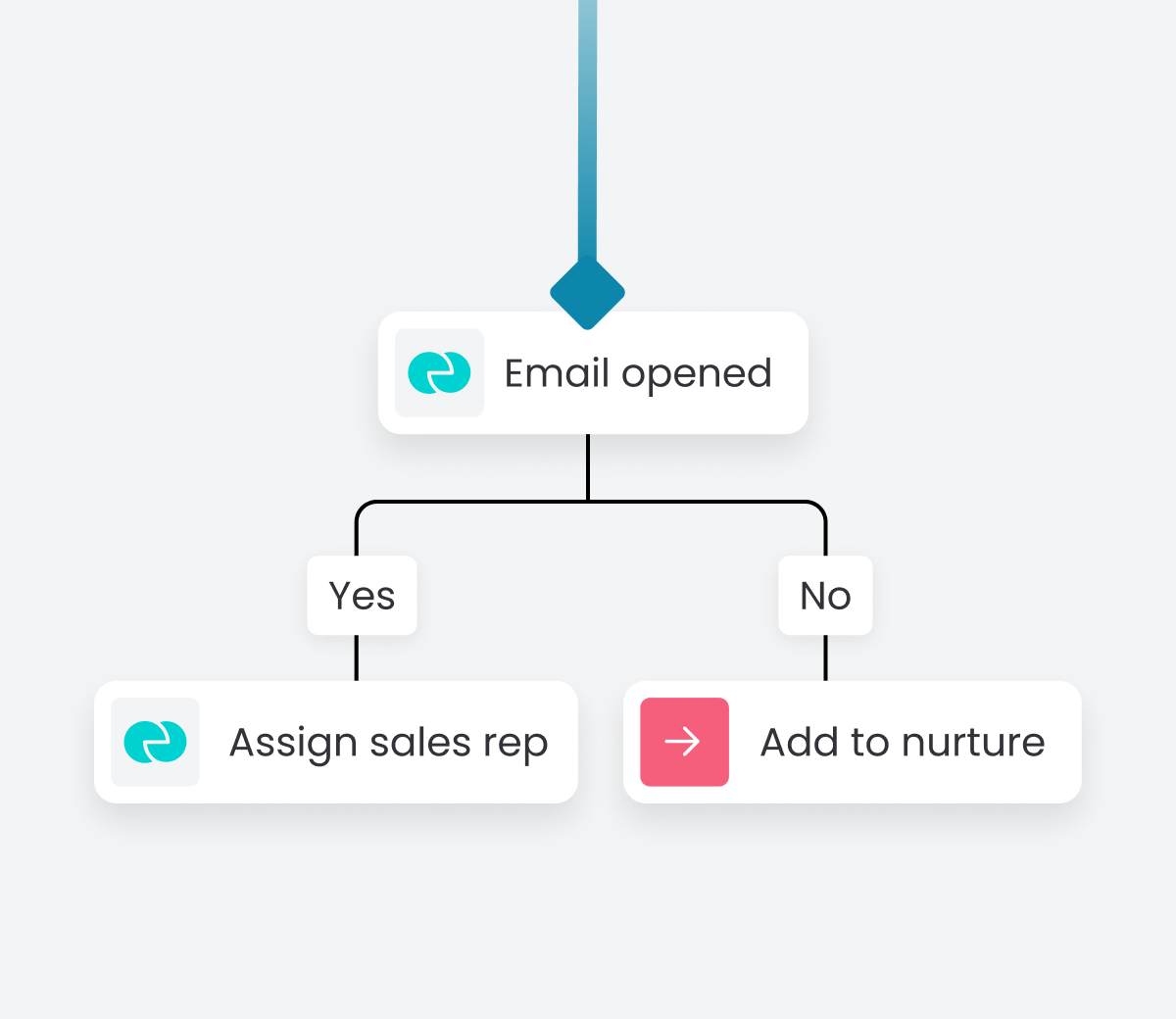
Once a lead qualifies, automations can assign an owner, set a next step, and trigger a follow-up without manual effort. Routing by territory, segment, or account ownership takes minutes to configure and needs no engineering queue. Speed to lead improves because nothing waits in a shared inbox.
AI-assisted lead scoring and summaries
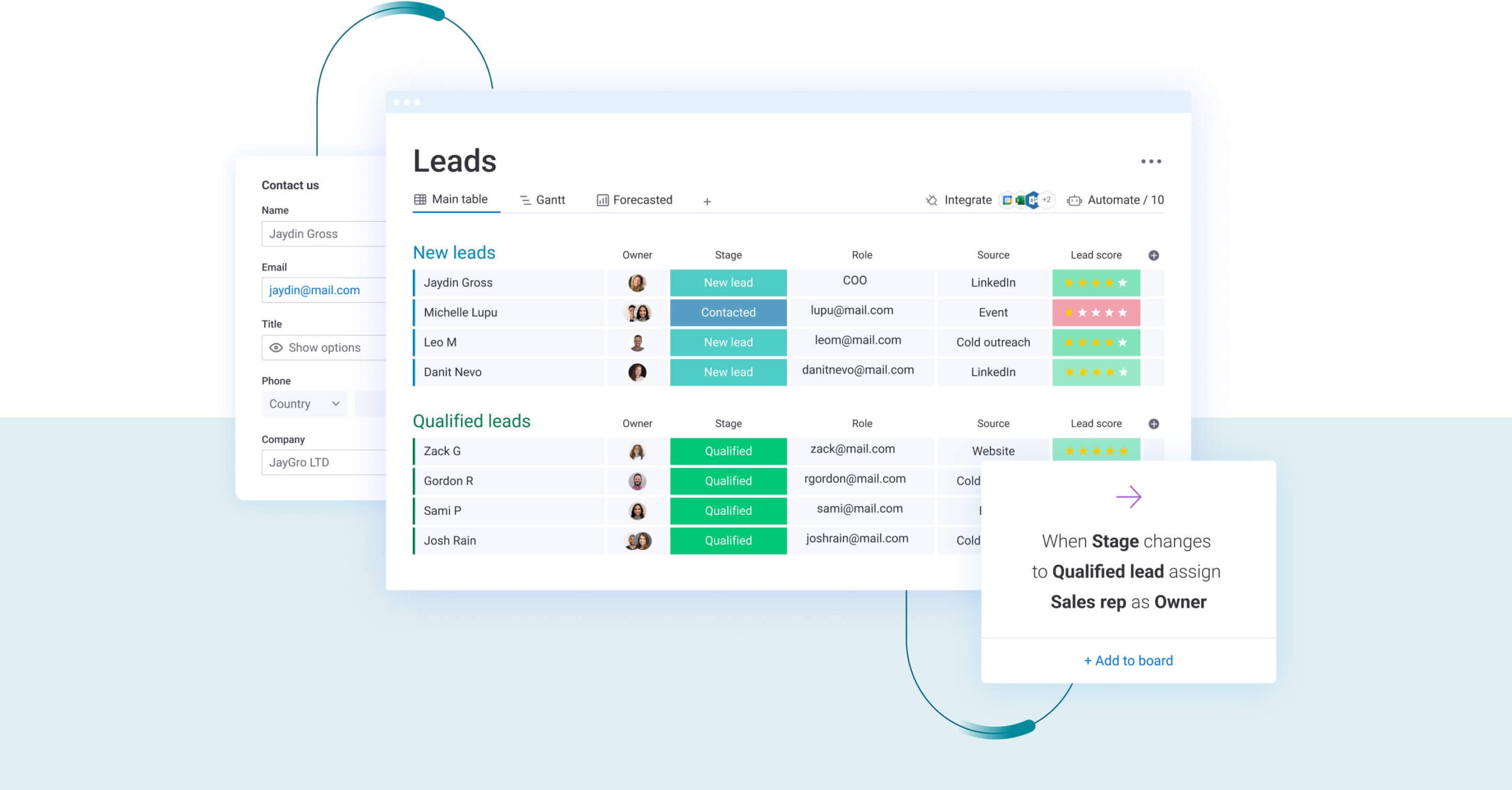
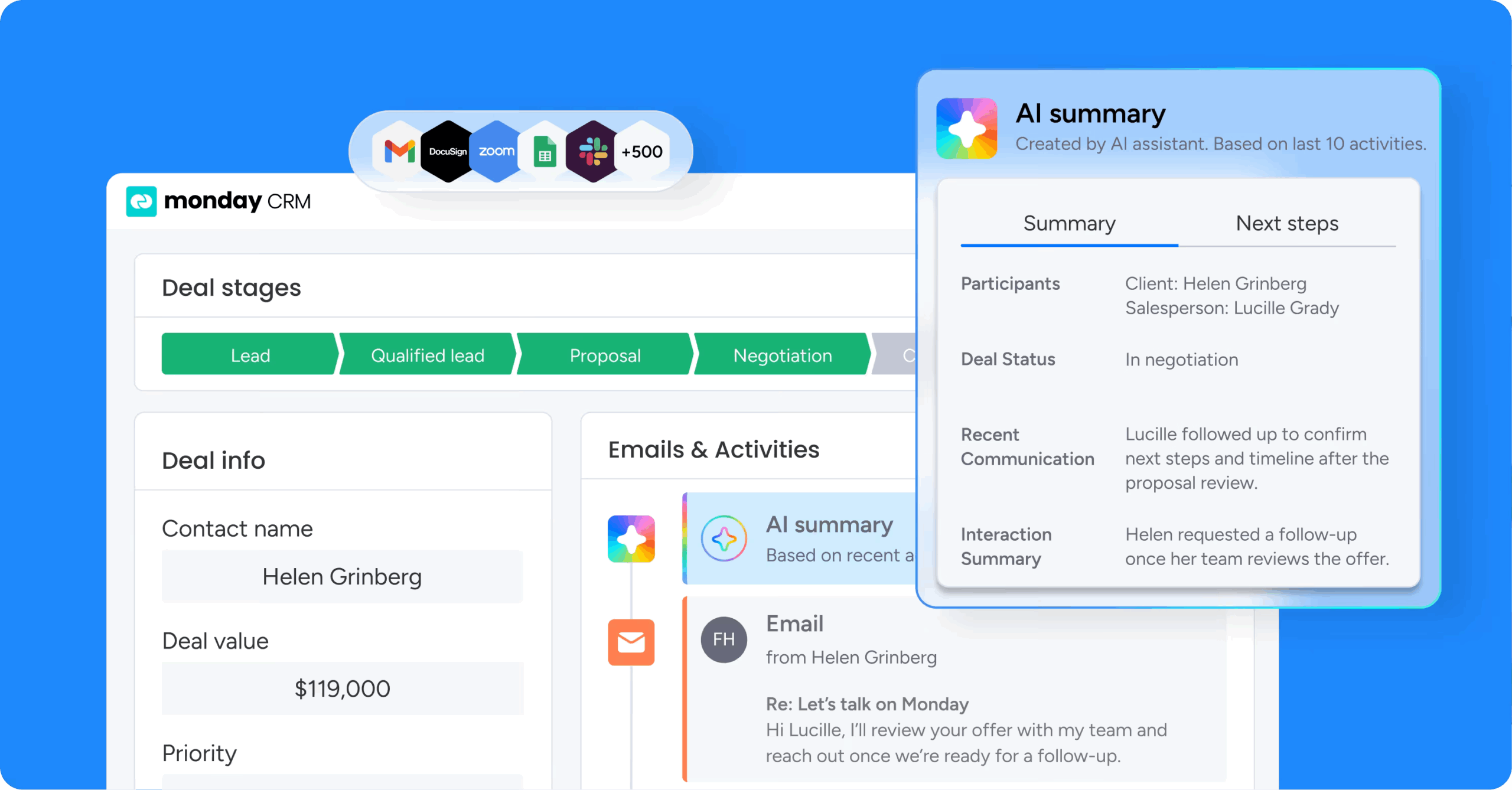
AI can score chat-sourced leads based on fit and buying intent, then summarize the conversation for the assigned rep. Sales leaders can see why a lead ranked high, which keeps scoring transparent. The rep opens the record and knows exactly where to pick up.
Real-time dashboards and run history
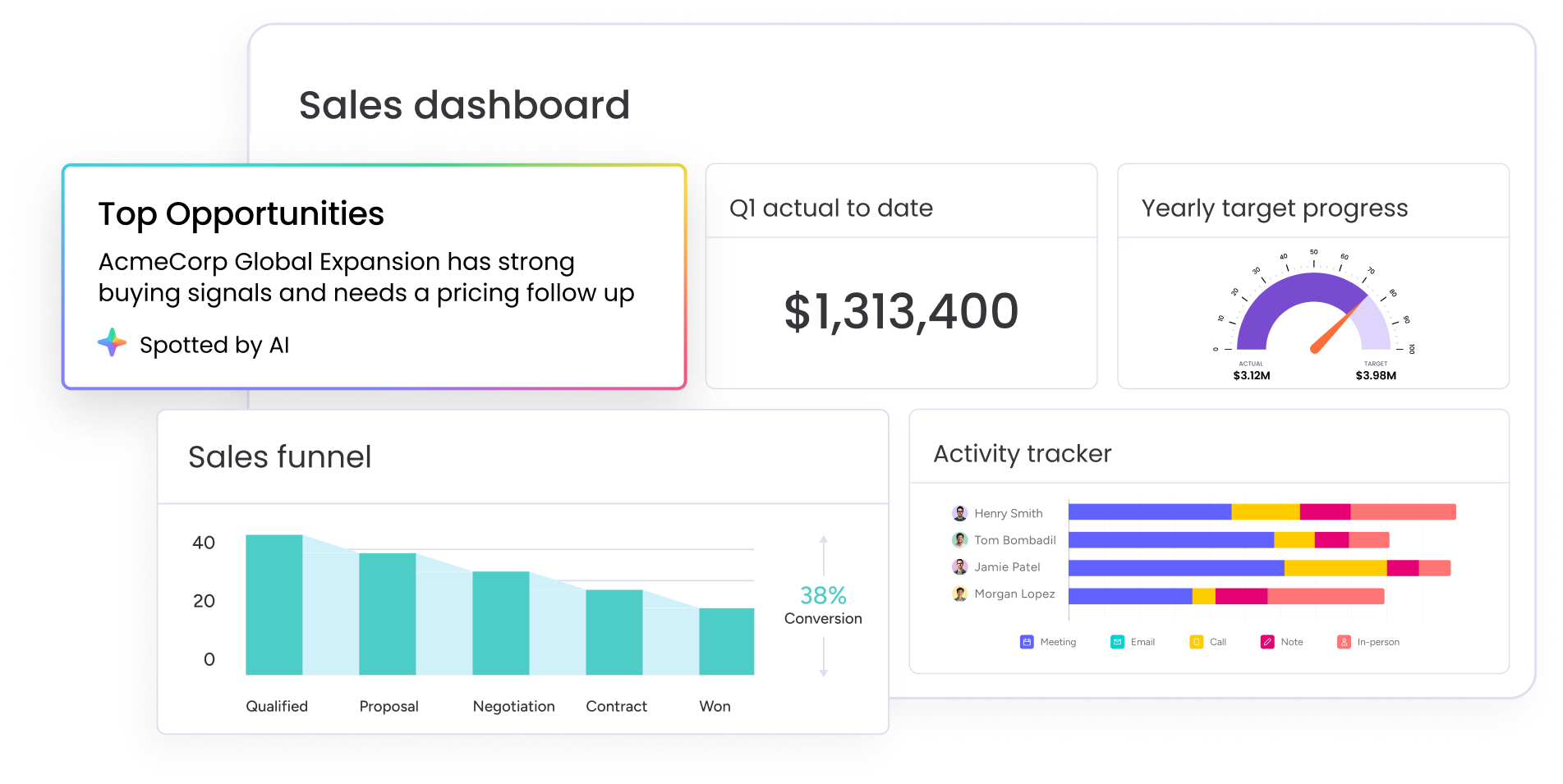
Dashboards tie chat-sourced leads to pipeline stages, ownership, and forecasts, so you can measure outcomes instead of chat volume. Run history shows what each AI action did and why, giving teams the audit trail they need to scale AI with confidence.
Turning chat into pipeline you can trust
An AI chatbot CRM works when chat, records, ownership, and follow-up stay connected. The chatbot starts the conversation, and the CRM owns what happens next. Don’t judge the category by how smooth the chat sounds. Judge it by record quality, routing accuracy, follow-up consistency, and whether leadership can trust the pipeline view.
As AI shifts from generating replies to executing work, the line between chatbot, agent, and automation will keep blurring, which makes clear use cases and solid governance more valuable, not less. If a system can qualify leads, update records accurately, route ownership correctly, and keep the pipeline visible, you’re looking at real CRM value. That’s the standard monday CRM is built around.
Try monday CRMFAQs
Is there an AI CRM?
Yes, AI CRMs exist and are becoming the standard for revenue teams. An AI CRM combines customer records with AI capabilities like lead qualification, conversation summarization, email drafting, and workflow actions. Instead of bolting a chatbot onto a separate system, the AI reads and writes directly to your contacts, accounts, and deals, so every interaction updates the pipeline automatically.
Can AI create a CRM for me?
AI can help generate workflows, boards, and supporting apps in minutes, which gives you a strong starting point. But you still need to define the essentials yourself: which fields matter, who owns each lead type, how routing works, and what governance rules apply. AI speeds up setup. Your team's process decisions determine whether the CRM actually produces clean, trustworthy pipeline data.
How is AI being used in CRM?
Teams use AI in sales and CRM for lead qualification, enrichment, scoring, routing, email drafting, conversation summaries, activity logging, and pipeline monitoring. The biggest gains come from removing manual data entry and speeding up follow-up. Reps spend less time copying notes between systems and more time selling, while leaders get cleaner records and more reliable forecasts to act on.
Do you need code to connect a chatbot to a CRM?
Not always. Some setups require custom integration work, especially when a standalone chatbot has to sync with a separate CRM through middleware. Others offer native or no-code connections that let you map chat answers to CRM fields without engineering help. monday CRM supports no-code AI actions, automations, and workflow setup, so most revenue teams can configure routing and follow-up themselves.
What is the difference between an AI chatbot and an AI agent in CRM?
An AI chatbot handles the conversation. It asks questions, interprets replies, and guides the visitor toward a next step. An AI sales agent works across the broader workflow. It can score a lead, draft outreach, update records, or prepare a deal brief based on context. Chatbots talk with buyers, while agents take action behind the scenes, and many teams use both together.
Is customer data used to train AI models?
It depends on the platform, so always check a vendor's data policy before you connect customer records to any AI tool. Ask whether your content is used for model training, who can access it, and how long it's retained. monday.com states that it does not use customer data or content to train its AI models, which helps teams scale AI with more confidence.