Most AI rollouts stall because the work itself never changed, not because the technology falls short. Teams get access, sit through a launch presentation, and then quietly return to their old habits. AI change management closes that gap by building real habits around AI-supported workflows, covering the people, the process, and the controls that keep humans in charge.
This article explains how AI change management differs from the traditional kind and walks through a 7-step playbook, role-by-role guidance, governance rules, and ways to measure adoption. You’ll also see how monday CRM embeds AI directly into the workflows your team already uses, making adoption faster and easier to sustain.
Key takeaways
- Workflow fit drives real adoption: AI gets used when it lives inside steps people already do, not in a separate tab they have to remember to open.
- Start with 2–3 focused workflows before expanding: Pick processes with obvious friction, map where AI fits, and define who reviews what before anything goes live.
- Governance builds confidence, not bottlenecks: When people know exactly what AI can do and who approves what, they use it more, not less.
- AI embedded in revenue workflows drives usage: When AI lives inside existing deal records, surfacing timeline summaries before calls and drafting follow-ups inside activity logs, reps stay in one place instead of switching between systems.
- Measure repeat behavior, not logins: Track workflow completion, correction patterns, and pipeline movement to know if AI is actually changing how your team works.
What is AI change management?
AI change management is the work of helping people actually use AI in their daily jobs, not just handing them access to a platform. It works when teams build repeatable habits around AI-supported workflows, not when licenses get purchased or a launch deck goes out.
This covers three things at once:
- The people side: Confidence, skills, and trust
- The process side: Where AI enters work, what it produces, and who acts next
- The control side: Permissions, review rules, and accountability
It is not model building, not a one-time training session, and not a launch checklist. It keeps evolving as teams learn where AI helps and where it needs a human.
A few terms come up often, so let’s define them early:
- AI change management: Helping teams adopt AI through workflow integration, training, governance, and continuous improvement
- Adoption: Repeated use in real workflows, not one-time experimentation or login counts
- AI agent: AI that takes action (routing, drafting, assigning, escalating), not just text
- Human-in-the-loop: A person reviews or approves important AI actions before they happen
Revenue teams often find adoption more seamless when AI lives inside the same workflows people already use, instead of in a separate destination.
Why AI change management starts with adoption
Why do so many AI rollouts stall after the announcement? Because access does not change behavior. A team can have logins, permissions, and a launch deck and still work the old way. Understanding what blocks daily use, and what builds lasting habits, is where a real adoption strategy begins.
The friction points that block daily use are easy to recognize:
- System switching: People leave their main workflow to use AI somewhere else
- Unclear examples: They do not know when AI actually helps
- Low trust: Outputs feel hit-or-miss
- Extra effort: Review feels like added work, not saved work
When momentum fades, the signs show fast: people try AI once and stop, they drift back to email and spreadsheets, and manual summaries and follow-ups keep happening by hand.
Workflow fit is what turns AI into an everyday habit
AI gets used when it shows up inside a step people already do, pulls from data already in the system, and returns output where the next action happens. That is what makes adoption feel natural instead of forced. Do your reps need another tab, or less switching and more context where they already work?
For sales teams, workflow fit often looks like this:
- Before a call: AI surfaces a short timeline summary, so the rep skips the note hunt
- After a call: AI drafts a follow-up based on conversation history and deal context
- During pipeline review: AI flags stalled deals and suggests the next step
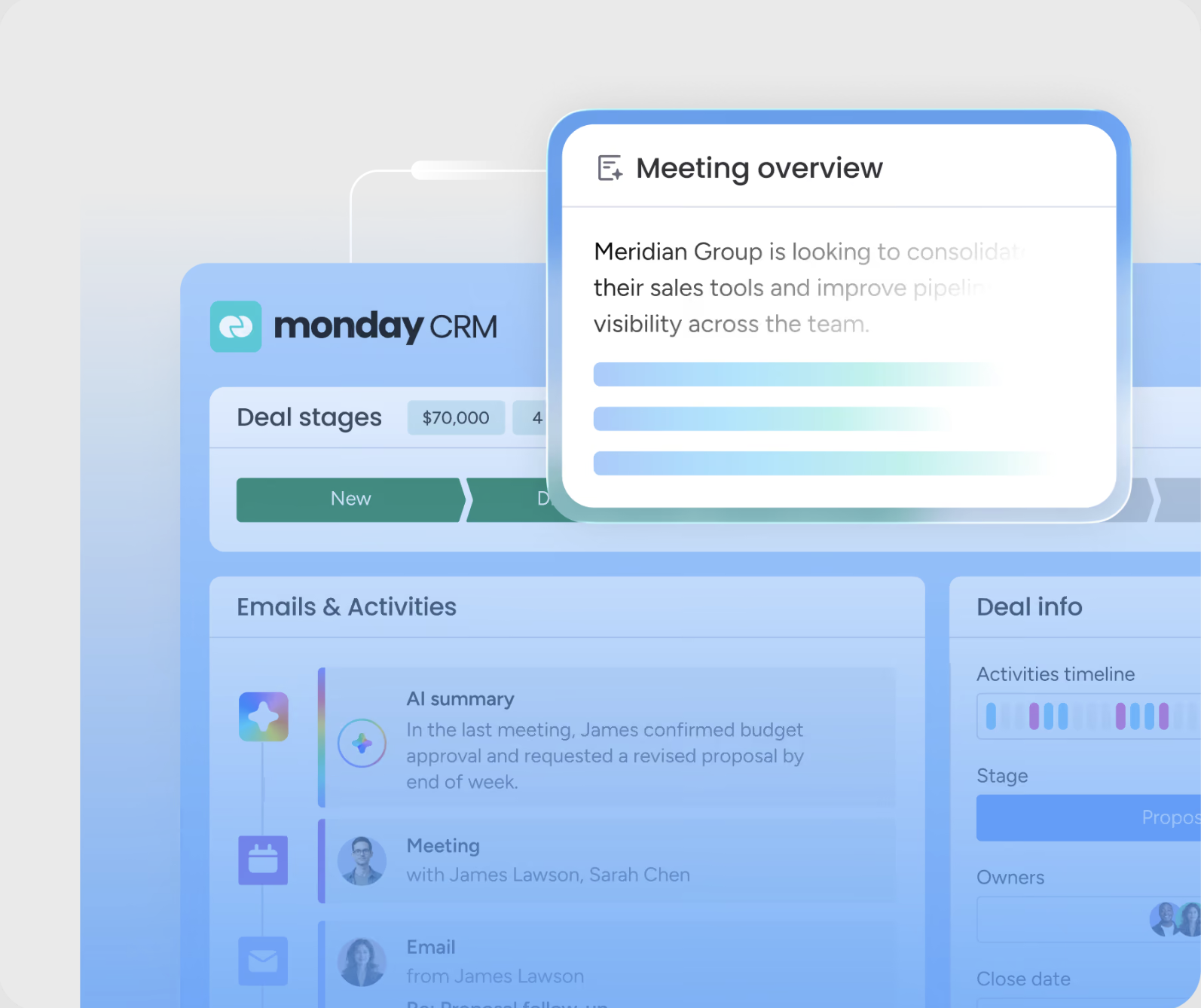
For example, teams can use AI-generated timeline summaries and email drafting inside the deal record itself, so reps stay attached to the account instead of hunting through scattered history.
Why leaders need to use AI first to build team confidence
People copy what leaders do. When managers use AI openly, explain when they edit it, and show how they review important outputs, trust grows faster. Three habits move the needle:
- Demonstrate use: Use AI in meetings, reviews, and one-on-ones
- Explain judgment: Show when you accept, edit, or reject output
- Normalize refinement: Treat tuning as part of rollout, not proof the idea failed
How AI change management differs from traditional change management
Traditional and AI change management share a backbone, but AI adds moving outputs, data dependency, and new approval decisions. That changes how teams roll out, review, and improve over time. The table below shows where the two approaches diverge most.
| Area | Traditional change | AI change |
|---|---|---|
| Workflow stability | Workflows stabilize after launch | Workflows evolve as teams learn where AI helps and fails |
| Decision ownership | Human ownership stays obvious | Teams define when AI suggests, drafts, or acts |
| Data dependency | Data supports reporting | Data quality shapes output trust directly |
| Rollout pace | Phased rollout with an end state | Continuous review and tuning |
| Trust factors | Trust in process and leadership | Trust in outputs, review rules, and data accuracy |
Why AI agents create new decision points your team must define
AI assistants usually suggest, summarize, or draft. AI agents can support CRM automation workflows by routing, assigning, escalating, or updating records. That means teams must decide what the agent is allowed to do and where a person steps in.
Those decisions usually cover:
- What the agent can do: Read, suggest, update, or execute
- When review happens: Always, on exceptions, or after the fact with an audit trail
- What happens on edge cases: Unclear inputs, missing data, or conflicts
Why broken data is the fastest way to lose team trust in AI
People do not stop using AI because it’s new. They stop when it keeps pulling from broken records caused by weak CRM data management. Common trust killers include:
- Missing close dates: AI can’t spot stalled deals
- Duplicate contacts: Conflicting context surfaces in outputs
- Outdated notes: Summaries become irrelevant
- Scattered files: AI can’t find the right source
Centralized records matter here. Teams that keep deal history, files, contacts, and activity in one shared place see more dependable AI output.
7 steps to build an AI adoption strategy your team will use
A good rollout needs structure. Without it, teams jump from vague excitement to vague disappointment. This playbook helps leaders move from access to dependable use, covering everything from choosing the right starting workflows to measuring what actually sticks.
Step 1: Choose high-value AI examples that are easy to review and low risk
Start with work that happens often, annoys people already, is easy to review, and carries manageable risk. Good early examples include:
- Lead qualification
- Meeting summaries
- Follow-up drafting
- Ticket triage
- Document extraction
“Use AI for everything” is not a plan. Starting with 2–3 focused examples builds habit before you expand. Teams often begin with AI Blocks like Extract information, Summarize, Assign label, or Assign person, because those cut manual admin in familiar workflows.
Step 2: Map the trigger, input, output, reviewer, and handoff for each workflow
Map each workflow step before you build anything. That gives training, governance, and measurement real structure instead of guesswork.
| Workflow step | Current owner | AI role | Human review point | Handoff |
|---|---|---|---|---|
| Lead comes in | Marketing | Score and categorize | Rep reviews score | Rep accepts or overrides |
| Pre-call prep | Rep | Summarize timeline | Rep reviews summary | Rep uses in call |
| Post-call follow-up | Rep | Draft email | Rep edits before send | Rep sends |
| Pipeline review | Manager | Flag stalled deals | Manager reviews flags | Manager coaches rep |
Step 3: Run a pilot with real records, real customers, and real deadlines
Pilots need real records, real customers, and real deadlines. That’s the only way to find trust issues, missing data, and workflow friction before broad rollout.
Keep it small and focused:
- One workflow to test at a time
- 5–10 representative people who reflect the broader team
- Weekly check-ins tied directly to the work
The pilot exists to refine the rollout, not to prove perfection.
Step 4: Build a network of change champions who support peers with real examples
Champions help peers adopt the new process with real examples, not theory. They show how the workflow works in live work, collect friction, and push fixes back to ops or admins. They support adoption, but they don’t replace formal role-based training.
Step 5: Train each role on the AI workflows they use every day
Train by job, not by feature list. Each role has different needs:
- Reps need to know when to use AI, how to review outputs, and when to reject them
- Managers need to coach usage and read adoption signals
- Ops teams need to tune workflows, permissions, and data inputs
Use real deal notes, real emails, and real records, and have people practice correcting output, not just accepting it.
Step 6: Add AI governance rules that define who reviews what and when
Governance helps adoption because it removes uncertainty. People use AI with more confidence when the rules are specific.
| Use case | Risk level | Allowed action | Reviewer |
|---|---|---|---|
| Lead scoring | Low | Auto-score, rep reviews | Rep |
| Follow-up email | Medium | Draft, rep approves before send | Rep |
| Contract summary | High | Draft, legal reviews | Legal |
| Pricing recommendation | High | Suggest, manager approves | Manager |
The monday.com Work OS supports AI workflows with approval checkpoints, step-by-step run logs, and named review points, so teams add oversight without clogging the process.
Step 7: Measure repeat behavior and run a continuous improvement loop
Login counts don’t tell the story. Repeated behavior does. Watch:
- Repeat usage
- Workflow completion
- Correction patterns
- Feedback trends
- Exception volume
Then run the loop: review data, find friction, change the workflow or training, and review again. Rollout is ongoing, not a one-time event.
How to support teams through AI adoption
AI adoption works when support feels practical. People need to know what changes in their day, how to review output, and where to ask for help. The table below maps what shifts for each role and what they gain directly.
| Role | What changes | Direct value |
|---|---|---|
| Sales rep | AI drafts follow-ups, summarizes timelines | Less manual prep, faster response |
| Sales manager | AI flags stalled deals, surfaces coaching signals | Stronger visibility, targeted coaching |
| RevOps lead | AI monitors data quality, automates routing | Consistent handoffs, cleaner data |
| Account manager | AI tracks account health, surfaces renewal risk | Earlier intervention, stronger retention |
Keep reskilling grounded in skills people need this quarter:
- Prompt writing: give usable instructions
- Output review: check relevance and accuracy
- Exception handling: know what to do when output is incomplete
- Data hygiene: keep records usable for AI
- Decision judgment: accept, edit, or reject with intent
People also need one place to raise issues and visible proof that someone acts on them. If people report friction and nothing changes, why would they keep using the workflow?
How AI governance keeps adoption on track
Governance should reduce uncertainty without dragging work to a stop. The goal is speed with control, and that requires defining who can do what before AI-supported work goes live. On monday CRM, permissions and account controls help teams decide who changes AI-supported workflows and who approves important actions.
Define who can view, edit, trigger, approve, or publish AI-supported work. Some actions need review by default:
- Customer-facing messages
- Pricing decisions
- Legal terms
- Compliance-sensitive actions
Some teams start with “always review,” then move to exception-based review as trust grows. Spell out restricted data and approved workflows so rules are easy to follow, and keep traceability high. Run history on AI-supported actions helps teams understand what happened and why an output needs stronger instructions.
Try monday CRMHow to measure AI adoption and business impact
Adoption measurement should connect behavior to workflow outcomes and business impact. That gives leaders something to coach from and something credible to report upward, not just a login count to share in a slide deck.
| Metric category | What to track | What it tells you |
|---|---|---|
| Usage | Repeat usage, workflow-level, role-level | Whether habits are forming |
| Workflow | Stage progression, handoff speed, review completion | Whether process flow is improving |
| Data quality | Completeness, duplication, required-field usage | Whether data supports dependable output |
| Revenue/customer | Follow-up consistency, pipeline movement, renewal readiness | Whether AI is contributing to outcomes |
| Employee feedback | Confidence, usefulness, friction | Whether people trust the process |
For revenue teams, the strongest signal mix combines usage data with pipeline movement, response consistency, and record quality. Live dashboards can surface those signals together in one place instead of pulling them from separate systems.
How revenue teams can apply AI change management to their most common workflows
Revenue teams can start where friction is visible and repeatable across common B2B sales workflows: lead qualification, deal prep, follow-up, pipeline review, and cross-functional handoffs. Each workflow below maps an AI example, the habit to build, and the review rule that keeps humans in control.
| Revenue workflow | AI example | Habit to build | Review rule |
|---|---|---|---|
| Lead qualification | AI scores and categorizes leads | Rep checks score before outreach | Rep can override |
| Deal summaries | AI summarizes timeline and activity | Rep reviews before calls | Rep corrects issues |
| Follow-up workflows | AI drafts follow-up emails | Rep edits and approves before send | Rep owns final message |
| Pipeline visibility | AI flags stalled deals | Manager reviews flags weekly | Manager coaches from signals |
| Cross-functional handoffs | AI structures handoff context | Receiving team reviews completeness | Both teams can add context |
On monday CRM, these map to AI-supported work inside the record itself: AI Timeline Summary for pre-call prep, the AI email assistant for follow-ups, and AI Blocks to categorize, summarize, or extract details on boards. Shared workflows across sales, legal, finance, and customer success help preserve context across the full customer journey.
Make AI adoption stick with monday CRM
AI adoption works when AI lives where revenue teams already work. monday CRM brings AI into the same deal records, boards, and activity streams reps open every day, so no one has to hunt for a separate destination.
That setup gives leaders a practical way to roll out AI in focused steps. Teams build habits at the point of action, while admins keep review rules and permissions in place. And because the platform is customizable CRM software, revenue teams refine stages, fields, and automations as they learn, without waiting months for a technical rebuild.
AI Timeline Summary
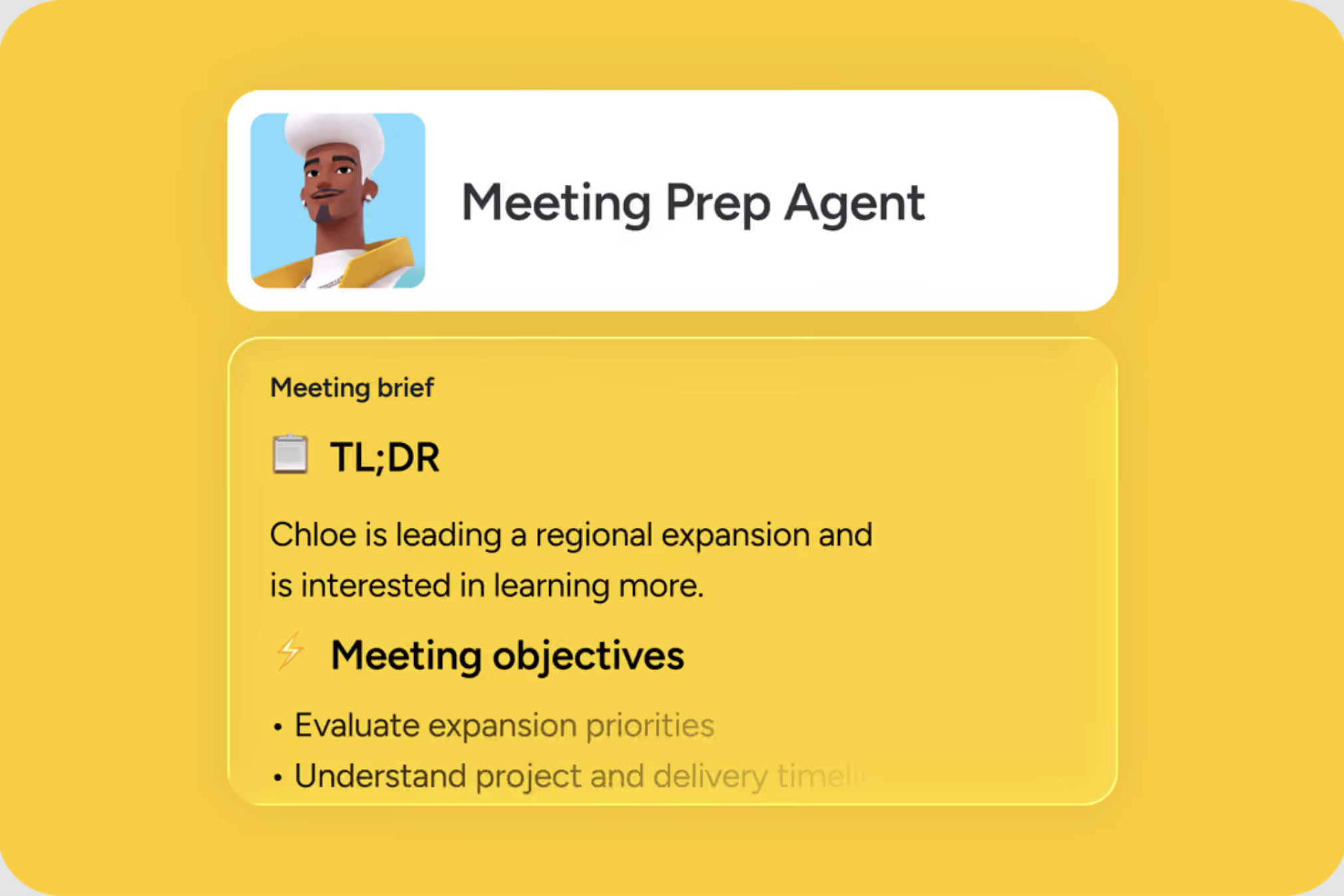
Reps often lose time digging through scattered notes before a call. AI Timeline Summary condenses deal history into a short brief inside the record, so reps walk in prepared. It also makes AI a natural first step in the pre-call routine, which is where repeat use begins.
AI email assistant
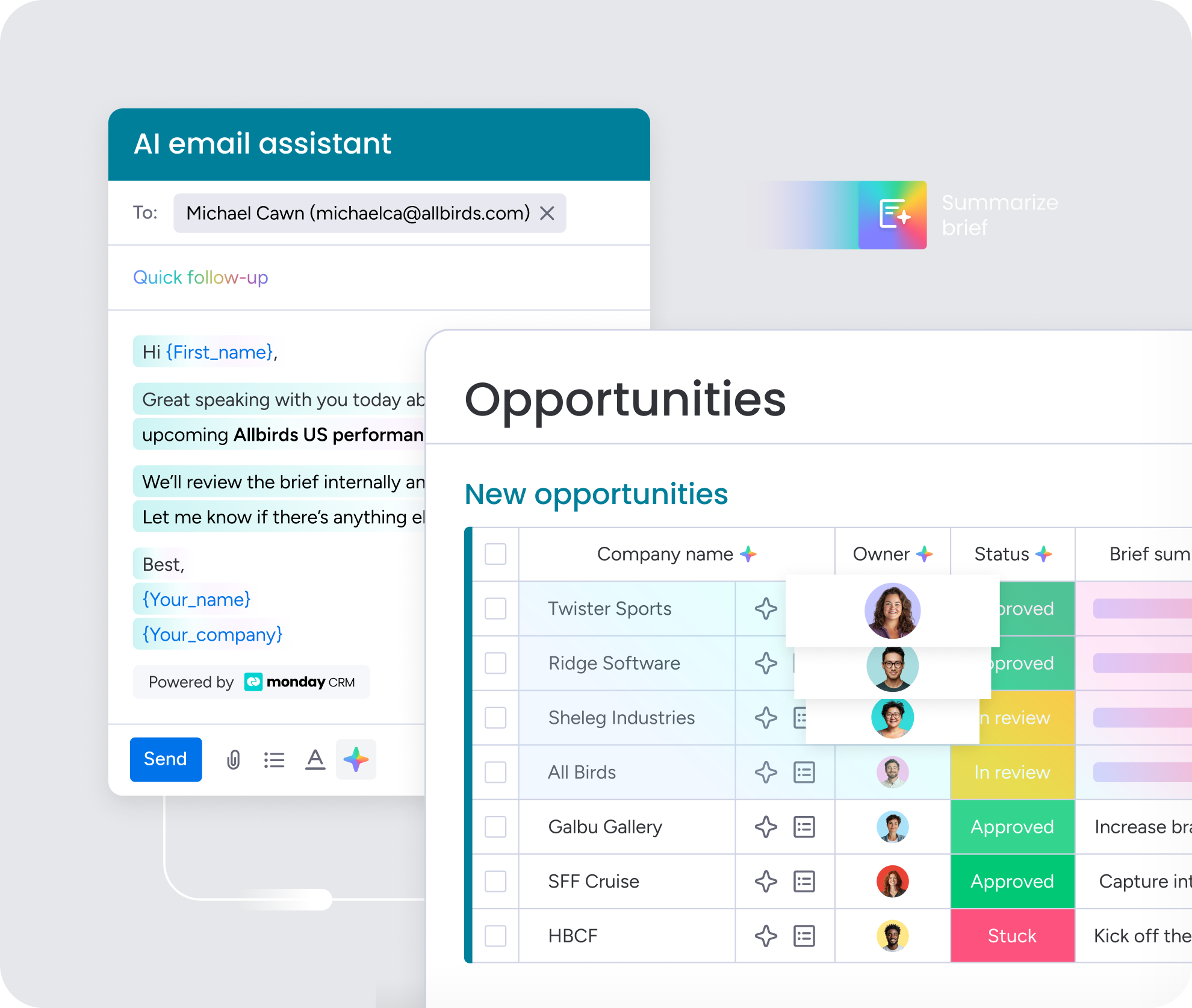
Follow-ups slip when drafting feels like extra work. The AI email assistant drafts messages inside “Emails & Activities,” using conversation history and deal context. Reps edit and approve before sending, so they stay in control of every customer-facing message.
AI Blocks in CRM boards
AI Blocks add AI actions directly to your boards, including Detect sentiment, Extract information, Summarize, Writing assistant, Assign label, and Assign person. Start with one block on a high-friction step, such as categorizing inbound leads. Outputs stay attached to the item, which keeps review simple and results easy to track.
monday MCP
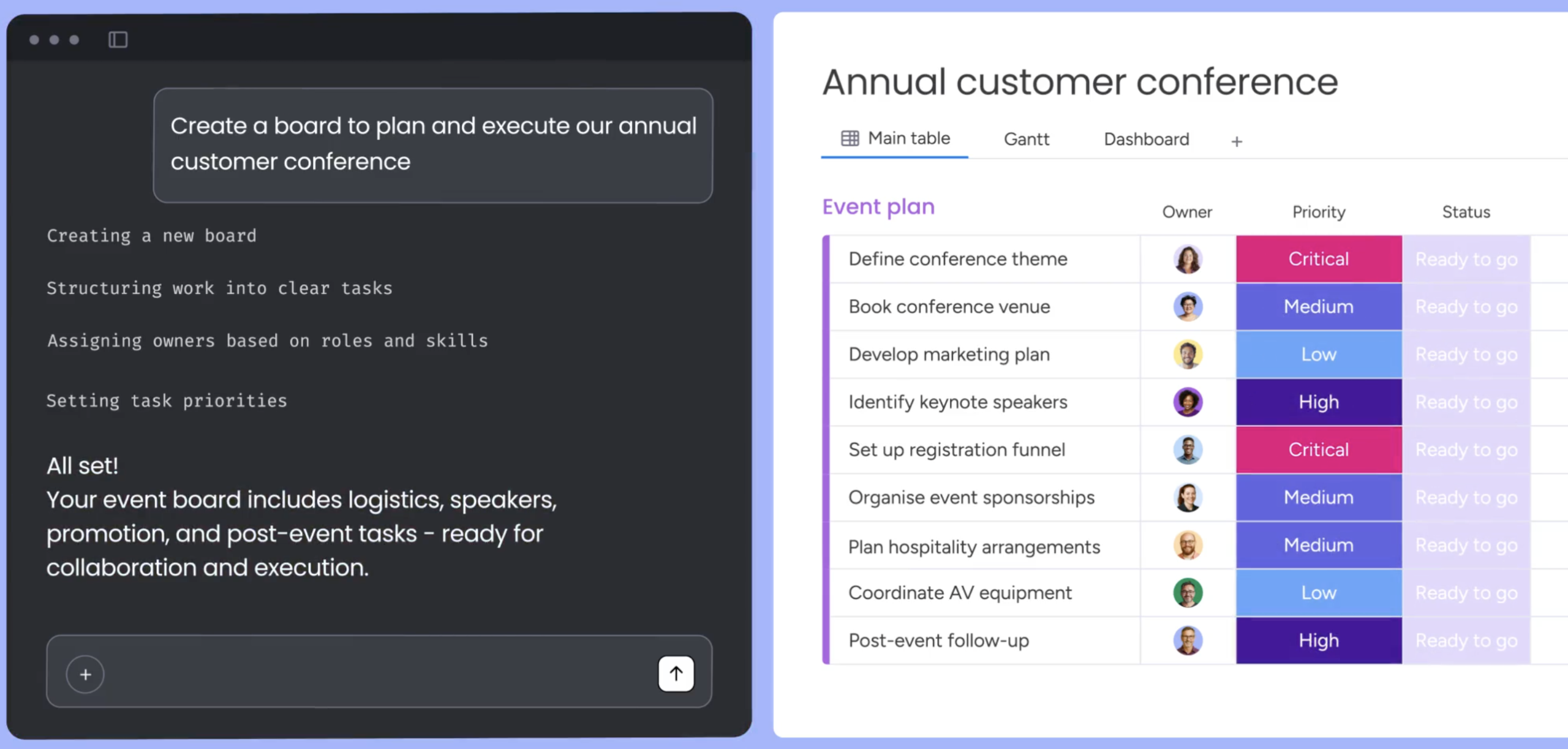
Many teams already use external AI assistants, and monday MCP connects them to your workspace securely. Assistants get the context they need, while permissions and review rules stay in place. That means teams can expand AI use without losing governance or leaving their core workflow.
Turn AI access into everyday habits
AI change management works when the technology fits the way your team already works. Pick 2–3 focused workflows, map where AI helps and where a person reviews, and train each role on the examples they use daily. Clear governance gives people the confidence to rely on AI, while repeat behavior shows you what is actually sticking.
Adoption keeps evolving, so treat every pilot, correction, and piece of feedback as a chance to refine. monday CRM puts AI inside the deal records, boards, and activity streams your revenue team already opens each day, making it easier to build habits that last and keep humans in charge of every important decision.
Try monday CRMFAQs
What is AI change management?
AI change management is the practice of helping teams adopt AI in their daily work. It combines workflow integration, role-based training, governance, and continuous improvement. Access to AI tools is only the starting point. Real change happens when people build repeatable habits around AI-supported workflows and know exactly where human judgment stays in charge.
How is AI used in management?
Managers use AI to see more and act sooner. AI tools for sales performance optimization deliver deal summaries, prioritization, forecasting support, and coaching signals. They also surface workflow visibility, so managers spot stalled work early, step in with context, and spend their time on coaching and strategy instead of status hunting.
What is an AI change agent?
An AI change agent can be one of two things. It can be a person who drives AI adoption inside an organization, such as a champion who coaches peers with real examples. It can also be an AI agent that supports rollout through automation and monitoring. The meaning depends on the context in which the term appears.
Will AI replace program managers?
AI will not replace program managers. They still own judgment, stakeholder alignment, and accountability for outcomes. What changes is the workload. AI takes on more repeatable coordination work, like status summaries, routing, and reminders, which gives program managers more time for the strategic decisions that move programs forward.
What are AI platforms for change management?
AI platforms for change management help teams communicate changes, train by role, monitor adoption, gather feedback, and automate parts of rollout support. The strongest options sit inside the workflows people already use, so adoption data, review rules, and feedback loops stay connected to real work instead of living in a separate system.
How do you measure AI adoption?
Measure AI adoption through repeat behavior, not logins. Track repeat usage, workflow completion, correction patterns, data quality, business outcomes, and employee feedback. Together, these signals show whether AI is changing how your team works. Live dashboards bring them into one view, so leaders can coach from real data and report progress with confidence.
How does monday CRM support AI change management?
monday CRM embeds AI directly into revenue workflows, so reps use it inside the deal records they already open every day. Teams adjust stages, fields, and automations with no-code tools as they learn. Live dashboards track adoption, while permissions and review rules give admins the governance controls to keep humans in charge.