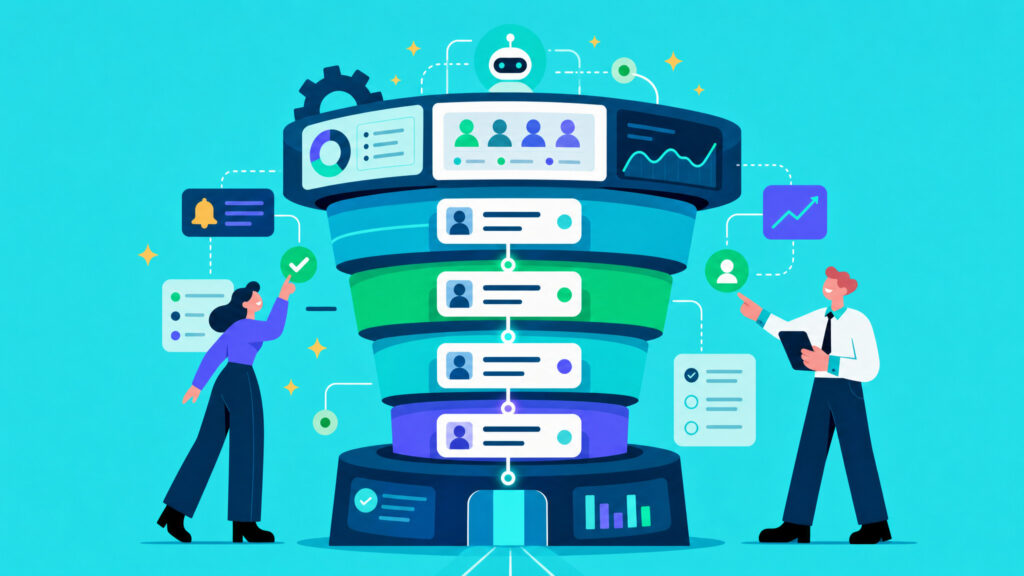
Most enterprise teams aren’t short on AI ambition. They’re short on a practical answer to one question: which decisions should AI make, and which should stay with people? Agentic AI for enterprise goes beyond generating content. It reads signals from live systems, takes action across connected workflows, and hands off to people when judgment is required.
This article covers what agentic AI is, how it differs from other AI, 7 workflows worth automating first, 6 decisions that stay human-led, and how to deploy and govern agents with confidence. Whether you’re launching your first AI workflow or building a broader revenue system, monday CRM gives you the context, controls, and oversight to get it right.
Key takeaways
- Start with structured, repeatable work: Agentic AI performs best on high-volume workflows like lead routing, CRM hygiene, and support triage, not judgment calls.
- Keep humans in charge of what matters most: Pricing exceptions, legal approvals, and strategic customer conversations should always stay with people, not agents.
- Know the difference between AI types before you buy: Generative AI creates content, copilots suggest actions, and agentic AI actually executes work inside your systems.
- monday CRM puts AI where revenue teams already work: Features like AI Timeline Summary, Autofill with AI, and no-code agent workflows keep execution and oversight in one place.
- Governance is the foundation: Role-based permissions, audit trails, and named ownership are what make agentic AI trustworthy at scale.
What is agentic AI for enterprise?
Agentic AI for enterprise is AI that pursues a business goal, makes bounded decisions, and takes multi-step actions across connected systems, all within defined permissions and guardrails.
Agentic AI for enterprise does more than generate content or answer questions. It reads signals, reasons through context, acts inside workflows, and hands off to people when the situation calls for judgment.
The real question goes beyond “Can AI do this?” to “Should AI do this?” The answer depends on the work:
- Strongest fit: Structured execution, such as repeatable, high-volume workflows with clear rules and reversible outcomes.
- Weakest fit: Judgment-heavy calls where stakes are high, context is ambiguous, or trust is on the line.
This matters most when agents live in the same system as your customer records, activities, and approvals. With monday CRM, that context is already there, so agents act faster and you can see what they did.
What an enterprise AI agent actually does in practice
Enterprise AI agents are AI workers connected to business systems, data, tools, and permissions. Unlike a general chatbot that answers questions in isolation, an enterprise agent reads signals from live systems and acts inside workflows.
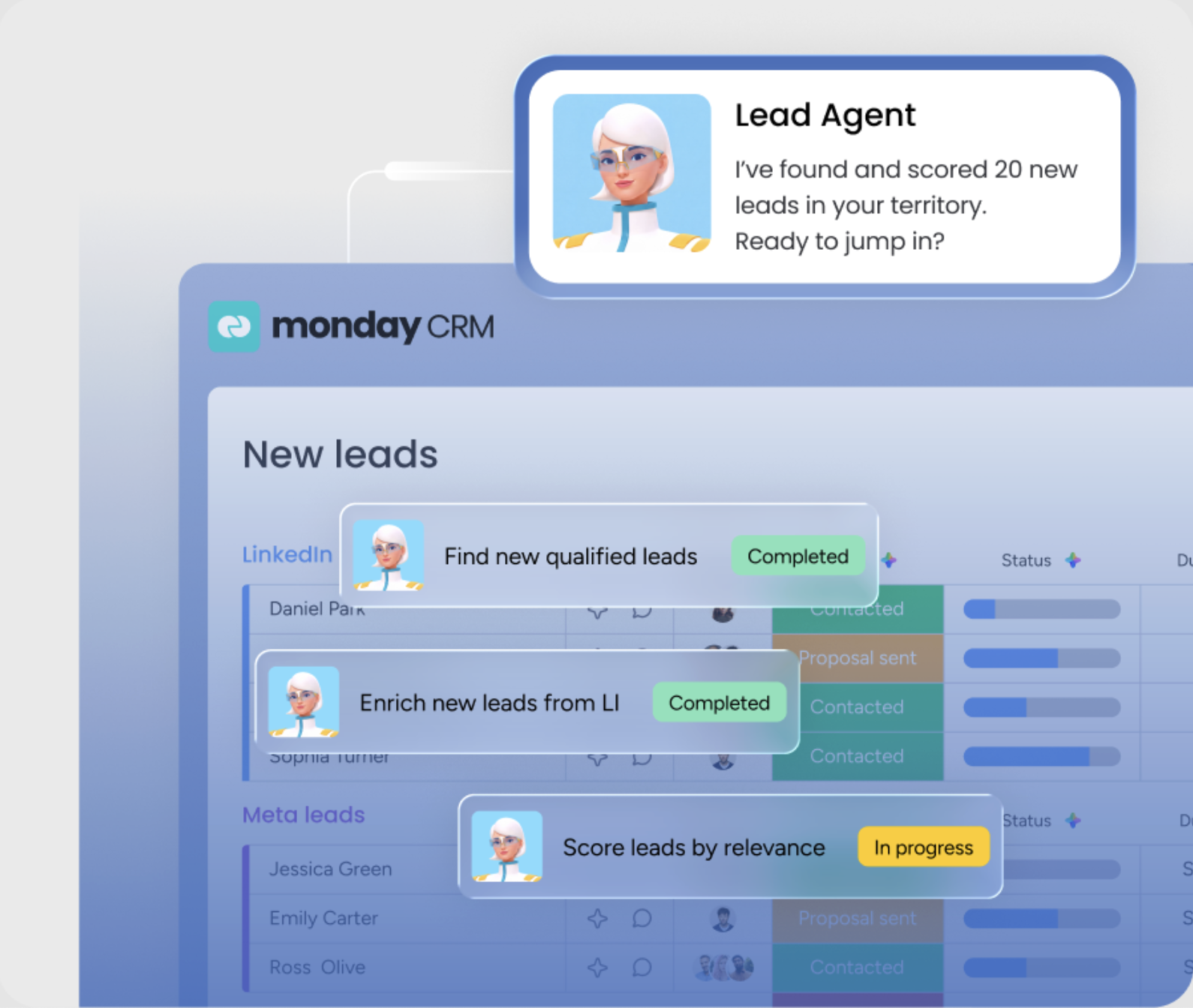
A simple agentic AI in sales example shows the difference. A lead enters the CRM. The agent then:
- Scores it on fit and engagement
- Routes it to the right rep
- Drafts a context-aware follow-up
- Logs the activity
The 3 traits that define autonomous agents
Autonomy in enterprise AI operates within set guardrails. The agent acts without a fresh prompt every time, but only inside set limits. Three traits make that work:
- Goal-oriented: The agent pursues an outcome like “qualify and route this lead,” not just one isolated action.
- Context-aware: It reads account history, deal stage, and engagement patterns before acting.
- Bounded: It stays within permissions, approvals, and escalation rules, and knows when to hand off.
Enterprise-ready autonomy requires guardrails. If an agent can act, it needs boundaries, escalation paths, and audit trails.
How an agentic workflow loops from signal to escalation
The value lies in the full loop that moves work forward, beyond any single AI action:
- Signal: The agent detects a trigger, like a new lead, stalled deal, or support request.
- Reasoning: It evaluates context: account history, stage, urgency, ownership, rules.
- Action: It routes, drafts, updates, or flags.
- Update: It logs what it did and updates the relevant systems.
- Escalation: It hands off to a person when the situation exceeds its boundaries.
So how does this differ from the AI capabilities your teams already use?
How is agentic AI different from other AI?
Many AI categories sound similar but function very differently. Understanding the difference helps you evaluate a platform or sign off on an internal proposal with confidence. This table separates the ones that write from the ones that do.
| Technology | Primary job | Understands context | Decides next step | Takes action |
|---|---|---|---|---|
| Generative AI | Creates content | Limited | No | No |
| Chatbots | Answers questions | Session-based | No | No |
| Copilots | Suggests actions | Yes | Partially | Rarely |
| Rule-based automation | Executes fixed logic | No | No | Yes |
| RPA | Mimics human clicks | No | No | Yes |
| Agentic AI | Pursues goals | Yes | Yes | Yes |
Agentic AI vs. generative AI: Creation vs. execution
Generative AI creates content. Agentic AI executes work. Generative AI drafts a follow-up email. Agentic AI decides who gets it, when it goes out, logs the activity, and triggers the next step. They work together: the agent often uses generative AI to draft, then handles the routing and record-keeping.
Agentic AI vs. chatbots and copilots: Who takes initiative?
The difference is initiative. A chatbot answers. A copilot suggests and waits. An agent acts within limits. A copilot might say “follow up with this prospect.” An agent follows up, logs the activity, and moves on, unless the workflow requires closer review.
Agentic AI vs. rule-based automation: Fixed logic vs. adaptive reasoning
Rule-based automation follows fixed if/then logic. If a process is simple and stable, that’s often the smarter pick. “When stage changes to Closed Won, send invoice” needs no AI. Agentic AI earns its place when inputs vary, and the next step changes each time.
Agentic AI vs. RPA: Scripted clicks vs. reasoned decisions
RPA mimics clicks and keystrokes in rigid workflows. Agentic AI reasons through options instead of following a fixed script. Many enterprises use both: RPA handles the mechanical steps, and the agent decides what should happen.
7 enterprise workflows to automate first
Not every workflow is a good fit for agentic AI. The best candidates are repeatable, high-volume, measurable, and easy to correct if issues arise. Here’s where to start, with what the agent does and what people still own. Each workflow below balances automation with the oversight your revenue team needs to move with confidence.
1. Lead scoring and routing
This is a strong first workflow. It’s frequent, follows clear rules, and is easy to measure. Here’s the split:
- Agent handles: Scoring leads using fit and engagement signals, routing by territory or segment.
- People own: Named-account exceptions and disputed ownership.
- Success looks like: Faster response times and fewer qualified leads sitting untouched.
In monday CRM, lead context, ownership, and follow-up all live on one record, so the agent has what it needs.
2. Follow-up drafting and scheduling
Deals stall in the gap between meetings. An AI outreach agent detects inactivity, drafts a context-aware follow-up, suggests meeting times, and logs the activity. People own tone and review for high-value messages. The result is fewer stalled deals and steadier momentum.
3. CRM updates and pipeline hygiene
Everybody needs CRM hygiene, even if it’s rarely anyone’s favorite task. That makes it a perfect automation target. Here’s how the work divides:
- Agent handles: Extracting next steps from notes, updating deal fields, flagging duplicates, and spotting stale close dates.
- People own: Final judgment on deal status.
- Why it matters: Forecasting, coaching, and handoffs all depend on current, accurate records.
4. Deal risk detection before it hits the forecast
Busy reps miss weak signals. An agent catches them. It watches for inactivity, missing stakeholders, slipping dates, and shifts in sentiment. You own the recovery plan and the customer response. The payoff: you catch trouble early, and the forecast stops surprising you.
5. Customer support triage at scale
Triage is high-volume and demands fast turnaround. Here’s the split:
- Agent handles: Classifying issue type, detecting urgency, routing to the right queue, and suggesting a response.
- People own: Escalations and sensitive cases.
- Payoff: Faster first response and more accurate routing.
On monday.com, support tickets sit right next to customer records, so teams always have the context they need.
6. Account health monitoring for proactive renewals
Post-sale work demands attention, and renewal risk often builds quietly in the background. The agent watches renewal timing, usage shifts, support activity, and sentiment trends. You own the rescue and expansion plans. You get earlier churn warnings, and renewals stay visible well in advance.
7. Reporting and status updates without the manual chase
AI sales report automation is broad, practical, and low-risk. The agent summarizes changes, drafts status reports, highlights blockers, and surfaces items needing executive attention. People own interpretation. Could your reporting process use less chasing and more signal?
Try monday CRM6 decisions to keep human-led
Agentic AI handles structured execution well. Humans should lead when trust, accountability, or ambiguity carry the weight. Use this filter: keep people in charge when a decision is high-stakes, difficult to undo, regulated, emotionally sensitive, or relationship-defining.
1. Pricing and discount exceptions
AI can model impact and route approvals. A person decides when margins, precedent, and strategic accounts are involved.
2. Legal and compliance approvals
AI can extract clauses and flag unusual terms. Final approval belongs to the people who own the risk.
3. Strategic customer conversations
AI can prep the brief and talking points. Executive negotiations, rescue calls, and churn conversations stay human-led.
4. Hiring and people decisions
AI can summarize candidates and schedule interviews. Final people decisions stay with accountable humans.
5. Financial commitments
AI can assemble facts and route requests. People own spend approvals and contractual commitments.
6. Sensitive customer communications
AI can draft outage messages or billing responses. A person reviews and sends when empathy and tone matter most.
Agentic AI examples for revenue teams by role
Agentic AI gets real when you map it to roles. Every team hands off differently, so deployment works when you know where agents help most and where people stay in charge. This table shows where agents add value, what people keep, and where the handoffs happen.
| Team | Where agents help most | What people still own | Typical handoff |
|---|---|---|---|
| Sales | Qualification, outreach prep, deal-risk monitoring | Negotiation, account strategy | Agent flags risk, rep decides |
| RevOps | Routing, data hygiene, workflow monitoring | Process design, exceptions | Agent surfaces anomaly, RevOps investigates |
| Customer success | Account health, QBR prep, renewal tracking | Customer strategy, rescue calls | Agent flags churn risk, CSM intervenes |
| Marketing | Lead qualification inputs, campaign follow-through | Creative strategy, brand decisions | Agent qualifies lead, hands to sales |
| Finance | Quote prep, approval routing, invoice coordination | Commitments, policy decisions | Agent prepares approval, finance decides |
monday CRM shines when you want customer context, execution, and cross-team handoffs in one place. Agents produce more relevant work when they see what your people see.
What makes AI agents work in enterprise systems?
Agents need access, memory, planning, and orchestration inside the workflows where work already happens; a model alone isn’t enough context. They need access, memory, planning, and orchestration inside the workflows where work already happens. Each component keeps the agent moving forward with the full picture. Here’s what each piece does.
| Component | What it means | Why it matters |
|---|---|---|
| Tools and system access | Connections to CRM, email, calendars, docs, and boards | Without access, AI can only suggest |
| Memory and context | Usable history like account records and activity | More context means more relevant action |
| Planning and reasoning | Choosing the next step based on inputs | Avoids one-size-fits-all execution |
| Orchestration | Coordinating actions across teams and systems | Enterprise work crosses departments |
| Multi-agent systems | Specialized agents working together | Supports complex workflows without one giant agent |
That’s where monday CRM earns its keep. Revenue workflows cross sales, legal, finance, and post-sales, and shared context means an agent’s action actually fits the situation. One agent scores the lead, another drafts outreach, another monitors risk, and a person steps in when needed.
Try monday CRMHow to govern enterprise AI agents with confidence
Fast action paired with oversight is what keeps execution reliable at scale. Governance is what makes agentic AI usable at enterprise scale, and it operates as an ongoing operating model rather than a one-time setup. These controls form the foundation of enterprise-ready AI governance. Each one addresses a specific risk area, from access to accountability, and together they give your teams the confidence to deploy agents at scale.
| Control | What it means | Why it matters |
|---|---|---|
| Human-in-the-loop approval | A person reviews certain actions first | Supports oversight for high-impact work |
| Role-based permissions | Agents inherit approved access only | Prevents overreach |
| Audit trails and run history | A record of what happened and why | Supports trust and troubleshooting |
| Data access boundaries | Access scoped to the workflow | Reduces risk and noise |
| Governance ownership | Named owners for business, admin, and compliance | Keeps accountability visible |
Governance is an operating model, not just a feature set. Someone owns the business outcome, someone owns how the agent operates, and someone validates policy. monday.com’s AI offering respects existing permissions and offers reviewable execution, keeping governance practical rather than theoretical.
5 steps to deploy agentic AI without the drama
You can start small and skip the massive multi-agent program on day 1. Start narrow, prove value, then expand. These 5 steps give your team room to build confidence before you scale.
Step 1: Pick a workflow with measurable value
Start with high-volume, repetitive work like lead routing, CRM hygiene, or support triage. Well-defined inputs, verifiable outcomes. Save the ambiguous stuff for later. Early wins build confidence and momentum across the team.
Step 2: Set the agent goal and boundaries before you build
“Automate follow-ups” needs more specificity. Define the outcome, allowed actions, escalation rules, and prohibited actions. Well-defined boundaries make agents predictable.
Step 3: Connect the right data and systems, not all of them
Use the data the workflow actually needs: CRM records, emails, calendars, notes, and approvals. Give the agent enough context to make a good call. Scope access to what the workflow requires.
Step 4: Add approval gates and escalation paths by design
Plan where people step in for low-confidence outputs or sensitive actions. Escalation reflects good design.
Step 5: Measure results and expand gradually
Pilot with a small team, review quality, and scale once results hold steady. On monday CRM, you can set this up without code and run AI actions right inside the workflows your team already uses.
How to measure agentic AI value and manage usage
Value comes from outcomes, not activity. You need a scorecard that ties AI use to business outcomes, keeping usage accountable as it scales. Track these four groups to build a complete picture of AI performance. Together, they connect agent activity to adoption, quality, and business outcomes, giving leaders a reliable view of value generated.
| Metric category | What to track | Why it matters |
|---|---|---|
| Outcome metrics | Response time, pipeline accuracy, handoff speed | Proves business impact |
| Adoption metrics | Approved outputs, active workflows, fewer workarounds | Shows whether teams trust it |
| Quality metrics | Routing accuracy, override rate, correction rate | Shows if the work is useful |
| Cost and usage | Usage by workflow, limits, value by case | Keeps spend accountable |
On monday CRM, AI governance and credit tracking let admins see usage, limits, and feature access. For monday CRM teams, run history shows whether AI actions are delivering the intended outcomes.
How monday CRM helps revenue teams put agentic AI to work
Agentic AI works best when customer context, workflow actions, and oversight live together. That’s where monday CRM fits. Here’s why embedded AI pays off for revenue teams:
- Embedded AI: AI lives inside CRM workflows, not in a separate app.
- Cross-functional context: Sales, handoffs, and post-sale activity connect in one system.
- Adoption: Teams use AI more when it is built into the platform they already work on.
AI Timeline Summary: Faster context, less digging
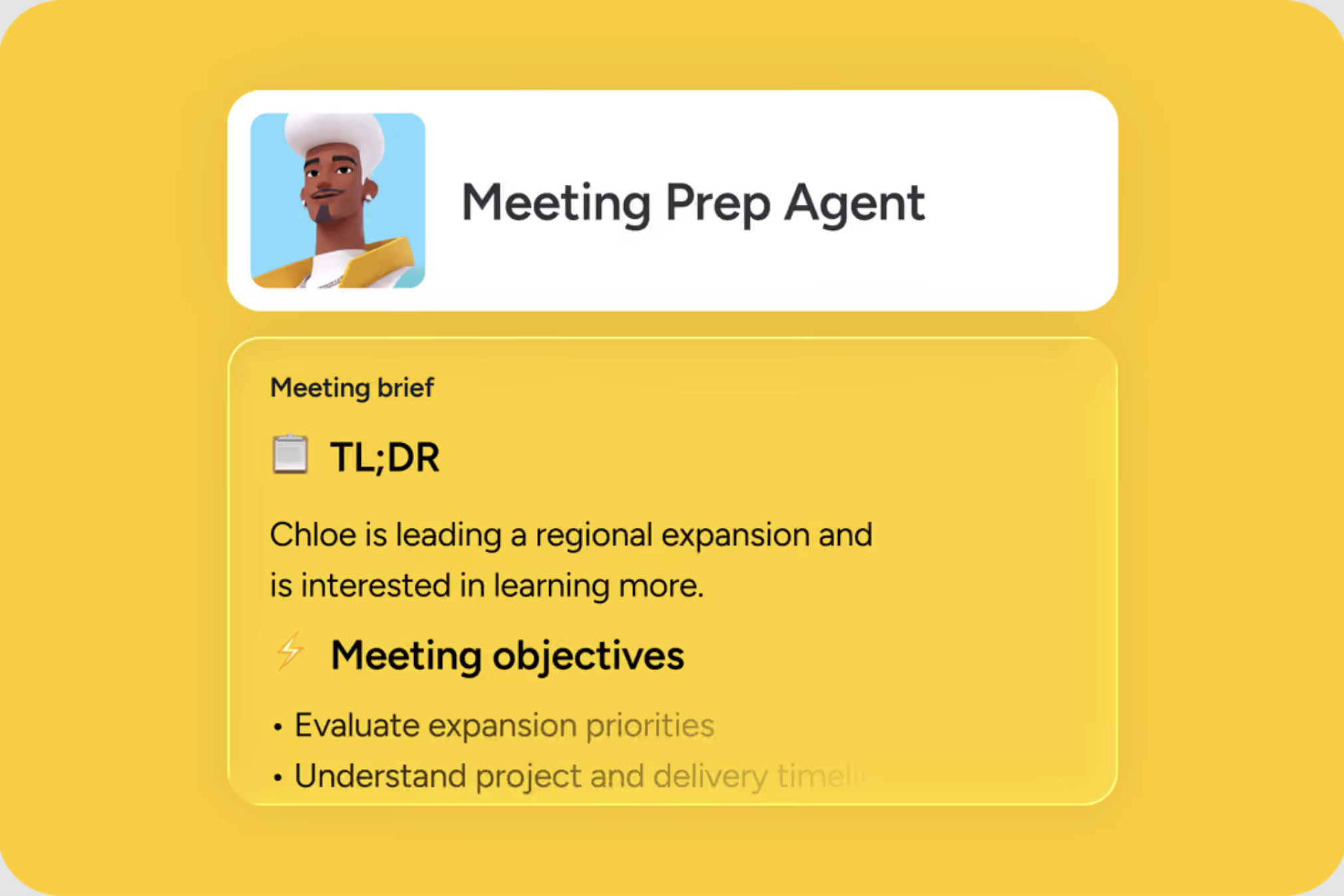
AI Timeline Summary condenses emails, calls, meetings, and notes into a readable account summary. Reps and managers use it to prep faster and review account history without digging through long activity trails. Context is what makes autonomous action relevant.
Autofill with AI: Keep records current without manual updates
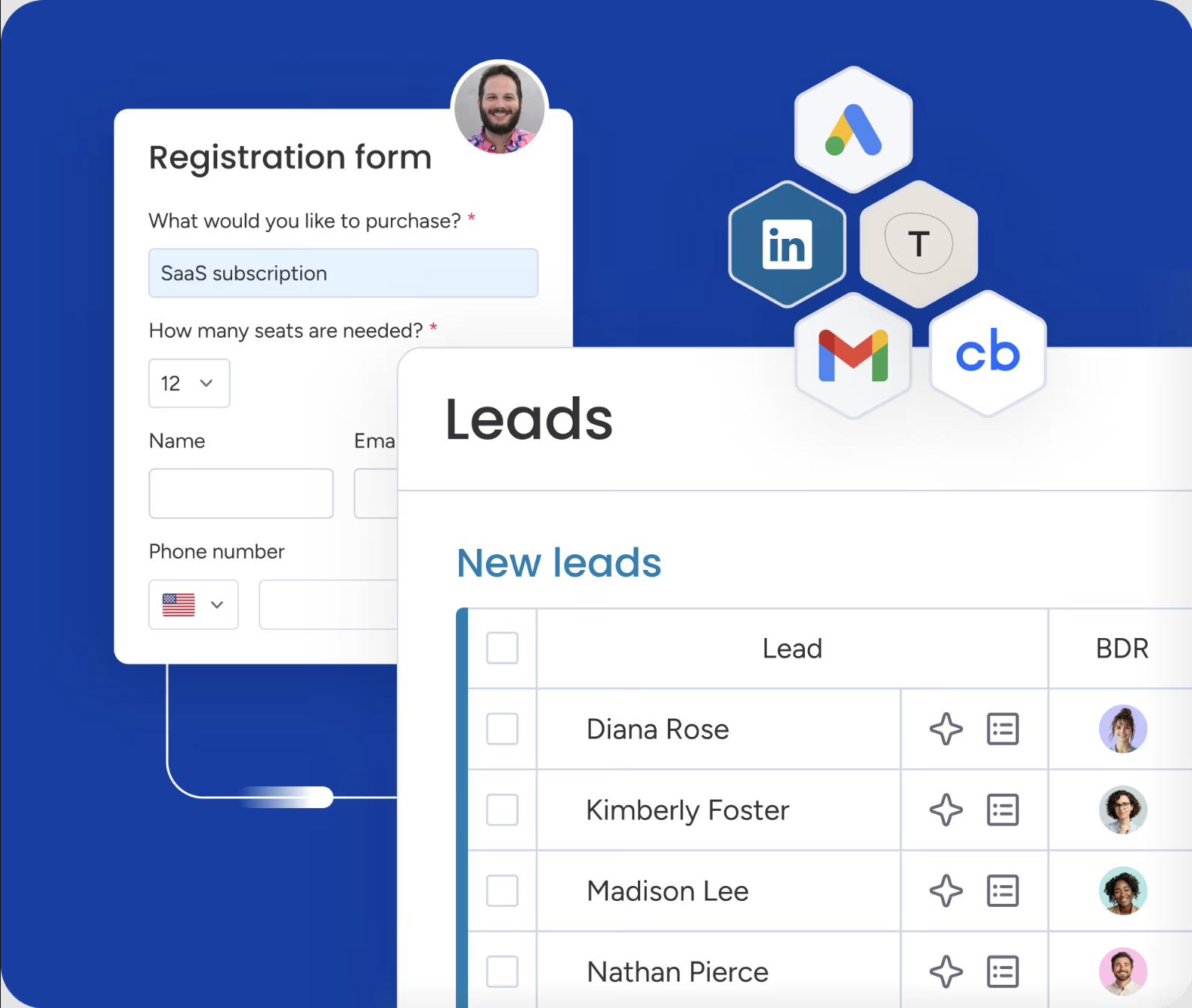
Autofill with AI applies actions like Summarize, Extract information, Detect sentiment, Assign label, and Assign person directly to CRM data. That keeps records current, routes work, and tags risk signals without manual updates after every interaction. Preview-before-save behavior lets teams validate AI output before it runs at scale.
AI automation blocks: Multi-step workflows without code
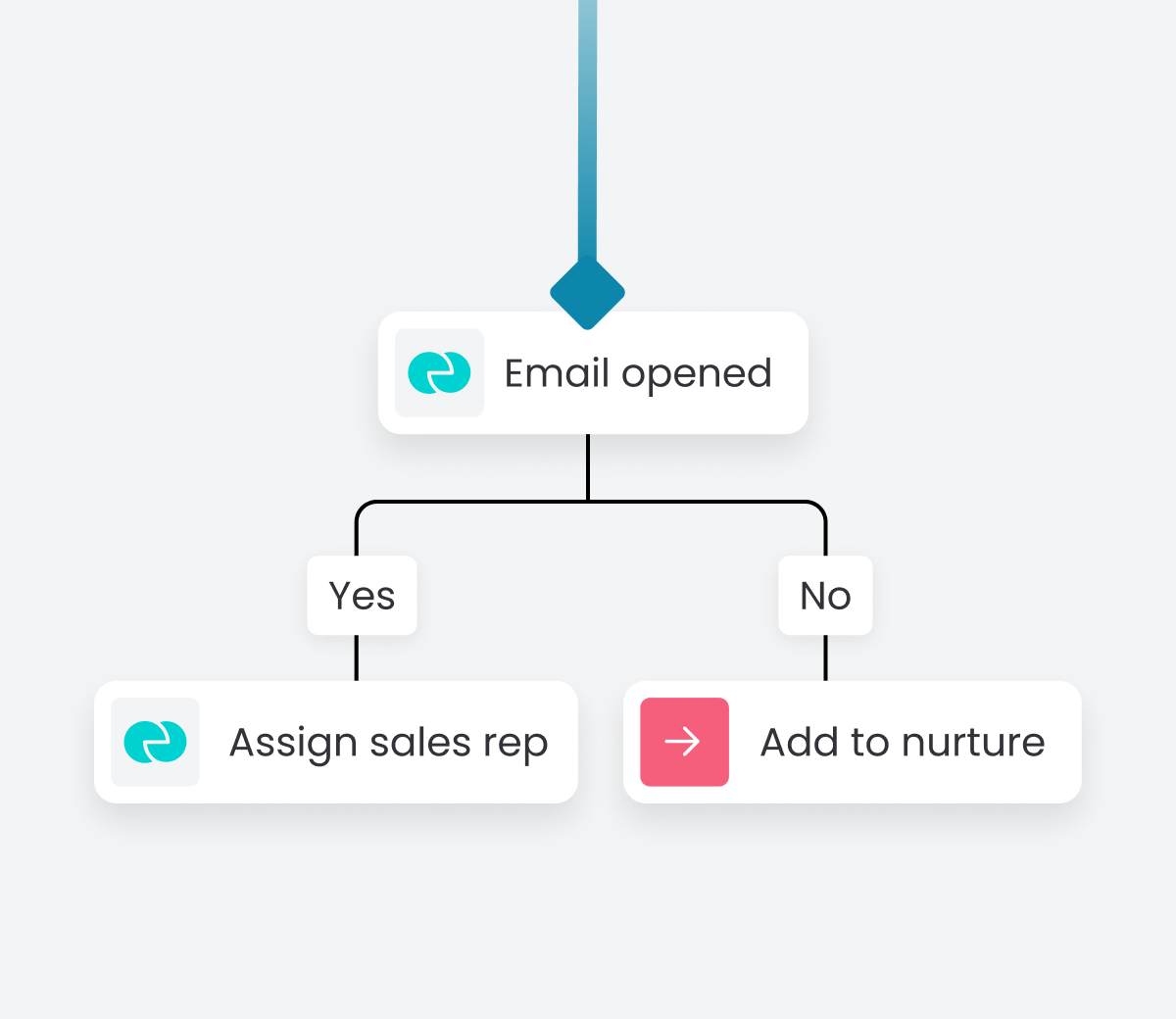
AI automation blocks support multi-step AI workflows through a no-code setup. Teams can categorize requests, summarize text, detect sentiment, and trigger next actions while keeping each run reviewable through run history.
monday MCP: Secure external assistant access with governance intact
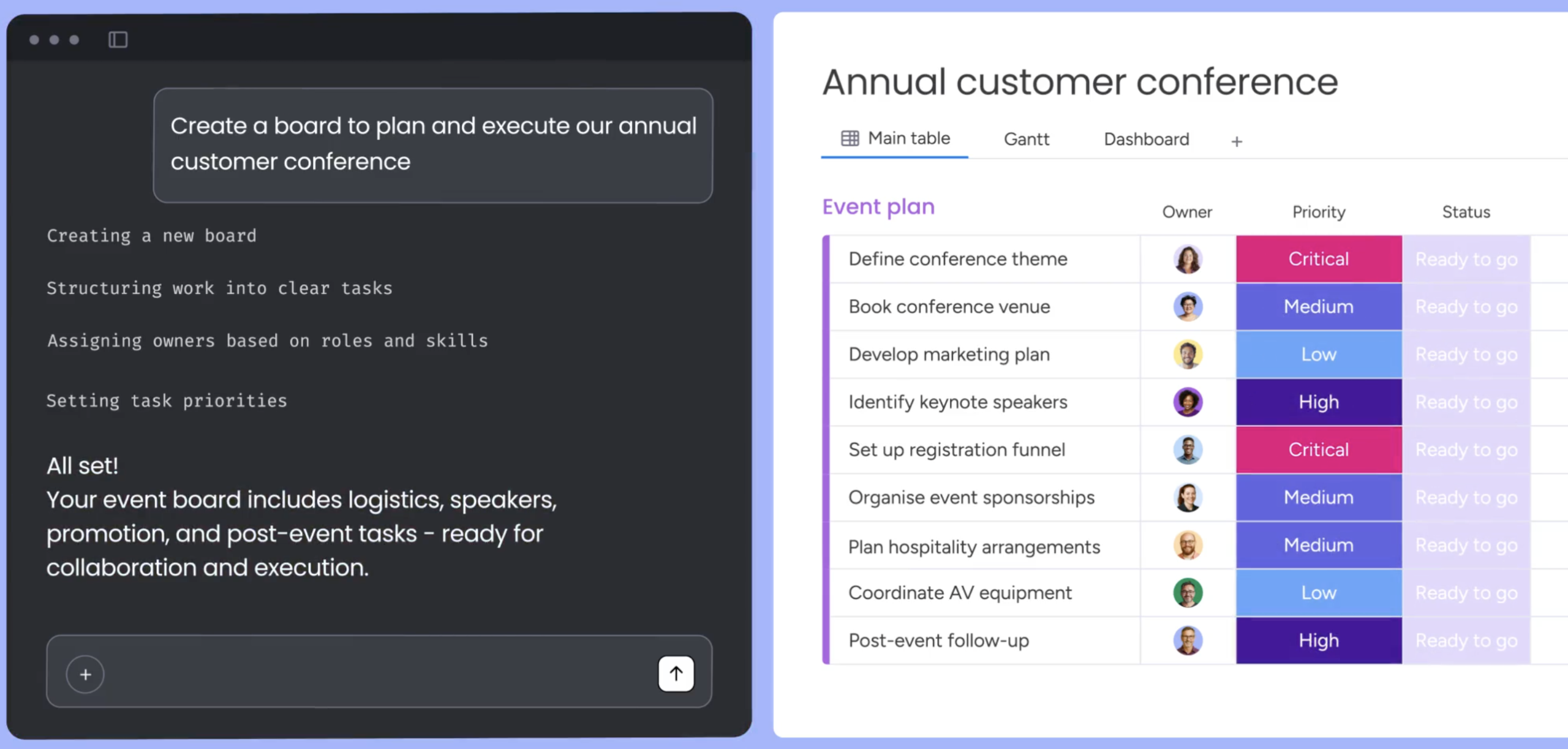
monday MCP gives external assistants like ChatGPT and Claude secure, OAuth-based access to monday data while respecting existing permissions. Assistants can query, update, and trigger work without bypassing governance.
No-code agent workflows: Build useful agents without an engineering project
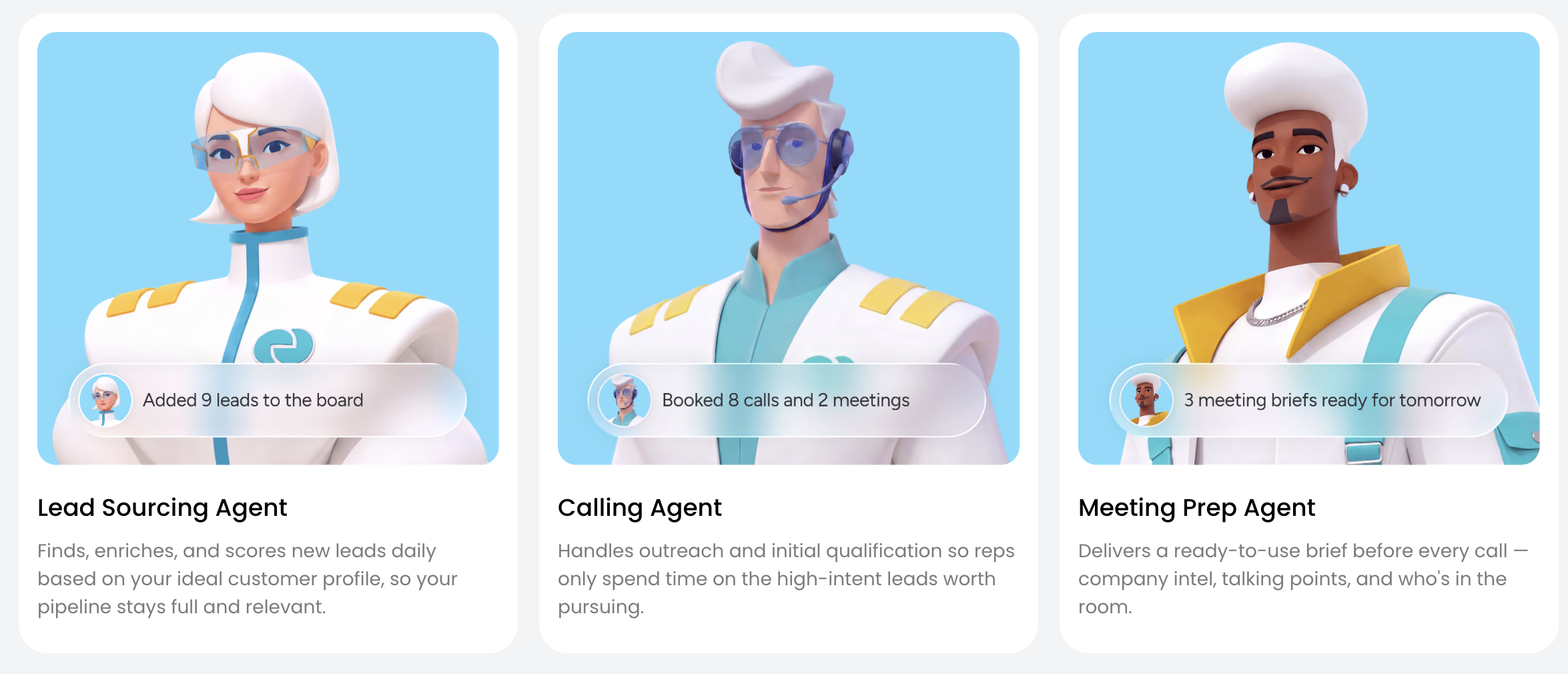
Revenue teams can use monday agents, AI templates, and AI workflows to build narrow, useful agents without a long engineering project. The value is not one clever AI action, but a governed, connected system where people and agents share context.
Build a revenue system where people and agents work together
The strongest setup combines AI with human judgment. It is human-AI collaboration in sales in the right places. Use the simple rule: automate structured execution with repeatable rules and reversible outcomes. Keep people in charge of judgment, trust, and accountability.
Agentic AI reshapes how revenue teams work, with people staying at the center. Agents handle the mechanics so people can focus on the conversations, decisions, and relationships that drive results.
Try monday CRMFAQs
What is the best first agentic AI workflow for an enterprise?
The best first agentic AI workflow for an enterprise is structured, frequent, and easy to measure. Lead scoring and routing, CRM hygiene, and support triage all fit that profile. They follow repeatable rules, produce reversible outcomes, and show results fast. Starting here builds team confidence and gives you a proven foundation before you expand into more complex workflows.
How much control should people keep over enterprise AI agents?
People should keep control over high-impact actions, approvals, and exceptions. Agents handle bounded execution inside defined workflow rules, such as routing leads, updating records, and drafting follow-ups. Pricing exceptions, legal sign-offs, and sensitive customer conversations stay with accountable team members. Set approval gates and escalation paths from day 1, so agents know exactly when to hand off to a person.
Can agentic AI work with an existing CRM?
Yes, an agentic AI CRM approach can work with your existing CRM, as long as it supports integrations, permissions, and workflow actions. Those connections let the agent read customer data and act inside the system. Check how your CRM handles access controls and automation before you start. Then pilot one workflow and expand as results hold steady.
How do enterprise AI agents stay within permissions?
Enterprise AI agents stay within permissions by inheriting role-based access and workflow boundaries. They only see and do what the connected role is already approved to access. Audit trails and run history add a second layer of oversight, so you can review every action an agent took. Name an owner for each agent to keep accountability visible across business, admin, and compliance teams.
What data does agentic AI need to work well?
Agentic AI needs structured, current workflow data to take useful action. That includes customer records, activity history, ownership, stage progression, and relevant documents. The more context an agent can read, the more relevant its decisions become. Scope access to what each workflow actually requires, and keep records up to date, since agents are only as reliable as the data behind them.
How do enterprises manage many AI agents at once?
Enterprises manage many AI agents through orchestration, named ownership, shared data models, and run visibility. Each agent gets a narrow job and defined permissions, so specialized agents can work together without overlap. One scores leads, another drafts outreach, another monitors risk. A central view of run history and usage lets admins track performance and keep every agent accountable.
How does monday CRM support agentic AI for enterprise revenue teams?
monday CRM brings customer context, AI workflow building, permission-aware execution, and reviewable actions into one revenue system. Features like AI Timeline Summary, Autofill with AI, and no-code agent workflows put AI where your team already works. Role-based permissions and run history keep oversight practical. The result is a connected setup where people and agents share context and move work forward together.