
A new account executive inherits 15 accounts on Monday morning. By Friday, they’re still piecing together deal history from scattered emails, old notes, and three different people’s memories. The root cause is context, not training. An AI CRM assistant fixes that by giving new reps a fast read on what happened, what was promised, and what needs to happen next, right inside the CRM, while post-sale teams stop rebuilding the story from scratch.
We’ll break down what an AI CRM assistant actually is, how it differs from automations and AI agents, and where it helps most across rep onboarding, customer onboarding, and sales-to-success handoffs. You’ll also get 9 workflows AI can support, the metrics that prove it’s working, and a rollout plan with examples of how monday CRM brings it all together.
Key takeaways
- AI CRM assistants cut onboarding time by delivering instant context: New reps get account summaries, deal history, and next steps without digging through emails or asking a manager.
- Onboarding has 3 distinct motions, each with different friction points: Rep ramp, customer onboarding, and sales-to-CS handoffs all slow down for different reasons and need targeted fixes.
- Handoffs break when context disappears after close: Passing goals, stakeholders, risks, and next steps keeps post-sale teams moving without making customers repeat themselves.
- AI lives inside monday CRM workflows: Features like AI Timeline Summary and Autofill with AI help reps ramp faster, reduce manual data entry, and protect handoff quality.
- Measure ramp speed with real metrics, not gut feel: Track time-to-first-opportunity, CRM data completeness, and customer time-to-first-value to know if AI is actually moving the needle.
What is an AI CRM assistant?
An AI CRM virtual assistant is artificial intelligence built into your CRM platform that helps teams understand records, draft content, recommend actions, and sometimes complete work for them. CRM stands for customer relationship management software, the system that stores account, contact, deal, and activity data in one place.
The difference between an AI CRM assistant and a generic chatbot? Context.
A chatbot answers from general knowledge. An AI CRM assistant works from deal stages, call notes, account history, and ownership, so the output is actually useful.
Onboarding is really a context problem. New reps, account managers, and customer success teams don’t need more theory. They need the right background fast.
| Element | Description |
|---|---|
| What it is | AI embedded in CRM workflows that helps teams understand, generate, and act on customer data |
| What it reads | account history, deal stages, contact roles, call notes, activity logs, and related files |
| What it helps do | summarize accounts, draft emails, recommend next steps, populate fields, and prepare handoff notes |
AI assistant vs. AI agent vs. automation: What’s the difference?
These 3 terms get mixed together constantly, which leads to messy rollout plans. If you want onboarding speed, know which one advises, which one acts, and which one just follows rules.
| Type | How it works | Onboarding example |
|---|---|---|
| AI assistant | answers questions, drafts content, and recommends actions when prompted | a new rep asks for a summary of an account's last 90 days before a call |
| AI agent | takes multi-step action toward a goal within guardrails | a closed-won deal triggers setup of onboarding records and owners |
| Automation | follows fixed rules when a trigger happens | a welcome email fires when a deal reaches "Closed Won" |
Guardrails are the limits you set for AI behavior. An agent might update fields and create records, but a person still reviews anything that goes to a customer.
What onboarding means in CRM
Onboarding speed comes down to how fast someone can go from needing context to taking action. But “onboarding” isn’t one thing. Revenue teams juggle three different motions, and each one slows down for its own reasons. Here’s what that looks like:
Sales rep onboarding: Getting to the first useful action
Sales rep onboarding means getting a new rep productive inside your sales process, not walking them through benefits forms. The goal: help them take the first useful action without waiting on a manager.
That takes more than login access. New reps need to understand how your pipeline works and what “done” looks like at each stage:
- Pipeline stages: What each stage means and what moves a deal forward
- Required fields: What must be filled in for forecasting and handoffs
- Follow-up habits: How quickly to respond and how to log outreach
- Handoff rules: What post-sale teams need before takeover
Customer onboarding: From signed deal to first real outcome
Customer onboarding starts after the deal closes and ends when the customer hits their first real outcome, often called time-to-value. Speed after the signature matters as much as speed before it.
Post-sale teams need structure. On monday CRM, teams often track this through connected boards so sales, implementation, finance, and customer success stay aligned in one place.
Sales-to-customer-success handoffs: Keeping context intact after close
When a deal closes and the story vanishes with it, handoffs break. A strong handoff passes the deal’s real context, not just the contract value. That way, the receiving team keeps momentum without making the customer repeat themselves.
| Handoff input | Why it matters |
|---|---|
| Customer goals | Defines what success looks like |
| Stakeholders | Shows who matters and who approves |
| Deal history | Captures what was discussed and promised |
| Risks | Surfaces blockers early |
| Next steps | Keeps momentum after close |
How does an AI CRM assistant help new sales reps ramp faster?
An AI CRM assistant shortens the gap between “I need context” and “I can move.” Managers should coach deals, not repeat account history a dozen times a week.
Here’s what that looks like: a new AE inherits 15 accounts and doesn’t want a scavenger hunt through inboxes and docs. They want a fast read on recent activity, open risks, and next steps:
- Faster call prep: Long timelines compress into a short read before the call
- Quicker follow-ups: Generative AI for sales drafts a first version instead of a rep asking a manager to rewrite it.
- Less manual entry: CRM automation AI turns notes and files into structured field values.
- Clearer prioritization: AI suggests what fits the current deal stage
On monday CRM, AI Timeline Summary in Emails & Activities creates a short summary of emails, calls, meetings, and notes. A new rep gets the short version fast, so they can act today instead of “after I finish reading everything.”
How can AI speed up customer onboarding after a deal closes?
Post-sale teams move faster when the account shows up with usable context. Instead of rebuilding the story from scratch, they start with kickoff notes, stakeholder details, and agreed next steps already in place.
This matters for growth. A slow, messy kickoff puts the whole relationship at risk before it starts. AI preserves what was promised during the deal and turns it into action:
- Generate handoff summaries: Pull the deal’s history into a short brief
- Extract implementation details: Lift key dates and terms from proposals or contracts
- Route work to the right owner: Assign the correct implementation lead
- Surface risks early: Flag sentiment or open issues before kickoff
On monday CRM, Autofill with AI can summarize text, extract information from files, detect sentiment, and assign the right teammate directly on CRM boards. That turns messy inputs into clean records, which is where a lot of onboarding time gets lost.
9 CRM onboarding workflows AI can support
AI works best when it’s tied to specific onboarding moments, not vague “productivity.” These 9 workflows show where an AI CRM assistant earns its keep:
- Account and deal summaries: Condense history, stakeholders, and open actions into a short read.
- Call follow-ups: Turn conversations into recaps and next-step prompts.
- Email drafting: Give new hires a starting point for recaps and kickoff notes.
- Guided data entry: Suggest field values from notes and files.
- Lead prioritization: Help a new rep work the right leads first.
- Next-best-action prompts: Recommend the useful next step by stage.
- Onboarding checklists: Generate milestone lists from the deal record.
- Sentiment analysis: Catch friction early in surveys and threads.
- Health and renewal signals: Connect onboarding progress to renewal timing.
The broader AI direction on monday.com includes agents like the Account Health Agent and Contract Renewal Agent, which show how post-sale monitoring can stay connected to CRM work.
Try monday CRMHow do you measure whether AI is actually speeding up onboarding?
If you can’t measure onboarding, you’re relying on guesswork. These 5 metrics show if AI is changing real outcomes or just producing impressive demos.
| Metric | What it measures | Why leadership cares |
|---|---|---|
| Time-to-first-opportunity | days until a rep owns real pipeline | shows how fast they become productive |
| Time-to-first-deal | days until a rep contributes to closed revenue | shows return on hiring spend |
| CRM data completeness | completion of required fields at each stage | reflects process adoption and handoff quality |
| Manager support requests | how often new hires need manual help | shows whether guidance lives in the workflow |
| Customer time-to-first-value | days from closed-won to first outcome | connects onboarding to retention |
RevOps teams care most about data completeness, since well-maintained fields keep forecasting and handoffs accurate. With customizable dashboards on monday CRM, leaders get a live read on ramp progress, so you can spot friction early instead of at quarter-end.
5 steps to roll out an AI CRM assistant
Rolling out AI shouldn’t slow everyone down while you figure it out. Start small, prove value, then expand. These steps keep the pilot focused and the adoption honest.
Step 1: Map your onboarding friction
Document where onboarding slows today. Look at owners, systems touched, delays, repeated questions, and manual updates.
Step 2: Pick high-confidence workflows first
Start with summaries, follow-up drafts, and field autofill. They happen often, are easy to review, and save time fast.
Step 3: Connect your data and knowledge sources
AI needs good inputs to give useful outputs. Feed it account records, call notes, files, onboarding plans, and connected work across teams.
Step 4: Set permissions and human review
Decide who can prompt AI, edit outputs, and approve customer-facing communication. This matters most for deals touching finance, legal, or regulated data.
Step 5: Measure adoption and refine
Are people using the assistant because it saves time, or only because leadership requested it? Review usage, edit rates, and outcome changes after launch.
How to build trust and adoption with CRM AI
AI adoption succeeds when people trust it. That trust comes from control, not blind faith. A few guardrails make the difference between an assistant people rely on and one they quietly ignore.
- Permission-aware AI: AI on monday.com respects existing account permissions, so people only see what they already have access to
- Human review for customer-facing work: AI drafts, people approve anything that sets expectations with customers
- Audit trails: monday CRM supports Run history so teams can see what AI did and refine prompts
- Role-based setup: An SDR, AE, and CSM shouldn’t share the same prompts
Do AI sales assistants replace human reps? No. They reduce repetitive work and surface context. In human-AI collaboration in sales, people still own judgment, relationships, approvals, and customer commitments.
Why monday CRM fits AI-assisted onboarding
With monday CRM, onboarding speed improves because AI lives inside the workflows revenue teams already use. Onboarding isn’t a separate training layer bolted on. It happens where work happens, so new reps and post-sale teams get context while they’re doing the job.
Because monday CRM uses no-code setup, RevOps can tune workflows independently and move fast on updates. That’s a real edge for mid-market teams replacing rigid setups and SMBs that don’t have time for a giant rollout.
AI Timeline Summary
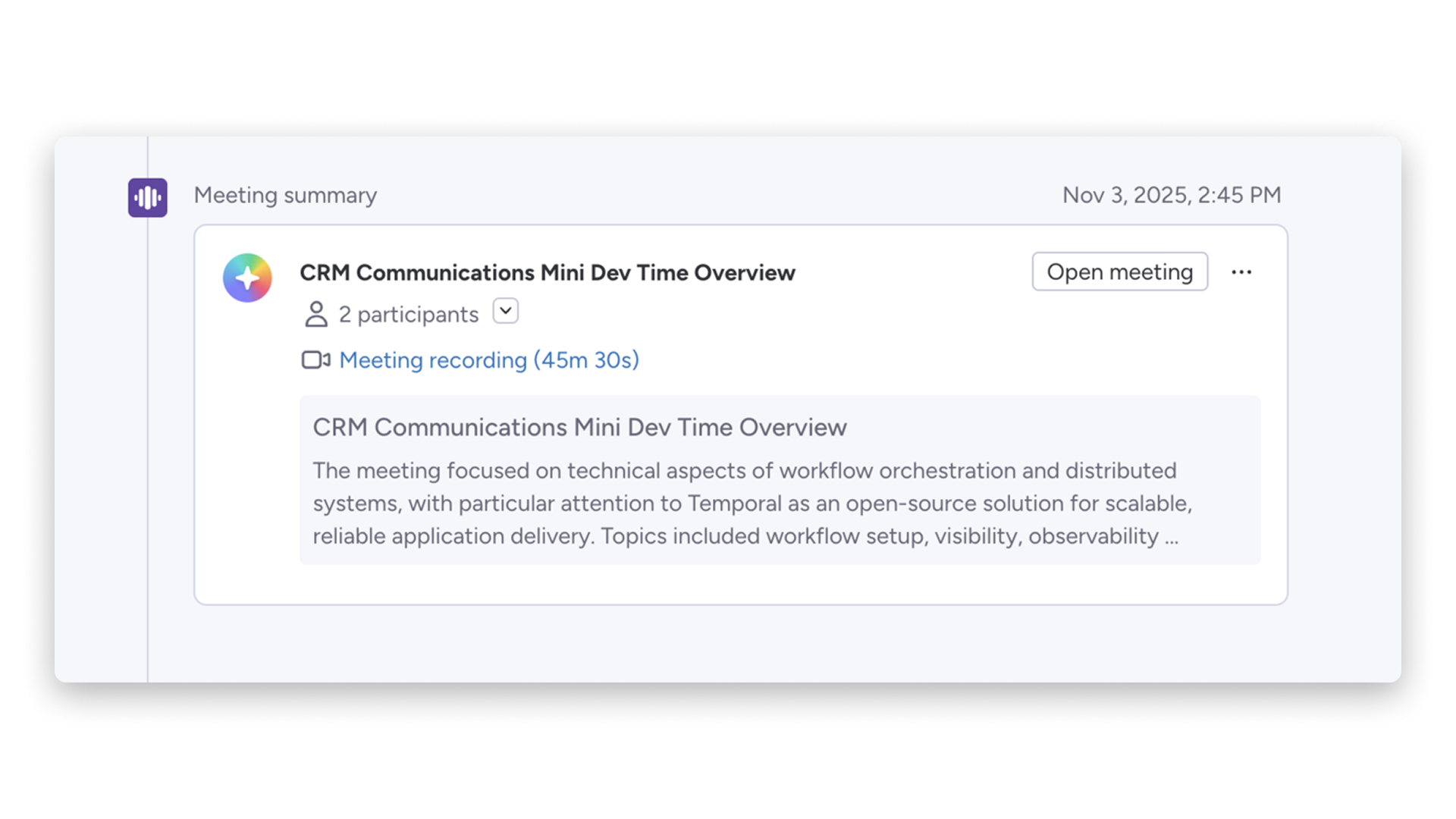
New reps inheriting accounts get a short summary of emails, calls, meetings, and notes right on the record. That cuts the context hunt and gets them ready for the first call faster, without waiting on a manager to fill in the gaps.
Autofill with AI
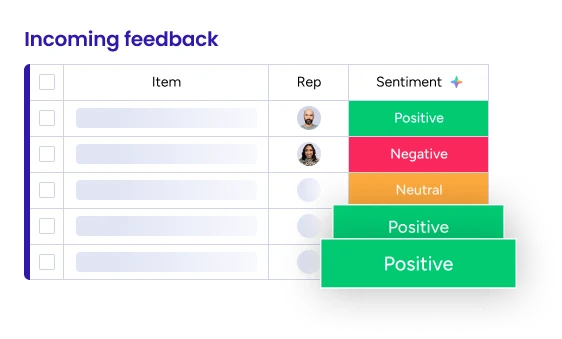
Autofill with AI summarizes text, extracts information from files, detects sentiment, and assigns the right teammate directly on the board. Reps spend less time on cleanup and more time selling, while post-sale teams start with structured records instead of messy notes.
AI email drafting in Emails & Activities
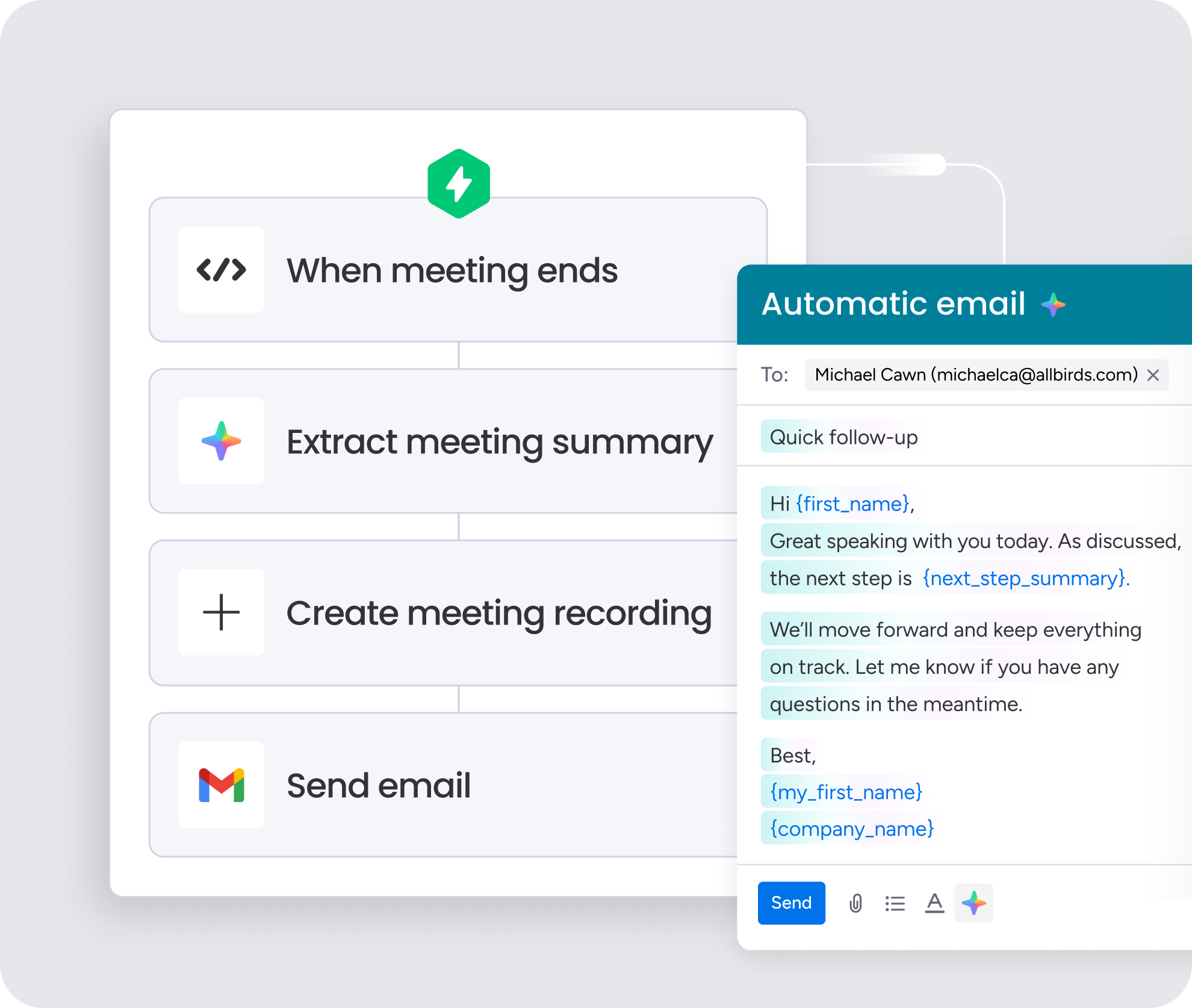
New hires get a first draft for recaps, follow-ups, and kickoff notes based on the account’s real history. Reps still review and send, but they skip the blank page and ramp into customer-facing work with more confidence.
monday MCP
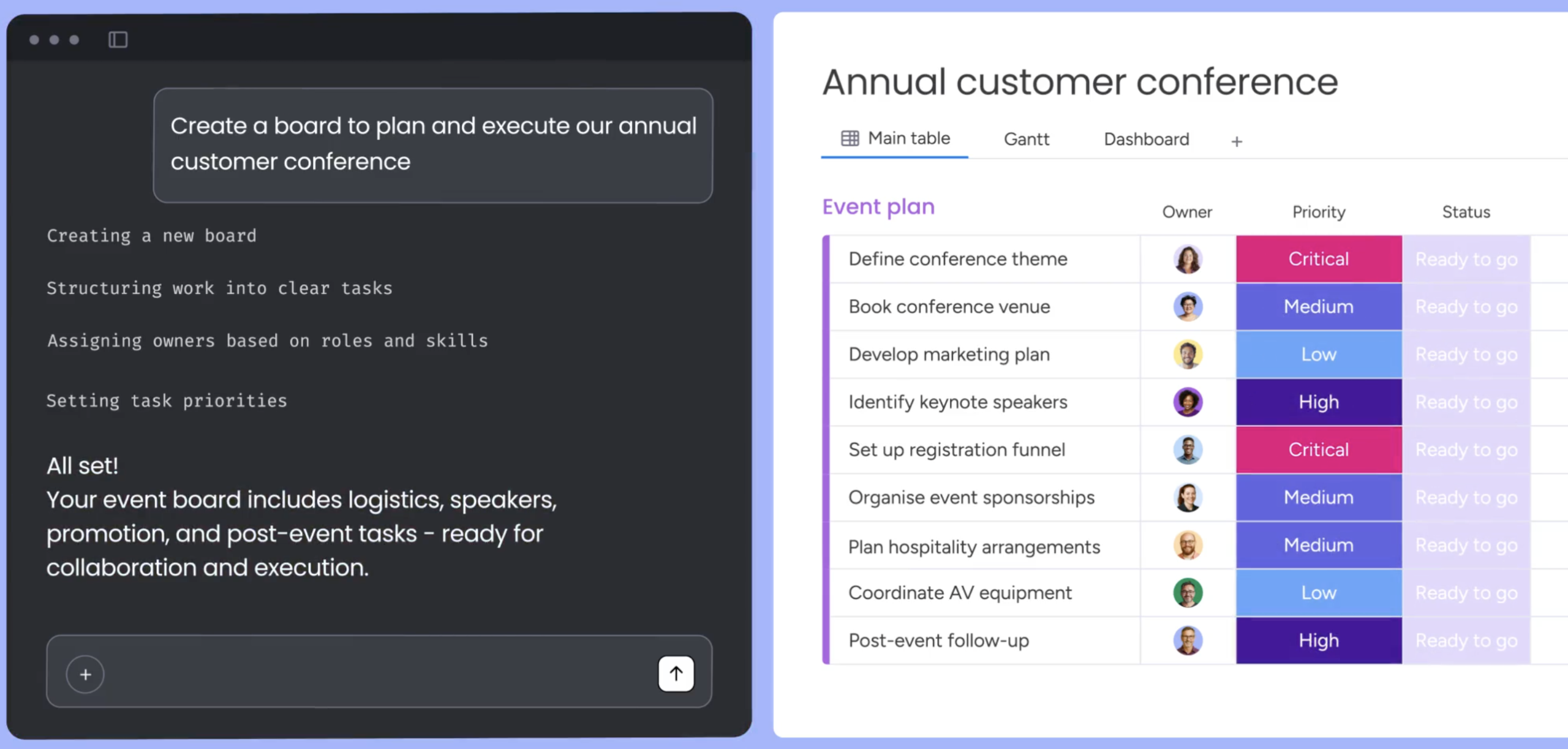
For onboarding that spans multiple teams, monday MCP supports secure cross-system access so AI can act across connected workflows. Context stays intact from closed-won through implementation, which keeps customers from repeating themselves.
Design onboarding as a workflow, and watch ramp time drop
Onboarding slows down for three reasons: missing context, scattered data, and repeated admin. Longer training decks don’t fix any of them. The teams that ramp fastest treat onboarding as a workflow design problem, and AI makes that design work at scale.
AI is most useful when it helps people take the next right action inside the CRM. Summaries, drafting, extraction, routing, and structured field updates matter far more than vague “AI productivity” claims, and human review still matters for customer-facing communication and sensitive account details. monday CRM supports this through AI Timeline Summary, AI email drafting in Emails & Activities, Autofill with AI, connected boards, and secure cross-system access with monday MCP.
Try monday CRMFAQs
How can AI be used to improve employee onboarding?
AI improves employee onboarding by guiding new hires through each step, answering common questions on demand, tracking milestones, and cutting down on manual follow-up. Instead of waiting on a manager or digging through documents, new team members get the context they need inside the workflows they already use, which helps them reach productivity faster.
Can AI help with CRM?
Yes, AI helps with CRM by summarizing records, drafting emails, updating fields, prioritizing leads, and recommending next actions. It works best when it draws on live CRM data like deal stages, call notes, and account history rather than generic prompts. That grounding is what turns AI from a novelty into a tool reps actually rely on every day.
Which AI is best for CRM?
The best AI for CRM uses real account context, fits into daily workflows, and respects existing permissions. Judge any option by the results it delivers, such as time-to-productivity, CRM data quality, and handoff speed, rather than by flashy demos that look great in a sales pitch but don't change how your team works.
How can AI improve customer onboarding?
AI improves customer onboarding by generating kickoff summaries, creating milestone checklists, drafting follow-ups, and surfacing risk signals early. Post-sale teams start with the deal's real context already in place, so customers don't have to repeat themselves. That helps teams move from signed deal to first value faster and with fewer surprises along the way.
What is the difference between an AI CRM assistant and an AI agent?
An AI CRM assistant answers questions, drafts content, and recommends next steps when a person prompts it. An AI agent goes further by completing approved multi-step work on its own, such as creating onboarding records after a deal closes. Both operate inside the guardrails you define, and people still review anything customer-facing.
How does monday CRM support AI-assisted onboarding?
monday CRM supports AI-assisted onboarding through AI Timeline Summary, AI email drafting in Emails & Activities, Autofill with AI, connected boards, and secure cross-system access with monday MCP. Together, these features put context, drafting help, and structured data right where reps and post-sale teams work, so ramp time drops without adding another tool.