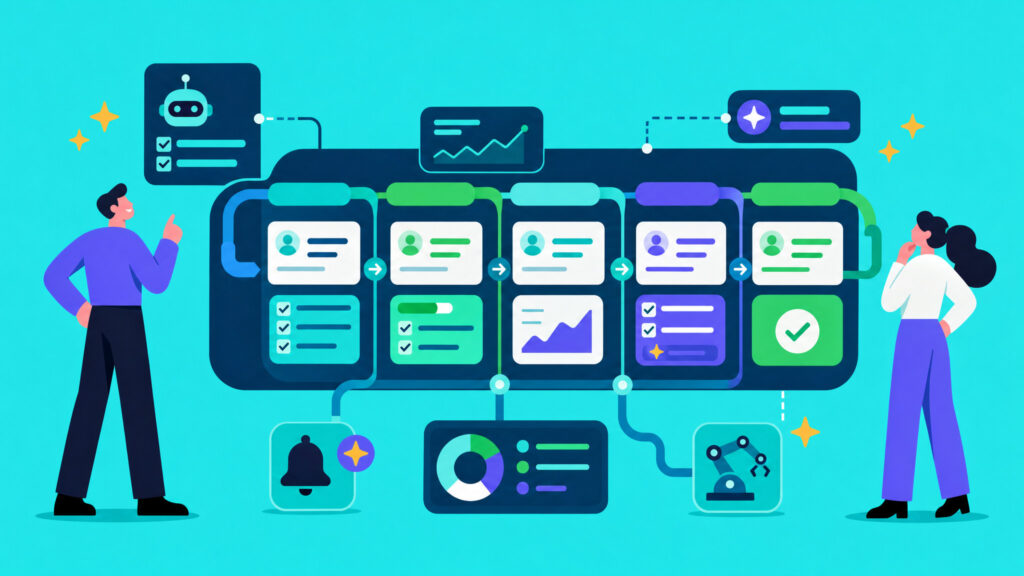
Updating records, logging calls, chasing follow-ups, and routing leads eat into the time reps could spend with customers. AI-powered CRM workflows take on the routine steps, so reps focus on conversations while leaders get a pipeline they can trust.
This article explains how AI-powered CRM automation differs from traditional rule-based automation and which 7 workflows to build first. You’ll also find a 5-step guide for launching your first workflow, the metrics to track, and ways to keep human oversight in place as you scale with monday CRM.
Key takeaways
- Start with one workflow, not five: Pick a real bottleneck like slow lead response, build it right, and measure it before adding more.
- AI reads context and decides: It reads emails, notes, and conversations to decide what happens next, not just when something happens.
- Keep humans in the loop for sensitive actions: Customer emails, deal ownership changes, and forecast updates should always have an approval step.
- monday CRM connects AI where the work already lives: Automations, AI Blocks, and dashboards sit inside the same boards your team uses every day.
- Clean data before you automate: Duplicates, missing fields, and stale deal stages will produce weak AI outputs, so fix the foundation first.
What is AI-powered CRM automation?
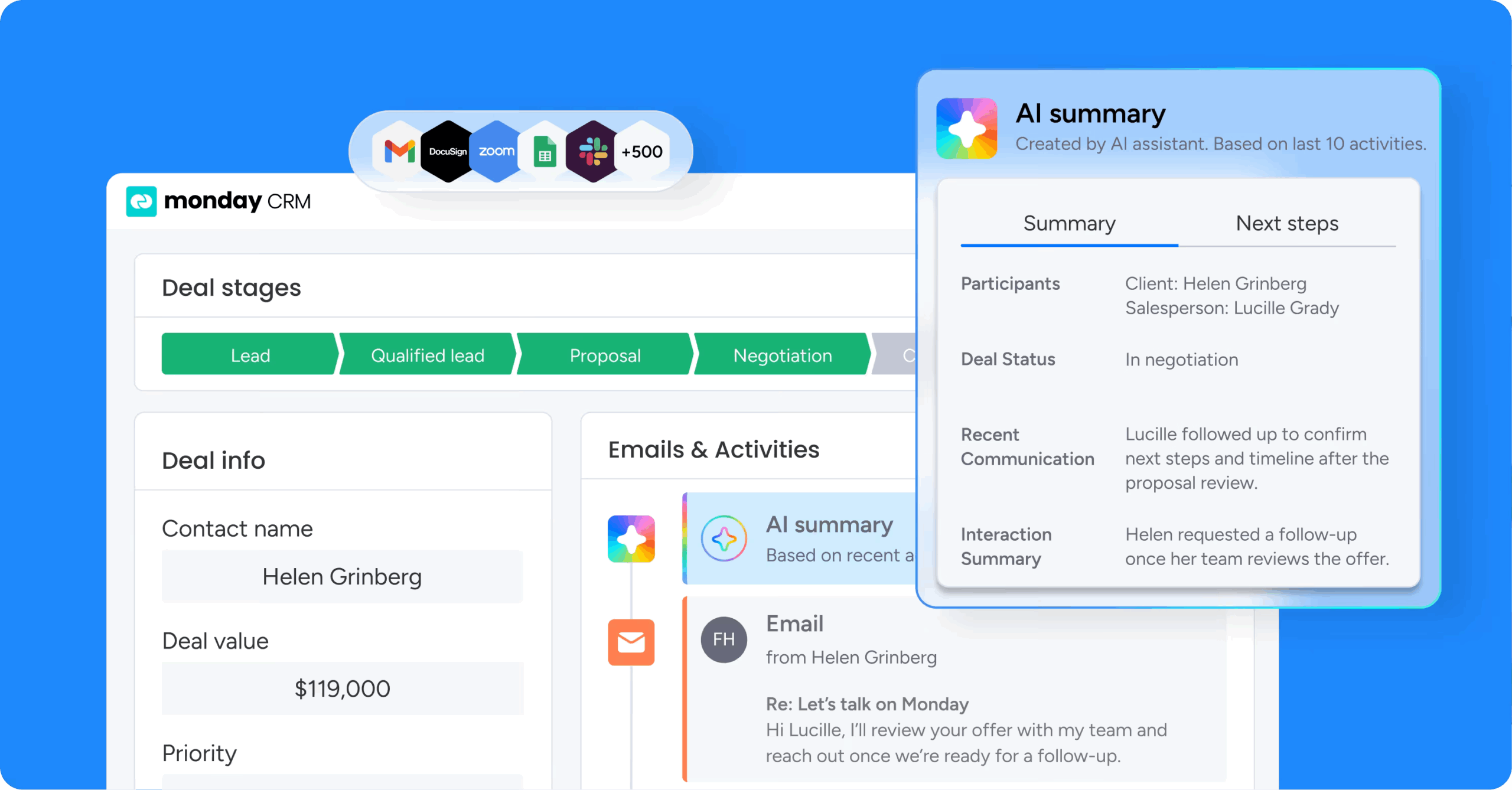
AI-powered CRM automation uses artificial intelligence to capture information from multiple sources, decide what should happen next based on context, then complete or support that action. Traditional CRMs store data. AI-powered CRMs do something with it.
That difference matters to revenue leaders because pipeline visibility depends on what happens after data enters the system. When records only move after a rep remembers to update them, visibility suffers. Automation closes that gap.
| Approach | How it works | Result |
|---|---|---|
| Manual CRM work | Rep reads the submission, checks ownership rules, updates records by hand | Slower response, uneven routing |
| Rule-based automation | Fixed trigger like "if state = California, assign Rep A" | Fast, but rigid |
| AI-powered automation | Reads form text, checks context, suggests or assigns owner, drafts next step | Faster response with more context |
Want the simplest way to think about it? Use this model:
- Capture: Pull data from forms, emails, meetings, and files
- Decide: Interpret intent, urgency, fit, or risk
- Act: Assign, update, draft, notify, or escalate
How AI differs from traditional CRM automation
Where do rules stop helping and judgment start? That’s the real dividing line. This comparison shows why many teams keep rule-based automation for repeatable work, then add AI where nuance matters.
| Dimension | Traditional CRM automation | AI-powered CRM automation |
|---|---|---|
| Decision-making | Fixed if-then rules | Context-aware outputs |
| Data used | Structured fields only | Structured and unstructured data |
| Adaptability | Manual rule changes | Prompt and logic refinement |
| Typical output | Notifications, field updates, reminders | Summaries, sentiment, classifications, drafted replies |
| Best-fit work | Predictable, high-volume steps | Nuanced prioritization and interpretation |
Rules still handle form routing on one field, stage-change notifications, and time-based reminders. AI earns its place when the CRM needs to read and interpret inquiry text, meeting notes, email threads, or sentiment shifts across the pipeline.
Revenue teams on monday CRM often combine both in one workflow: automations for the predictable steps, and AI Blocks like Assign person, Assign label, Detect sentiment, or Summarize for the judgment-heavy step.
How to choose the first CRM workflow to automate
Why automate five weak workflows when one strong one can prove the model? Your first win should be visible, low-risk, and easy to tune. This table gives you a practical filter for evaluating where to start.
| Criteria | What good looks like | What to avoid |
|---|---|---|
| High business impact | Fixes a revenue bottleneck | Minor convenience |
| Low setup complexity | One trigger, few fields, 1–2 actions | Multi-team logic on day one |
| Clear owner | One team monitors and refines it | Orphaned workflows |
| Simple review | Easy human checkpoint | Full autonomy immediately |
| Measurable outcome | Tied to an existing metric | Vague improvement |
Strong first candidates usually improve one of these outcomes:
- Speed-to-lead: Leads reach the right rep faster
- Pipeline discipline: Follow-ups happen on time
- Handoff quality: Account teams inherit full context
- Forecast confidence: Managers spot risk sooner
7 CRM workflows to automate with AI first
What would change if your team responded in minutes, not hours? These are the first workflows most revenue teams should build, listed in a practical starting order. Each one maps to a real problem and can be measured directly inside the CRM.
1. Lead capture and routing: get the right lead to the right rep, fast
With AI lead management, inbound leads reach the right rep faster because the system reads the inquiry, categorizes it, and routes it automatically — giving reps more time to sell and leaders more confidence in pipeline coverage. Early review should focus on exceptions and high-value leads.
- Trigger: form submission, inbound email, or chat completion
- AI contribution: reads free text, identifies intent, assigns owner
- Metric: speed-to-lead and routing accuracy
2. Lead scoring and prioritization: focus reps on the leads most likely to convert
Scoring answers “how urgent is this lead?” while routing answers “who owns it?” AI weighs fit and behavior together instead of relying on one field.
- Trigger: new lead or new activity
- AI contribution: intent analysis, fit scoring, prioritization
- Metric: conversion from scored leads to opportunities
3. Automated follow-ups and AI email drafting: keep outreach moving without manual effort
AI outreach agents keep outreach moving after key moments like assignment, no reply, or meeting completion. On monday CRM, the AI email assistant inside Emails & Activities supports this directly.
- Trigger: new lead, meeting completed, or inactivity threshold
- AI contribution: drafts personalized emails using CRM context
- Metric: follow-up completion rate and reply momentum
4. Activity logging and AI meeting summaries: cut admin time after every call
This is one of the fastest ways to cut admin work. After a meeting, an AI sales assistant can generate a recap, extract action items, and suggest field updates.
- Trigger: meeting completed or notes added
- AI contribution: summary, commitments, next steps
- Metric: CRM completeness and time saved per meeting
5. CRM data enrichment and field updates: fill gaps without chasing reps for information
CRM automation AI automates data by pulling missing details from emails, files, and notes into structured fields. On monday CRM, Extract information can pull details from PDFs, images, .docx, .xlsx, .pptx, and text stored in the Files Column.
- Trigger: new contact, new email, or uploaded file
- AI contribution: extracts titles, timelines, budget notes, and more
- Metric: record completeness and data accuracy
6. Pipeline forecasting and deal risk alerts: spot slipping deals before they cost you
AI predictive analytics can review stage duration, activity gaps, and communication patterns to flag deals that may slip. Leaders care because forecast misses affect hiring, resource allocation, and board reporting.
- Trigger: weekly review, inactivity, or stage-duration threshold
- AI contribution: risk detection and suggested actions
- Metric: forecast confidence and earlier intervention
7. Customer onboarding and renewal workflows: protect revenue after the deal closes
AI revenue cycle management doesn’t stop at closed-won. This workflow launches onboarding, summarizes handoff context, and flags renewal risk or expansion signals.
- Trigger: closed-won, milestone completed, or renewal window reached
- AI contribution: handoff summary, owner assignment, risk flags
- Metric: time to first value and renewal readiness
5 steps to automate CRM workflows with AI
You don’t need a giant AI project to get started. You need one workflow, one owner, and one metric. The example below uses lead routing, but the structure applies to any CRM workflow.
Step 1: Map the workflow trigger precisely
A trigger is the event that starts the automation. Be precise so the workflow runs at the right moment.
- Good trigger: When a new contact is created from the demo request form
- Weak trigger: When anything changes
Step 2: Choose only the CRM fields AI actually needs
AI needs useful inputs, not every field on your board. Fewer, relevant inputs usually produce stronger results. Start with these five fields for lead routing:
- Lead source: Shows where the inquiry came from
- Company size: Helps segment ownership
- Inquiry text: Reveals actual intent
- Industry: Supports specialist routing
- Location: Supports territory logic
Step 3: Write the AI prompt and define output rules
A strong prompt tells AI what to do and what not to do. Output rules keep results consistent and prevent unexpected behavior.
- Format: Return a single label, not a paragraph
- Allowed values: “Product Demo,” “Pricing Question,” “Partnership Inquiry,” “Other”
- Fallback: If confidence is below 80%, send to review
Step 4: Add approvals and set permissions before going live
How do you keep AI useful without letting it roam free? You add boundaries before the workflow touches real records.
- Approvals: Review emails, deal ownership changes, and close date updates
- Permissions: Limit which boards and fields the automation can read or write
- Pilot logic: Auto-run standard cases, review edge cases by hand
Step 5: Test with real records, not perfect data
Use real records, not perfect test data. Real-world inputs surface the refinements you need to make before launch.
- Test standard records
- Test incomplete records
- Confirm field updates hit the right column
- Confirm notifications and handoffs fire
- Review results with the workflow owner
How to prepare CRM data for AI automation
AI builds on the data foundation you already have. If the foundation is messy, the output will be messy too. Before enabling any AI workflow, it’s worth auditing these five data areas first.
| Data area | What to clean | Why it matters |
|---|---|---|
| Customer records | Duplicates, missing owners, incomplete contacts | Fragmented records break routing |
| Deal stages | Vague definitions, stale stages | Weak forecasting and risk signals |
| Activity history | Missing calls, notes, meetings | Less context for AI decisions |
| Email and meeting data | Sync status and access | AI needs communication context |
| Required fields | Must-have fields filled inconsistently | Weak routing and reporting |
A platform like monday CRM can help enrich data with Autofill with AI, but your team still needs a usable starting point. AI multiplies good processes, but it can also multiply messy processes.
Try monday CRMHow to stay in control of AI CRM automation
Automating CRM work with AI does not mean handing over sensitive decisions without oversight. The goal is speed with control. On monday CRM, teams preview AI outputs before saving, then inspect Run history to see what happened in each run and why.
Actions that usually deserve human review include:
- Sending customer emails
- Changing deal ownership
- Updating close dates or amounts
- Triggering customer-facing notifications
- Escalating to leadership
With previews, permissions, deactivation options for AI-enabled columns, and Run history for oversight, monday CRM supports this governance need. Governance is not an admin extra. It’s part of adoption.
How AI agents fit into CRM workflow automation
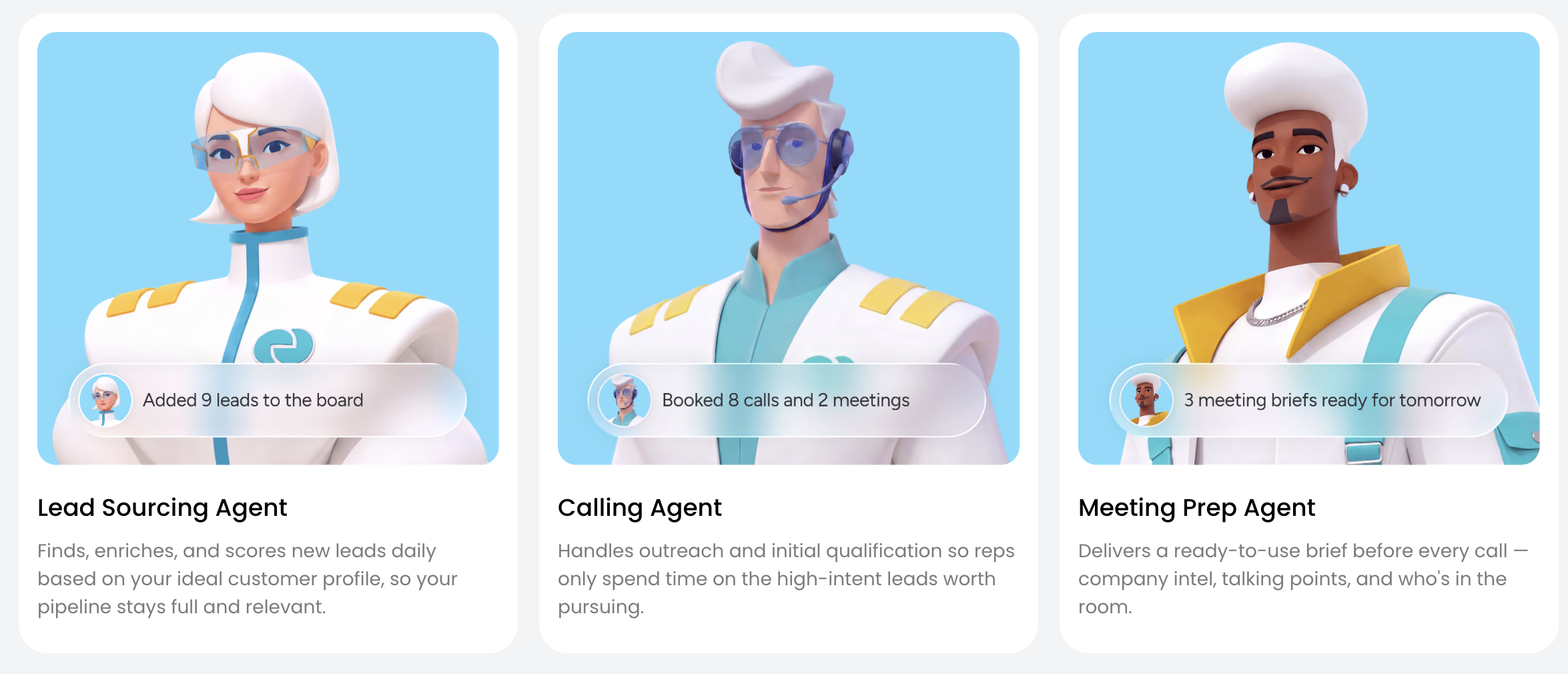
Some AI solutions help a person move faster. Some recommend what to do next. Some take multi-step action inside defined boundaries. Understanding agentic AI in sales helps teams decide how much autonomy a workflow should have before it goes live.
| Type | What it does | CRM example | Human role |
|---|---|---|---|
| AI assistants | Help complete a task faster | Draft an email or summary | Human reviews and completes |
| AI advisors | Recommend next steps | Flag at-risk deals | Human decides |
| AI agents | Take multi-step action | Research, follow up, update records | Human sets boundaries and reviews exceptions |
Most teams should start with structured workflows and expand autonomy as trust grows. The broader monday ecosystem includes monday agents and monday sidekick for teams that want to go beyond assistive use.
How to measure CRM automation ROI
What should leaders watch first: time saved or forecast confidence? The answer is both, but only if you set a baseline before launch. This list maps each metric to the workflows it best evaluates, so you know exactly what to track and when.
- Speed-to-lead: Track the time from inquiry to first contact to see how fast lead capture and routing get leads to the right rep.
- Selling time: Measure how much rep time goes to revenue work vs. admin to see what activity logging and summaries give back to your team.
- Follow-up completion: Check the percentage of scheduled follow-ups completed to confirm your follow-up automation keeps outreach moving.
- Data completeness: Track the percentage of required fields populated to see how well enrichment and logging keep records full.
- Forecast accuracy: Compare predicted vs. actual outcomes to judge how well forecasting and risk alerts flag slipping deals.
- Deal cycle length: Count the days from opportunity to close to see how scoring, follow-ups, and risk detection speed up your pipeline.
- Renewal readiness: Watch how much proactive outreach happens before renewals to see the impact of your onboarding and renewal workflows.
What to look for in an AI CRM platform
Teams evaluating platforms should focus on what makes AI practical inside revenue workflows, not what looks flashy in a demo. These buying criteria matter most when assessing whether a platform can support real-world automation at scale.
- No-code automation: Revenue teams build and adjust workflows without waiting on IT.
- Native AI inside the CRM: AI works best with full CRM context, from deal history to customer conversations.
- Integrations: Email, calendar, meeting, and support data give AI the signals it needs to act.
- Dashboards: Leaders get business visibility into pipeline and performance, not just automation logs.
- Permissions and governance: Sensitive workflows need boundaries, approvals, and an audit trail.
- Flexible workflow design: Your CRM should match your process, not the other way around.
Automate your CRM workflows with AI on monday CRM
Your first AI win usually comes from upgrading a workflow you already run, not rebuilding your entire revenue engine. monday CRM brings automations, AI, customer context, and dashboards together in one workspace, so your team can add intelligence to the work already happening in your pipeline.
Because AI works directly inside the boards, columns, and Emails & Activities your reps use every day, there is no new system to learn. Leaders get a pipeline they can trust, while permissions and approvals keep every automated step under your control.
AI for routing and prioritization
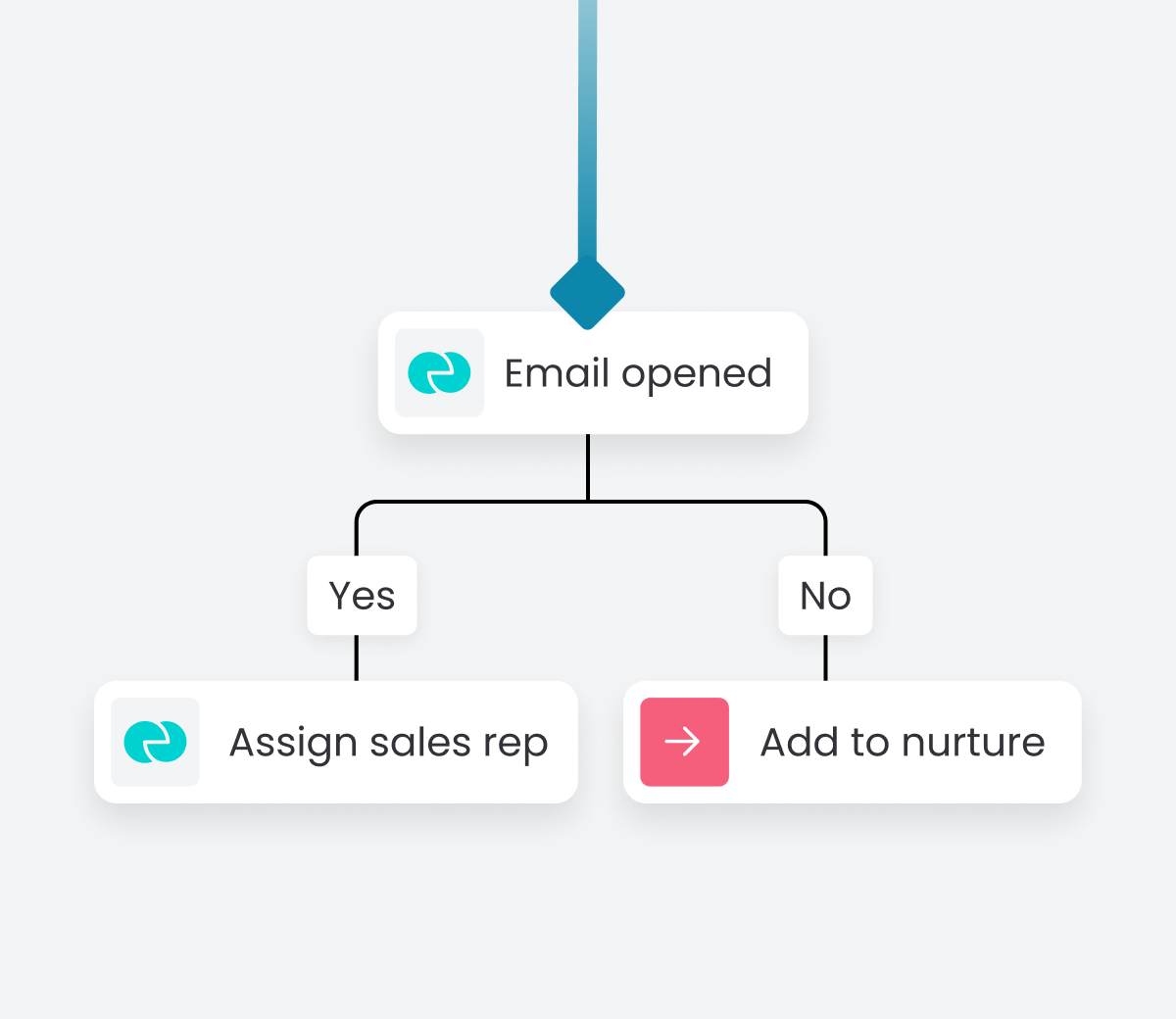
AI Blocks like Assign person, Assign label, and Detect sentiment read inquiry text and decide what happens next. New leads reach the right rep faster, and priority signals surface without manual sorting. You can combine them with no-code automations to build routing logic in minutes.
AI email assistant for follow-ups
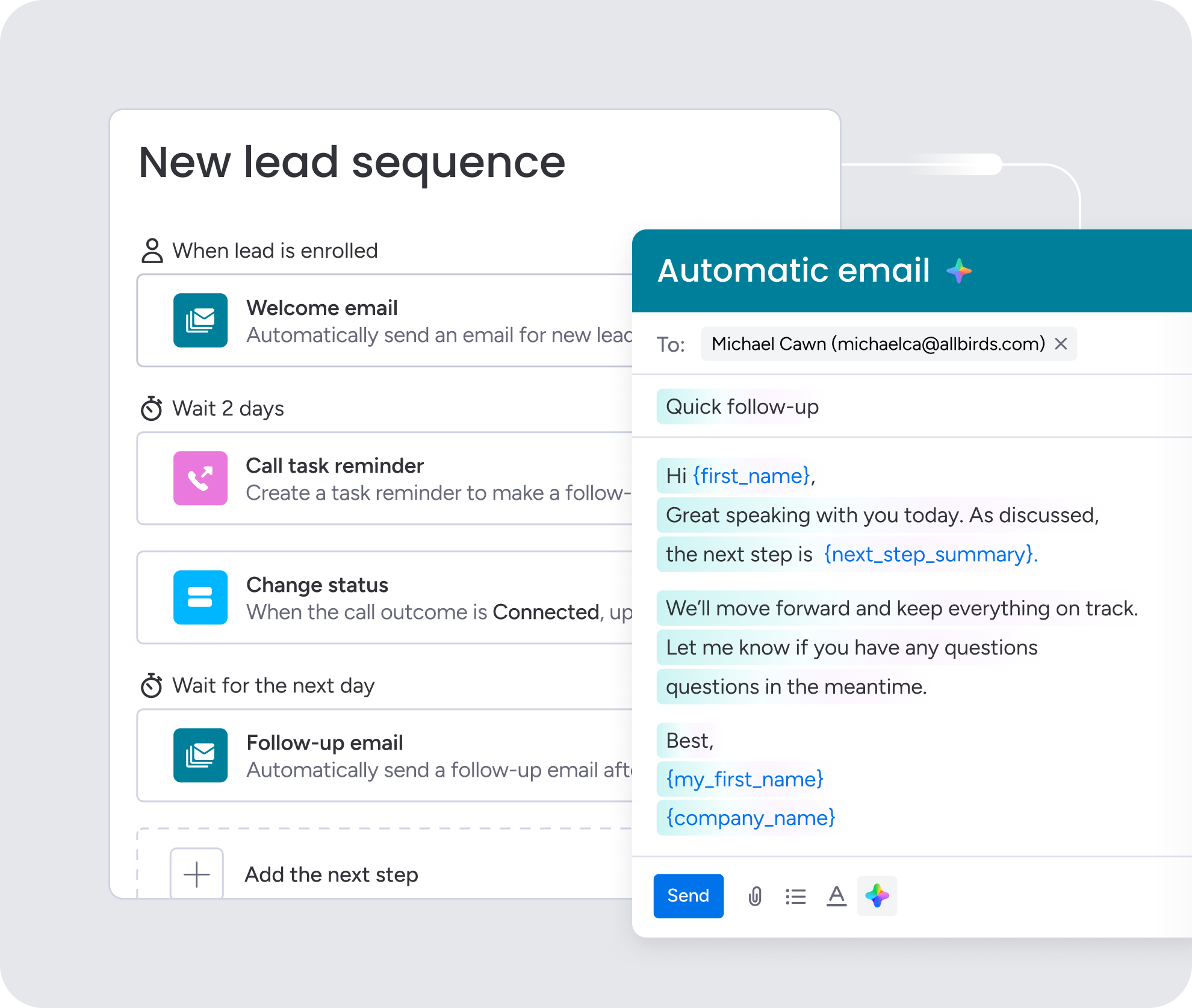
The AI email assistant drafts personalized emails using the context already stored on your deals and contacts. Reps review, adjust, and send, so outreach keeps moving after every meeting or missed reply. Pair it with automations to schedule follow-ups at the right moment.
AI Notetaker for meeting summaries
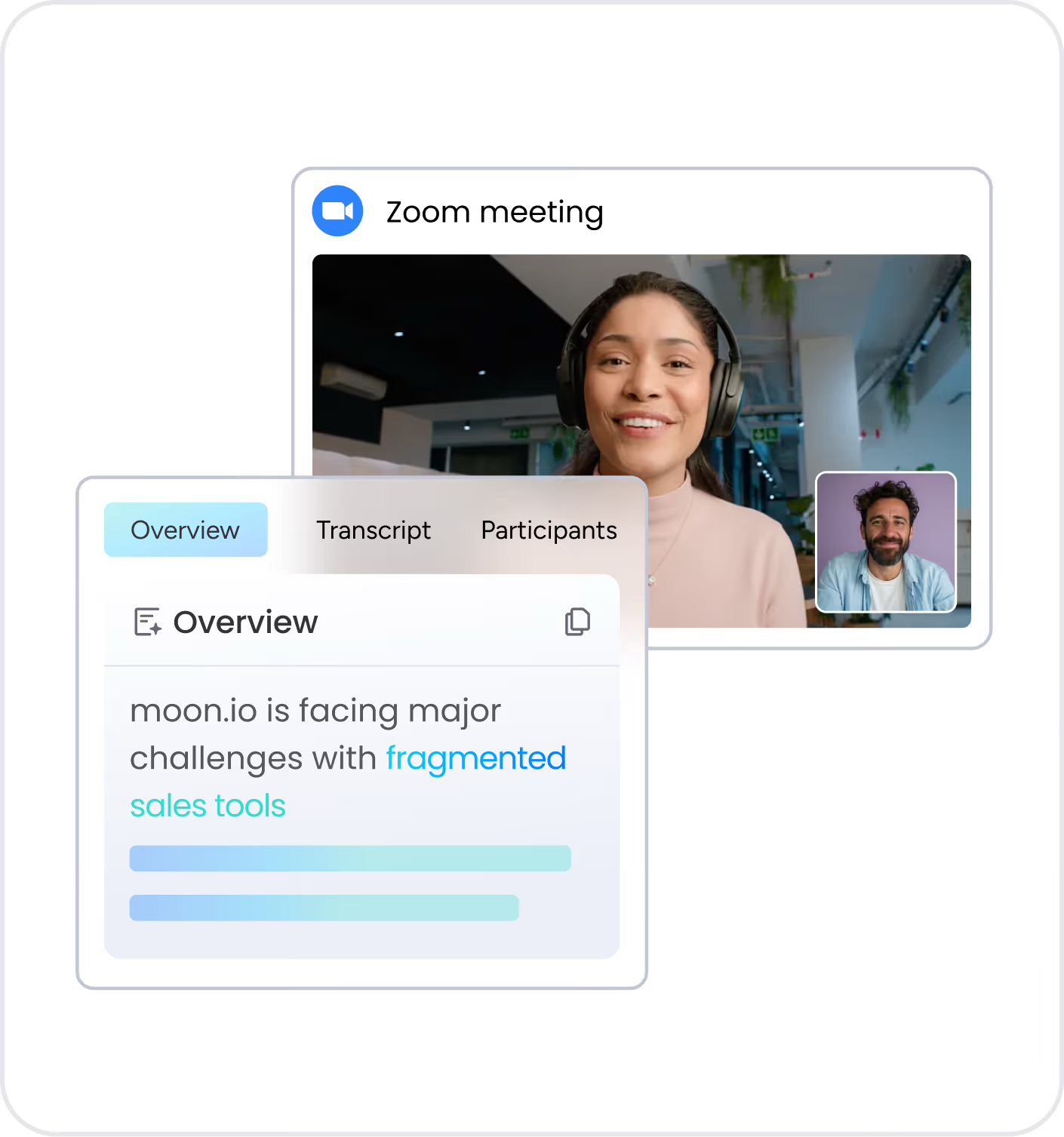
The AI Notetaker captures recaps, action items, and next steps after each call, then adds them to the deal timeline. Your reps spend less time on admin, and account teams inherit full context at handoff.
Extract information and Autofill with AI for data enrichment
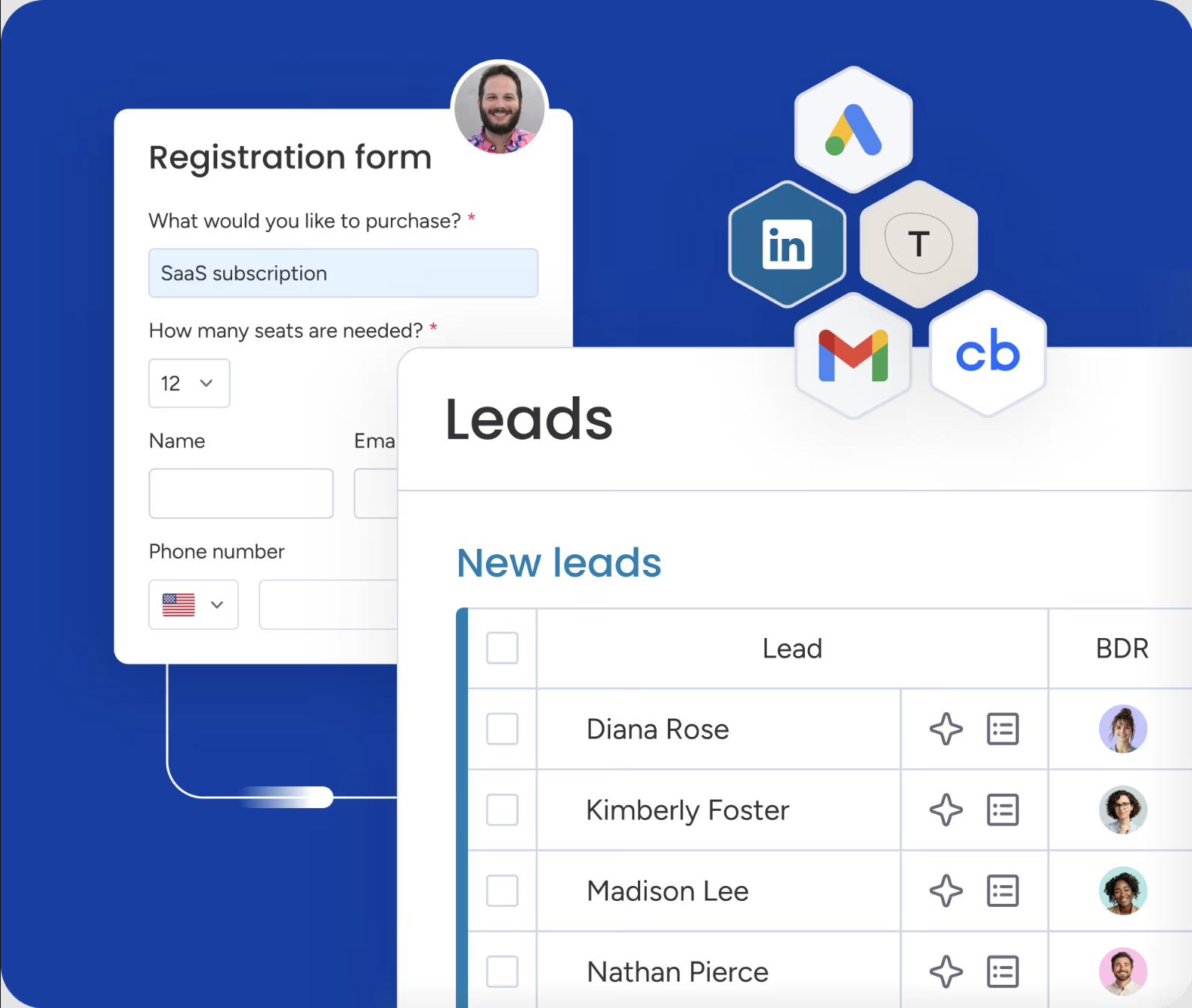
Extract information pulls details from PDFs, images, and documents stored in the Files Column, while Autofill with AI fills in missing fields. Your CRM stays complete without chasing reps for updates. Teams can also extend workflows through integrations and monday MCP while keeping permissions in place.
Your next step toward a smarter sales operation
The case for AI CRM automation is easy to measure. Benefits of CRM automation include faster lead response, fewer dropped follow-ups, and more accurate forecasts, and they all start with one well-built workflow. Teams see results fastest when they pick one real problem and fix it properly, whatever their AI budget.
You don’t need a full system overhaul to get there. You need a trigger, a few relevant fields, an output rule, and a human checkpoint, which your team can build, test, and launch in days. Each new workflow then builds on the last, giving leaders stronger pipeline visibility and reporting that reflects what’s happening in the field. With monday CRM, you can start with that first workflow today.
Try monday CRMFAQs
Do you need to replace your CRM to automate workflows with AI?
You can often automate workflows with AI using the CRM you already have. Switching makes sense when your current system lacks native AI, usable no-code automation, or the governance controls needed for a safe rollout. If your platform covers those three, start with one workflow, measure the results, and expand from there. No big migration required.
Can small businesses automate CRM workflows with AI?
Small businesses can automate CRM workflows with AI, and they often see value fast. Small teams have less room for manual admin work, so every hour saved on logging calls or chasing follow-ups goes straight back into selling. Start with one high-impact workflow, like lead routing or follow-up drafting, then add more as your team gets comfortable.
What is the difference between AI agents and CRM automation?
The difference between AI agents and CRM automation is autonomy. CRM automation follows fixed rules you define, like "if a lead comes from this form, assign it to this rep." AI agents take multi-step action inside boundaries you set, such as researching a lead, drafting outreach, and updating records. Humans still set the limits and review exceptions.
How do you keep AI from updating the wrong CRM fields?
You keep AI from updating the wrong CRM fields by setting boundaries before launch. Limit which fields the automation can read or write, define the allowed outputs, and require approval for sensitive changes like deal ownership or close dates. Then test with real records, including incomplete ones, so you catch edge cases before they reach your live pipeline.
What CRM data should be cleaned before using AI automation?
The CRM data to clean before using AI automation includes duplicates, stage definitions, activity history, email and meeting sync data, and required fields. AI builds on the foundation you give it, so messy records lead to weak outputs. A quick audit of these five areas up front helps every workflow you launch deliver results you can trust.
How does monday CRM keep AI CRM workflows under human control?
monday CRM keeps AI workflows under human control with permissions, previews, deactivation options, approvals, and Run history. Your team previews AI outputs before saving them, then checks Run history to see what happened in each run and why. You decide which actions run automatically and which need a human sign-off, so speed never comes at the cost of oversight.