
If you think learning how to use AI in sales means asking ChatGPT to write your cold emails, you’re a couple of years behind. In 2026, AI researches accounts before you reach out, scores leads by how likely they are to buy, and books meetings while you’re on another call. The teams pulling ahead wire it across the whole cycle, from first touch to handoff, so reps spend less time on admin and more time actually selling.
In this guide, we’ll define what AI in sales really covers, walk through 12 practical ways to put it to work, and show you how to get started, choose the right tools, and prospect smarter. Along the way, you’ll see how an AI-first platform like monday CRM brings these pieces together in one place.
Key takeaways
- Beyond email writing: AI in sales now goes well beyond writing emails, handling account research, lead scoring, and meeting booking on its own.
- Four main types: The four main types are generative AI, predictive lead scoring, conversation intelligence, and agentic AI agents.
- Start with quick wins: The fastest wins come from automating high-friction, repetitive tasks first, then scaling once you can measure the gains.
- Data quality matters: Clean, connected CRM data is what makes AI outputs accurate, so fix your data before you roll out tools.
- AI inside your workflow: monday CRM embeds AI agents, content drafting, and real-time forecasting directly in the workflow, so insights and actions live where your deals do.
What is AI in sales and how does it work
AI in sales is the use of machine learning and generative models to handle sales work that used to eat up a rep’s day. It reads data, spots patterns, drafts content, and takes action so teams can spend more time with buyers. Artificial intelligence sits behind most of these tools, and it shows up in a few distinct forms.
Understanding those forms helps you match the right technology to the right job. Here’s how the main types break down and what each one does for a sales team:
- Generative AI: Drafts emails, call scripts, proposals, and summaries from a short prompt or existing CRM data.
- Predictive AI and ML lead scoring: Ranks leads and forecasts deal outcomes by learning from your historical win and loss patterns.
- Conversation intelligence: Transcribes and analyzes calls to surface objections, sentiment, and coaching moments.
- Agentic AI and AI agents: Work autonomously across tools to research accounts, qualify leads, and book meetings with limited hand-holding.
Most sales teams end up using several of these together. A predictive model might score an inbound lead, a generative tool drafts the first email, and an agent books the meeting once the prospect replies. The value comes from stitching them into one workflow rather than running each in isolation. Once you know how the pieces fit, deciding how to use AI in sales gets a lot more concrete.
Manual vs AI-assisted sales processes: how have things changed
Before we get into the different ways AI is being used in sales processes, it’s helpful to get a breakdown of how traditional sales processes have changed with AI. The table below illustrates how AI impacts every stage of the sales cycle, fundamentally changing how sales teams operate. Have a look to get a better understanding of what has changed and keep reading to discover exactly how to get the most out of using AI for sales.
| Sales activity | Manual process | AI-assisted process |
|---|---|---|
| Lead generation | Research prospects, compile lists from various sources, cold outreach without targeting | AI scans databases and social platforms to identify qualified prospects, auto-enriches contact data, scores leads by conversion likelihood |
| Email outreach | Write individual emails from scratch, basic templates with minimal personalization | Generate personalized emails in seconds based on prospect data, industry, and deal stage with tailored messaging |
| Meeting follow-ups | Take handwritten or typed notes, summarize key points, create action items from memory | Auto-transcribe and summarize meetings, extract action items, generate structured follow-up reports |
| Lead qualification | Review each lead, research company background, assign based on basic criteria | Instantly analyze and score leads, auto-route to appropriate reps based on territory, priority, and fit |
| Sales forecasting | Use spreadsheets, historical averages, and gut instincts for revenue predictions | Analyze historical data, pipeline activity, and market trends to generate accurate forecasts in real-time |
| Sales content creation | Write proposals, quotes, and sales materials for each prospect | Generate personalized sales documents, quotes, and presentations using CRM data and AI templates |
| Pipeline management | Track deal progress by hand, remember next steps, update CRM fields individually | AI suggests next best actions, auto-updates deal status, prioritizes opportunities by conversion probability |
| Customer handoffs | Verbally brief new team members, share fragmented notes and email threads | Generate comprehensive deal summaries with interaction history, objections, and context for seamless transitions |
| Call preparation | Research prospect, review previous interactions, prepare talking points from memory | AI provides prospect insights, conversation history, and suggests optimal talking points before each call |
12 ways to use AI in your sales workflows
AI can automate a sales team’s most repetitive work: prospect research, lead enrichment and scoring, email drafting, meeting notes, CRM data entry, forecasting, and follow-up scheduling. According to ZoomInfo’s 2025 State of AI in Sales and Marketing report, frequent AI users are 47% more productive and save an average of 12 hours a week. With all that extra time, sales teams can work towards exceeding quotas, building more solid customer relationships, and nurturing every lead. Below, we’ll look at how to use AI in B2B sales with 12 practical ways to apply it to your sales workflows.
1. Draft personalized outreach emails in seconds
Writing personalized messages at scale is one of the most time-consuming parts of sales, yet personalization is key. Personalizing sales and marketing experiences can lift revenue. AI can generate tailored emails based on deal stage, customer profile, and previous interactions so that reps can engage prospects without spending hours writing dozens or even hundreds of messages from scratch.
For example, a rep following up on a lead could use AI to personalize an email that references a lead’s industry, adjust the tone for a C-suite audience, and insert a call-to-action to schedule a product demo. When using a platform like monday CRM with built-in AI writing assistance, reps can edit and send email drafts directly from the CRM without switching tools.
2. Auto-summarize meetings and follow-ups
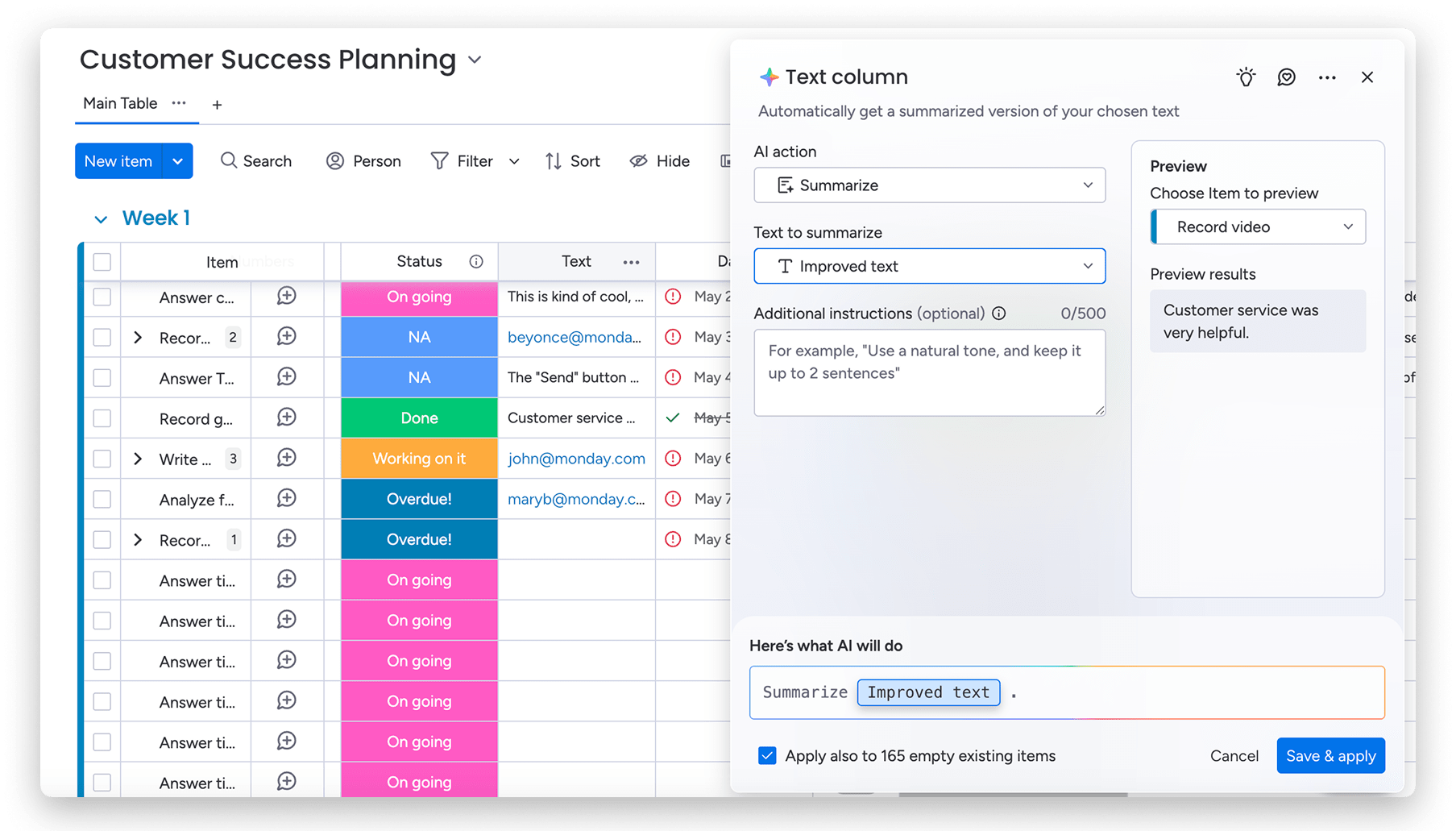 After a long sales call, it’s easy to forget key details or delay next steps while scrambling to take notes. AI can instantly analyze call transcripts, email threads, or meetings and generate structured summaries with action items.
With AI-generated summarization, sales reps can quickly review key takeaways, decisions, action items, and understand next steps without digging through lengthy conversations. Then, reps can share key talking points with stakeholders without rewatching the call or scanning lengthy threads. AI summarization capabilities are embedded in the monday CRM platform so that the entire team stays synced.
3. Generate sales quotes and invoices on demand
When a deal progresses quickly, reps don’t want to lose momentum by formatting a quote or building invoices from scratch. AI can automatically create professional sales documents using details already in your CRM, like pricing and client info.
For instance, if a deal record includes a selected product tier, timeline, and company name, AI can instantly generate a branded quote with pre-filled values and suggested payment terms. With just a click, the rep can send it to the client and keep the deal moving. Teams that use monday CRM can generate these documents with built-in AI tools so that they don’t need to fiddle with manually formatting invoices and quotes.
4. Route and enrich incoming leads
New leads often come in with incomplete information or get stuck in the wrong pipeline. AI can make lead management easier by filling in the blanks, like company size, industry, or contact role, and route leads to the right team member based on priority or territory.
If a new contact completes a web form with just a name and email, AI-powered lead enrichment software can update that record with additional data like LinkedIn profile and firmographics. Then, the lead gets assigned to the right sales rep based on custom parameters, like skill level, territory, or availability, all without any manual work.
5. Suggest the next best action for every deal
Sometimes, reps have dozens of active deals, which makes it tricky to know exactly what to prioritize. AI can analyze historical deal patterns, past communication, and customer behavior to recommend next steps tailored to each opportunity.
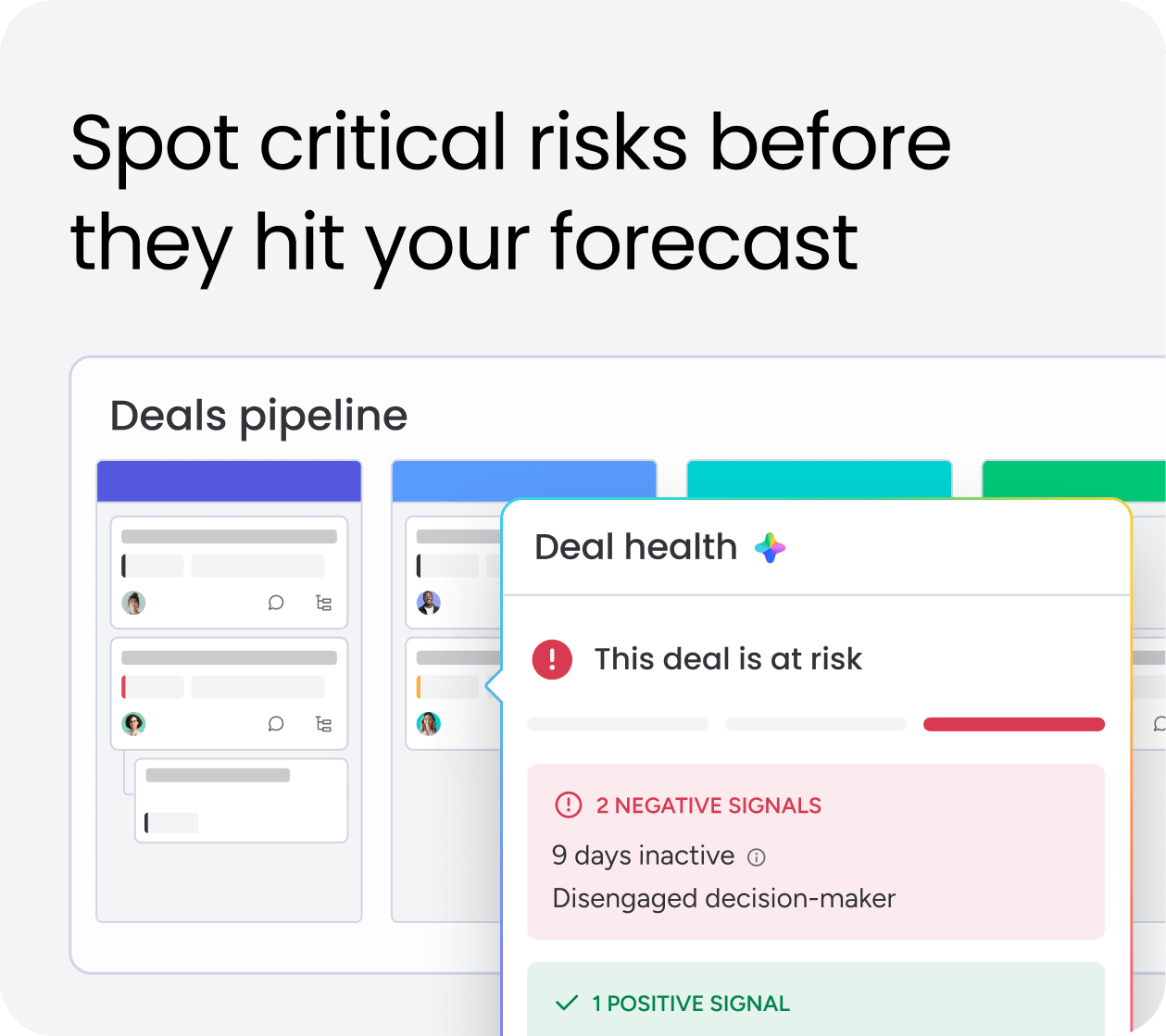
For example, if a deal has been idle for 10 or more days, AI might suggest re-engaging the prospect by sending them a case study or nudging with a pricing incentive based on similar won deals. If you’re using monday CRM, built-in AI agents are ready to give you these nudges right in the platform by suggesting next steps or drafting emails to re-engage leads.
Try monday CRM6. Create custom sales content for any stage
 Whether it’s a sales deck, product summary, or follow-up email, reps need content that matches the buyer’s context. AI makes it easier to generate or repurpose assets without reinventing the wheel every time. Sales teams can prompt AI to generate personalized pitch content for specific personas, industries, or stages of the funnel and even convert longer assets into social posts or one-pagers.
Personalizing content with AI can drastically improve the customer experience since prospects receive messaging that directly addresses their specific pain points, industry challenges, and business goals rather than generic, one-size-fits-all materials. With monday CRM, these assets can be created and stored right within each deal so that the entire team has access to them.
7. Fill in CRM fields faster with AI
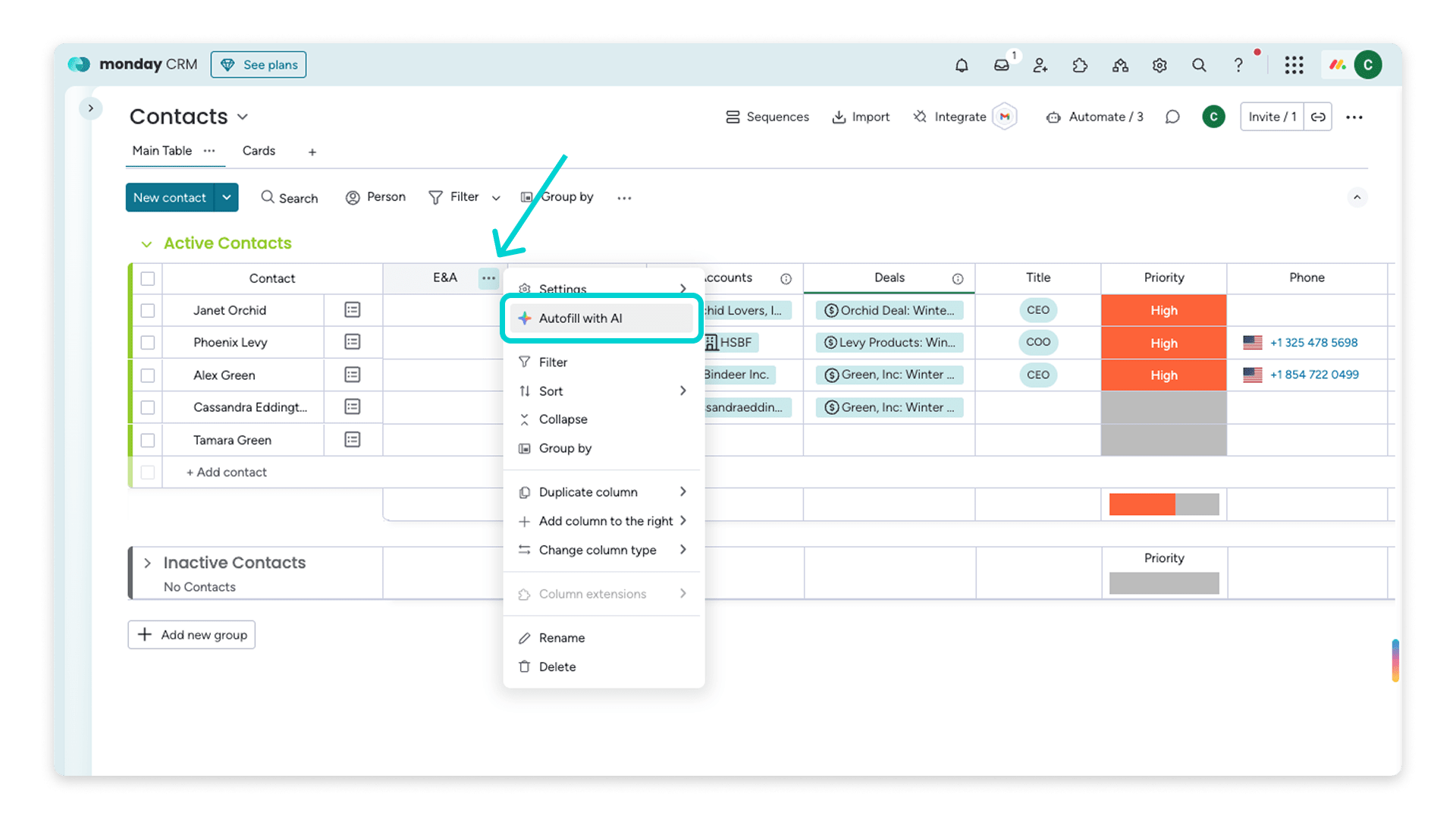 Sales reps often spend valuable time logging notes, summarizing meetings, or adding deal context to CRM fields. Reps can use a CRM with AI to analyze communication history and generate relevant inputs automatically.
A sales agent could ask AI to summarize a discovery call and generate a one-line description for the deal card, add follow-up tasks, highlight important dates, and auto-tag the opportunity based on the customer’s expressed pain points. It can also extract key details like budget ranges, decision timelines, and stakeholder names mentioned during conversations, automatically populating CRM fields without manual data entry.
8. Recap entire deal timelines in one click
Jumping back into a deal after weeks away? AI can generate a high-level timeline summary so reps can review what’s happened and pick up exactly where they left off. AI timeline summaries also make collaboration a lot easier between reps, as anyone can click on a deal and get up to speed without reading through dozens of emails and call logs.
These summaries synthesize activities, communications, and status updates into a concise, chronological view embedded within the deal board, helping reps and managers stay in sync. With the AI Timeline Summary in monday CRM, reps can visualize AI-generated summaries that eliminate the need to manually dig through status updates.
9. Prioritize leads with intelligent scoring
Not all leads are created equal. AI can assess historical conversion rates, engagement behavior, and company data to score leads based on their likelihood to convert.
If you’re wondering how to use AI in B2B sales specifically, this is one of the most impactful applications. In B2B, where deals are complex and sales cycles are long, AI-powered lead scoring helps teams focus on the right opportunities at the right time. For example, a lead who opens multiple emails, visits your pricing page, and shares traits with previously closed deals would automatically rise to the top of the queue.
With monday CRM, users can integrate this logic directly into their lead boards using AI-assisted workflows and scoring rules.
10. Save time with meeting recaps and sentiment analysis
Instead of rewatching a call or reading through notes, reps can rely on AI to deliver a clean, structured meeting recap. These summaries capture key points, objections, decisions, and agreed-upon next steps.
Once generated, the recap can be added to the deal, shared with managers, or used to trigger automated follow-up workflows. AI can also identify sentiment changes throughout meetings and historically in emails and messages, flagging when prospects seem hesitant or excited about certain topics. This allows sales teams to tailor their follow-up approach accordingly, whether that means addressing specific concerns or capitalizing on areas of high interest to accelerate the sale.
11. Turn updates into task lists automatically
A single update often contains multiple next steps, but reps don’t always have time to turn notes into a task list. AI can break down a conversation or meeting summary into specific action items.
Reps can create tasks like “send pricing sheet,” “schedule follow-up call,” or “loop in tech support.” Then, assign tasks automatically to keep the sales motion moving without manual tracking. AI can even set priority levels and due dates to each task based on deal urgency or client requirements mentioned in the conversation.
12. Improve handoffs with smart deal summaries
When ownership of a deal changes from BDR to AE or AE to success, for example, context is everything. AI-generated summaries can provide the full picture, so transitions are seamless. A smart handoff summary might include the last interaction, client objections, pricing discussed, decision-makers involved, and current stage, all delivered in one clean update.
AI can also highlight a prospect’s communication preferences, buying timeline, and any red flags or urgent priorities that emerged in previous conversations. Smart summaries provide context and prevent new sales reps from having to rebuild rapport or ask redundant questions that could frustrate prospects. With a CRM like monday CRM, handoffs are smooth thanks to AI-generated summaries built into the handoff flow.
How to use AI for sales prospecting
Prospecting is where AI earns its keep first, because it removes the grind of finding and researching the right people. Instead of copying data between tabs, reps can let AI surface accounts that match their ideal customer profile and hand over a prioritized list. That means the day starts with warm, well-researched targets instead of a blank spreadsheet.
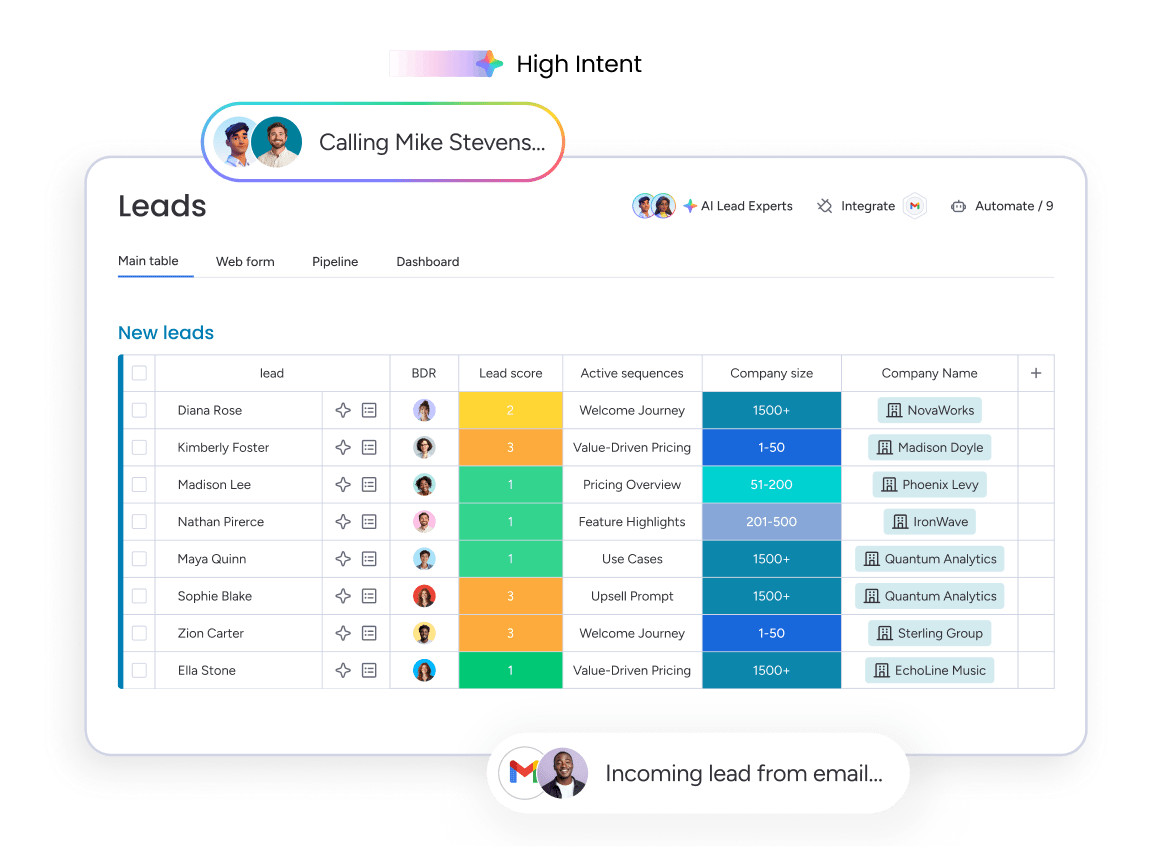 AI prospect research pulls together public signals, firmographics, and buying intent to build a picture of each account before you reach out. Enrichment tools fill in job titles, company size, tech stack, and recent triggers like funding rounds or leadership changes. With that context, reps can segment a list in minutes and rank prospects by how likely they are to convert.
First touch also improves when AI drafts the opener. A rep can move across email, social, and phone with messaging that references each prospect’s role and industry, then let AI SDRs handle the repetitive follow-ups. This multi-channel approach keeps sequences consistent without turning outreach into copy-paste, and it frees reps to focus on the replies that need a human.
Picture a rep who inherits 200 raw form fills on a Monday morning. AI enriches every record, scores them against past won deals, and routes the top 20 to the rep’s board with a suggested first email attached. By lunch, they’re talking to the prospects most likely to buy instead of triaging a list by hand.
As one educational example, the Lead Agent in monday CRM auto-sources and enriches prospects within a team’s permissions, so the research and list-building steps happen before a rep ever logs in. It’s a concrete look at how agentic prospecting fits into everyday sales work.
Benefits of using AI in sales
You boost sales with AI by pointing it at the tasks that slow reps down, like research, data entry, follow-up, and forecasting, so more of the day goes to actual selling. The gains compound because AI works on every deal at once, not just the ones a rep remembers to touch. Here’s where teams feel the difference most:
- Productivity and time saved: AI clears repetitive admin like note-taking and CRM updates, giving reps hours back each week.
- Pipeline visibility: Automated data capture keeps every deal current, so managers see the real state of the pipeline at any moment.
- Forecast accuracy: Predictive models read historical and live activity to project revenue you can actually plan around.
- Faster follow-up: AI drafts and schedules the next touch the moment a call ends, so leads stay warm.
- Consistent coaching: Conversation intelligence reviews every call, not a random sample, giving managers evidence to coach on.
Together, these gains help revenue leaders forecast with confidence and give reps more time to build the relationships that close deals.
How to get started with AI in sales
You implement AI in your sales process step by step: audit your workflow, automate the highest-friction tasks first, clean your CRM data, pilot with one team, then scale. Rushing all five at once is how tools end up unused, so treat it as a sequence rather than a switch you flip. The 5 steps below keep the rollout focused and measurable.
- Audit your sales workflow: Map every stage of your cycle and flag the manual steps, duplicate data entry, and slow handoffs where AI pays off fastest.
- Pick high-friction tasks to automate first: Start with repetitive, high-volume, low-risk work like meeting summaries or lead enrichment so you get a clean before-and-after to measure.
- Clean and connect your CRM data: Dedupe records, fill gaps, and link your email, calendar, and call tools so the AI has accurate, full context to work from.
- Pilot with one team and measure: Roll out to a single team, track two or three metrics against your baseline, and fix problems while they’re still cheap.
- Scale and coach: Expand to more teams once the pilot proves out, keep coaching reps on how to prompt and edit the AI, and retire anything that isn’t earning its place.
How to choose the right AI sales tools
Not every AI tool deserves a spot in your stack, and the flashy demo rarely tells you how it’ll perform on your data. The right choice depends on how well a tool fits the way your team already sells. Weigh these criteria before you commit:
- Fits your existing CRM and stack: The tool should read and write to the systems you already use, not create another silo.
- No-code setup: Your team should be able to configure and adjust it without waiting on developers or IT.
- Data security and permissions: AI should respect existing roles and permissions so it only touches data each person is cleared to see.
- Proven ROI: Look for measurable outcomes and customer evidence, not vague promises about efficiency.
- Point tool vs platform: A single-purpose tool solves one task, while a platform applies AI across the whole workflow and keeps your data in one place.
For most revenue teams, a platform that embeds AI across the sales cycle wins out over stitching together separate point tools that each own a fragment of the process.
Put AI to work across your sales cycle with monday CRM
Plenty of AI sales tools solve one narrow task well, but they often leave your team juggling separate logins and scattered data. monday CRM takes a different route by building AI into the same system where your deals already live, so research, drafting, and forecasting happen without switching tools.
For revenue teams learning how to use AI in sales, that connected approach matters. Reps spend less time on admin and more time with buyers, while managers get a clear, current view of the pipeline.
AI agents that work within your permissions
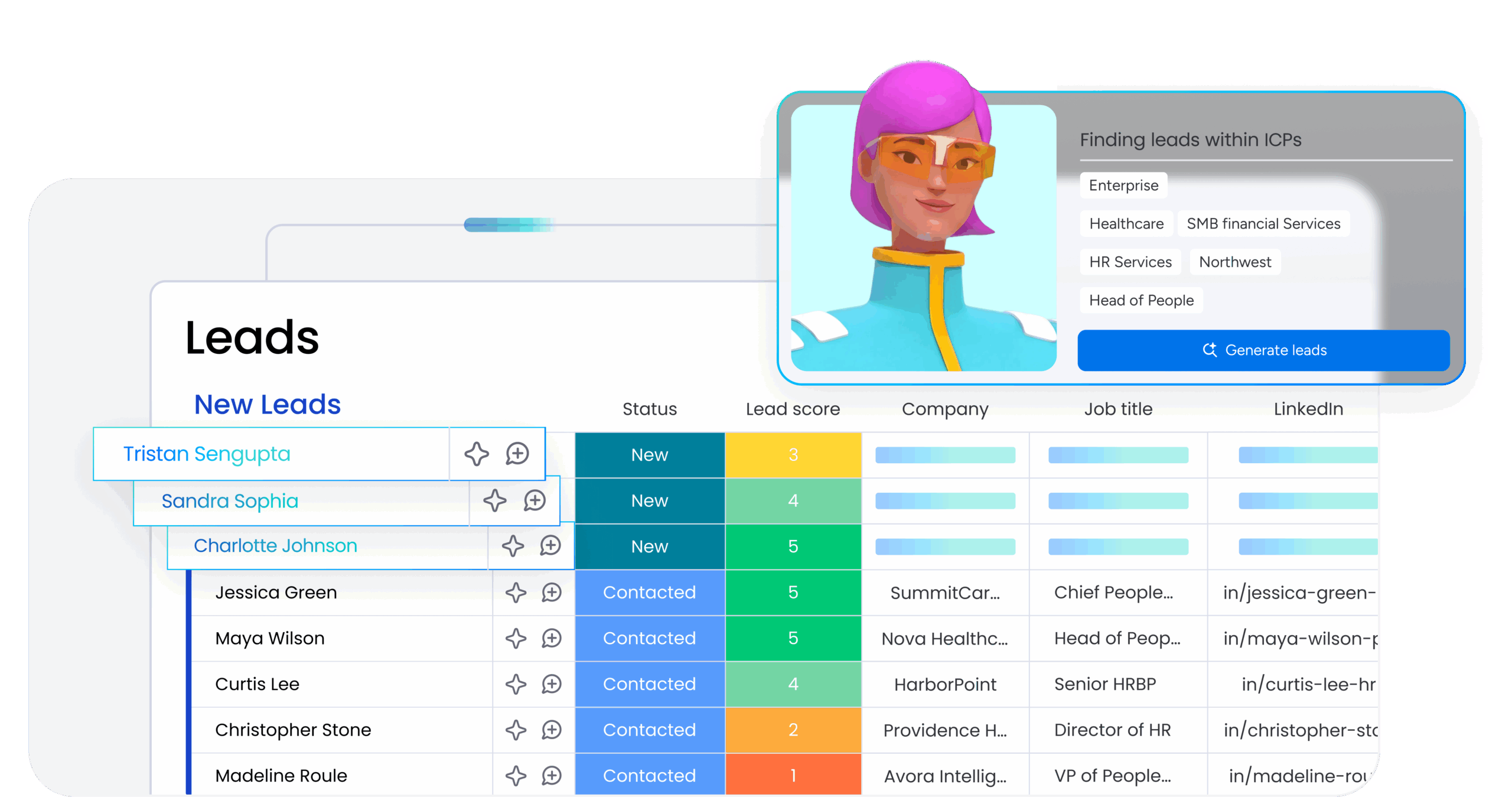
The platform’s AI agents act as a backup team for your reps. The Lead Agent sources and enriches prospects, the Sales Agent qualifies leads and books meetings, and the Sales Demo Manager handles demo prep and follow-up. They hand work off to each other and to people when a human touch matters. See how the AI sales agent fits into a pipeline.
Built-in AI for content and meeting recaps
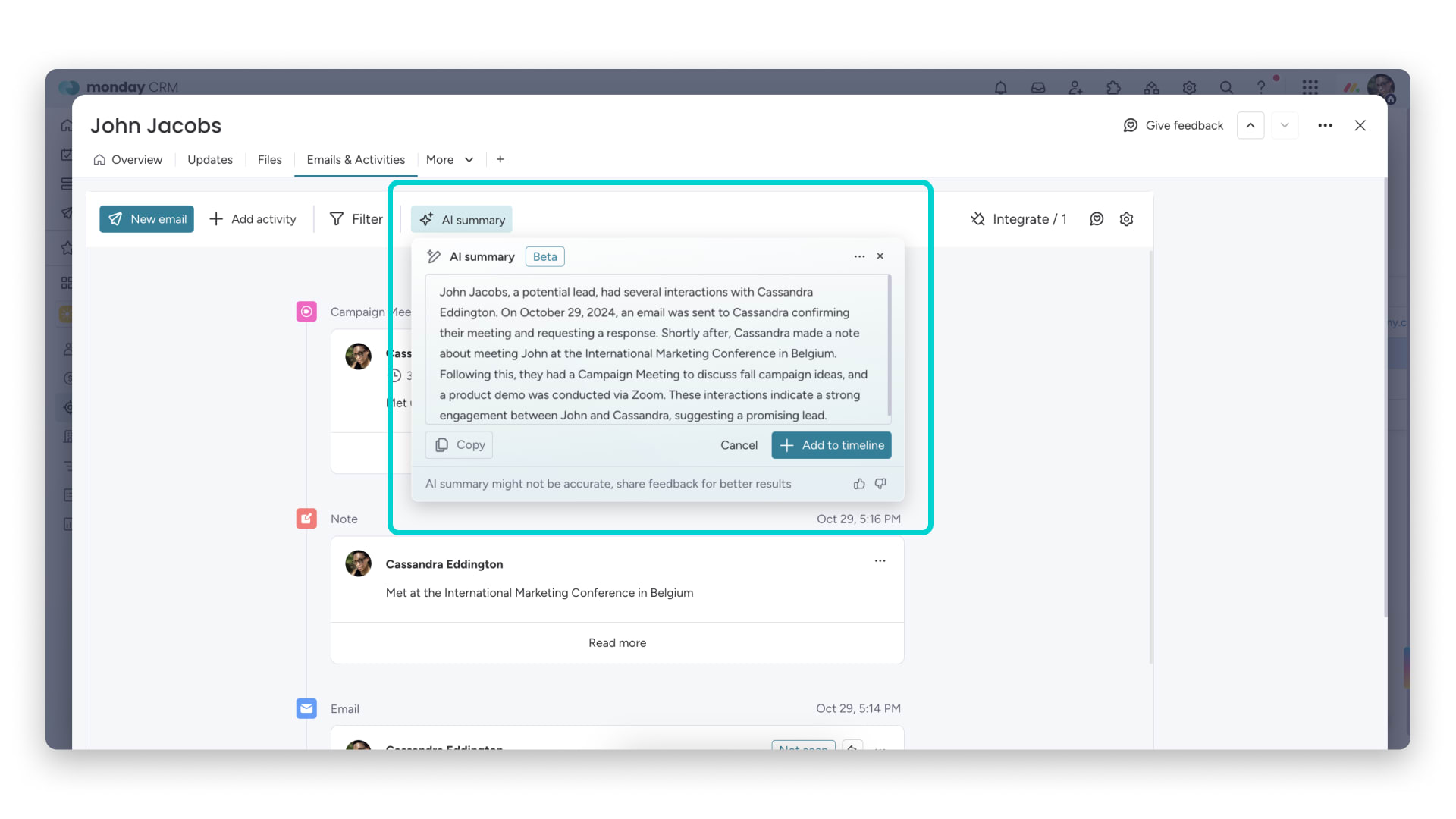 Reps can draft emails, quotes, and recaps in a few clicks, then edit and send without leaving the deal. The Meeting Summarizer turns call transcripts into clear summaries and action items, so follow-up starts the moment a call ends.
Automated lead routing and pipeline management
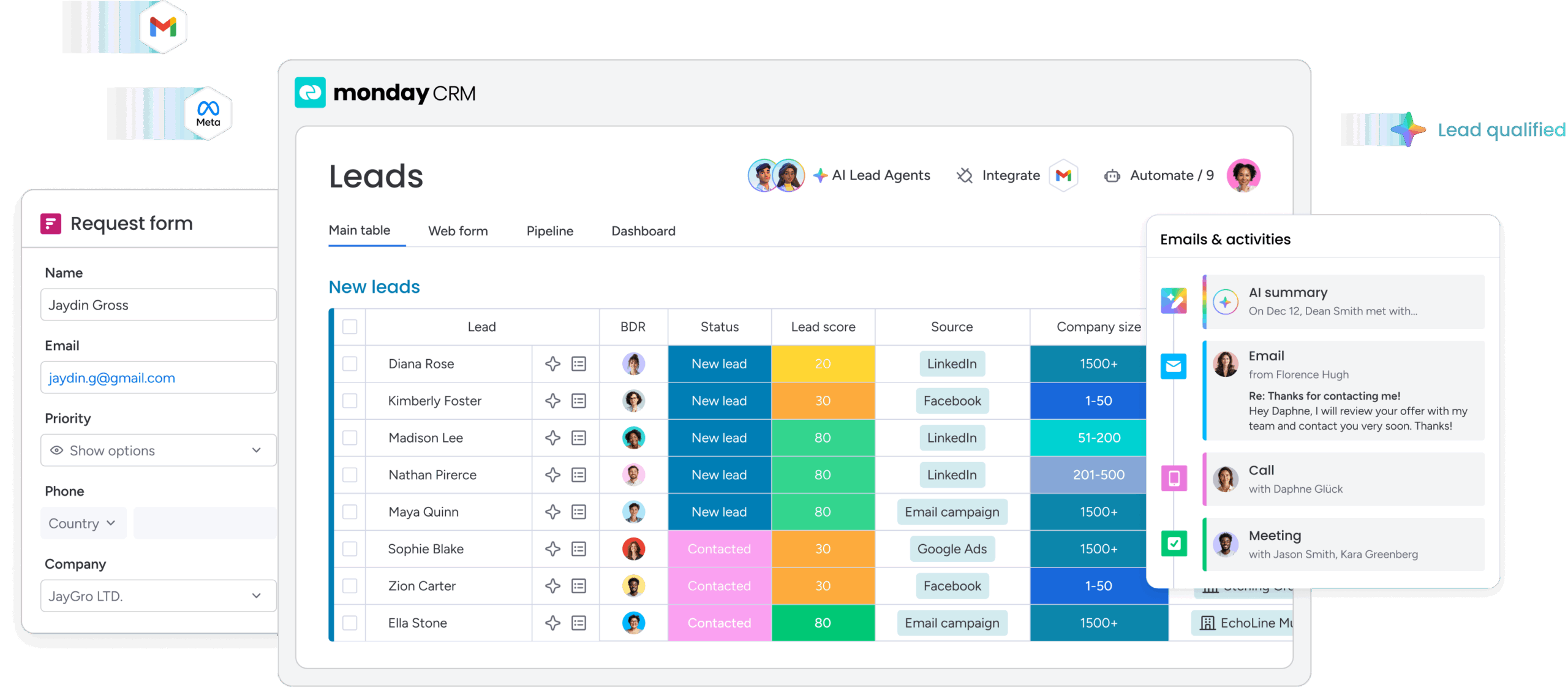
On the inbound side, AI analyzes, enriches, scores, and assigns each new lead to the right rep automatically. Paired with AI sales automation, it supports pipeline management so deals keep moving without manual chasing.
Real-time forecasting, monday vibe, and monday MCP
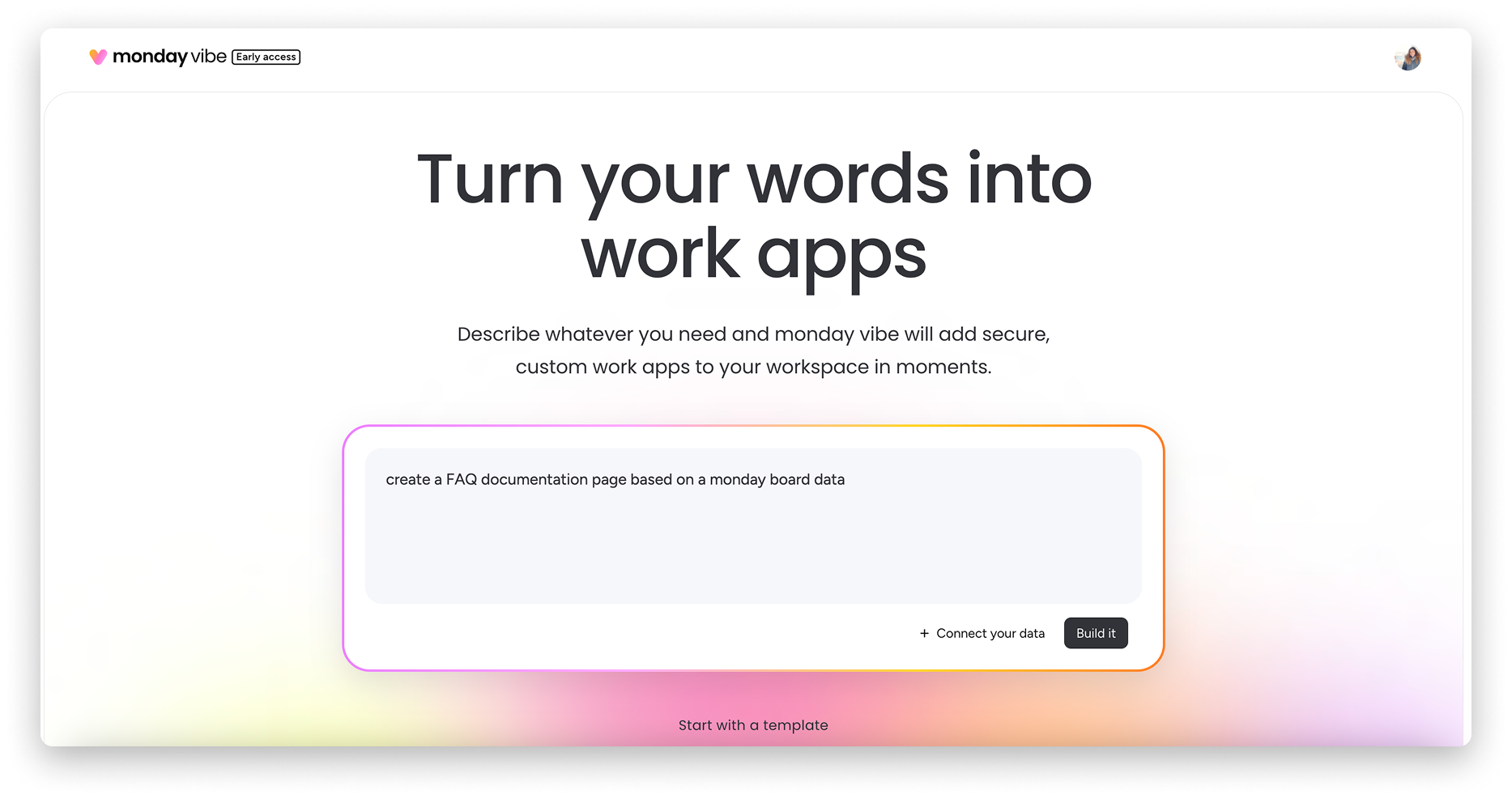
Forecasting is where the payoff becomes measurable. Teams using monday CRM’s forecasting feature have seen a 75% increase in sales forecasting accuracy and a 92% increase in monthly revenue. With monday vibe, you can describe a custom sales dashboard in plain language and get a working app, while monday MCP connects tools like ChatGPT, Claude, and Cursor to your data so you can update deals and log next steps from call notes.
Turning AI into everyday sales wins
The teams getting the most from AI in sales aren’t chasing the flashiest tool. They’re handing off the repetitive work, like research, data entry, follow-up, and recaps, so reps can spend their energy on conversations that move deals forward.
Start small, measure honestly, and expand once you see the time come back. Whether you’re scoring leads, drafting outreach, or forecasting the quarter, AI works best when it’s woven into the workflow your team already trusts, not bolted on the side. Get that right and the wins stop feeling like experiments and start feeling like how you sell, with less busywork, clearer visibility, and more time for the relationships that close deals.
FAQs
What is the 30% rule in AI?
The 30% rule is a rough guideline that AI can automate or assist with roughly 30% of a knowledge worker's tasks, freeing that capacity for higher-value work. In sales, that usually means the repetitive admin, research, and follow-up rather than the actual selling.
Will CRM be replaced by AI?
No, AI augments the CRM rather than replacing it. In monday CRM, AI is embedded directly in the workflow, so the CRM becomes the place where AI does the research, drafting, and forecasting.
Can AI generate sales leads?
Yes, AI can generate and qualify leads by scanning databases, social media, website activity, and third-party sources, then enrich and score each record. It can even help teams build and manage a sales funnel by routing leads to the right reps.
Can I use AI to make sales calls?
Yes, AI can handle early-stage calls through voice bots and automated dialers that qualify prospects, gather basic details, and schedule follow-ups. It works best for high-volume outreach rather than complex, relationship-driven conversations.
Is AI replacing sales reps?
No, AI isn't replacing sales reps, but it is changing how they work. It takes over data analysis, lead scoring, and scheduling, while reps stay essential for building relationships and navigating complex deals.
How does monday CRM use AI agents in sales?
monday CRM uses AI agents that work within your permissions across the sales cycle. The Lead Agent sources and enriches prospects, the Sales Agent qualifies leads and books meetings, and the Meeting Summarizer turns calls into summaries and action items.