
monday.com started as a work management platform and now offers specialized products for sales, service, and development teams. That growth raises a common question: how do you know whether to choose monday work management or monday CRM? The short answer comes down to who the work is for. monday work management runs internal projects and workflows, like campaign launches and employee onboarding, while monday CRM adds sales-specific objects, email and activity tracking, forecasting, and AI agents on the same platform.
Below, we’ll break down the key differences, highlight where the two overlap, and show how they can work together. Whether you’re managing internal projects or driving customer relationships, this comparison will help you pick the right product or confidently use both. And if revenue is your team’s main job, monday CRM is a natural place to start.
Key takeaways
- Different jobs: monday work management organizes internal projects and workflows, while monday CRM manages customer relationships, pipelines, and revenue.
- What monday CRM adds: monday CRM includes everything on the shared platform plus CRM-only features like Emails & Activities, sequences, forecasting, and quotes and invoices.
- Limits of board-built pipelines: monday work management can hold a basic sales pipeline on boards, but it doesn’t include native email logging or sales forecasting.
- Integrated vs. specialized: Choose an integrated platform when handoffs and admin load slow you down, as long as it still gives you dedicated CRM depth.
- Better together: Using both products connects the sales-to-delivery handoff, and AI agents are available across monday CRM and monday work management.
What is a work management platform?
A work management platform is a digital workspace that brings project planning, task organization, resource tracking, and goal setting together in one place. Teams collaborate in real time, assign responsibilities, and track progress toward larger organizational goals. On monday work management, features like Gantt charts, timeline views, workload planning, and time tracking live as views, columns, and dashboards on your boards.
Work management focuses on internal execution: hitting launch dates, balancing workloads, and keeping budgets on track. It’s the backbone for marketing, HR, operations, and product teams, whose main “customers” are often their colleagues. A marketing team might run a launch on a timeline view and check workloads before assigning new work, with no customer pipeline involved. That’s where a CRM comes in.
What is a sales CRM platform?
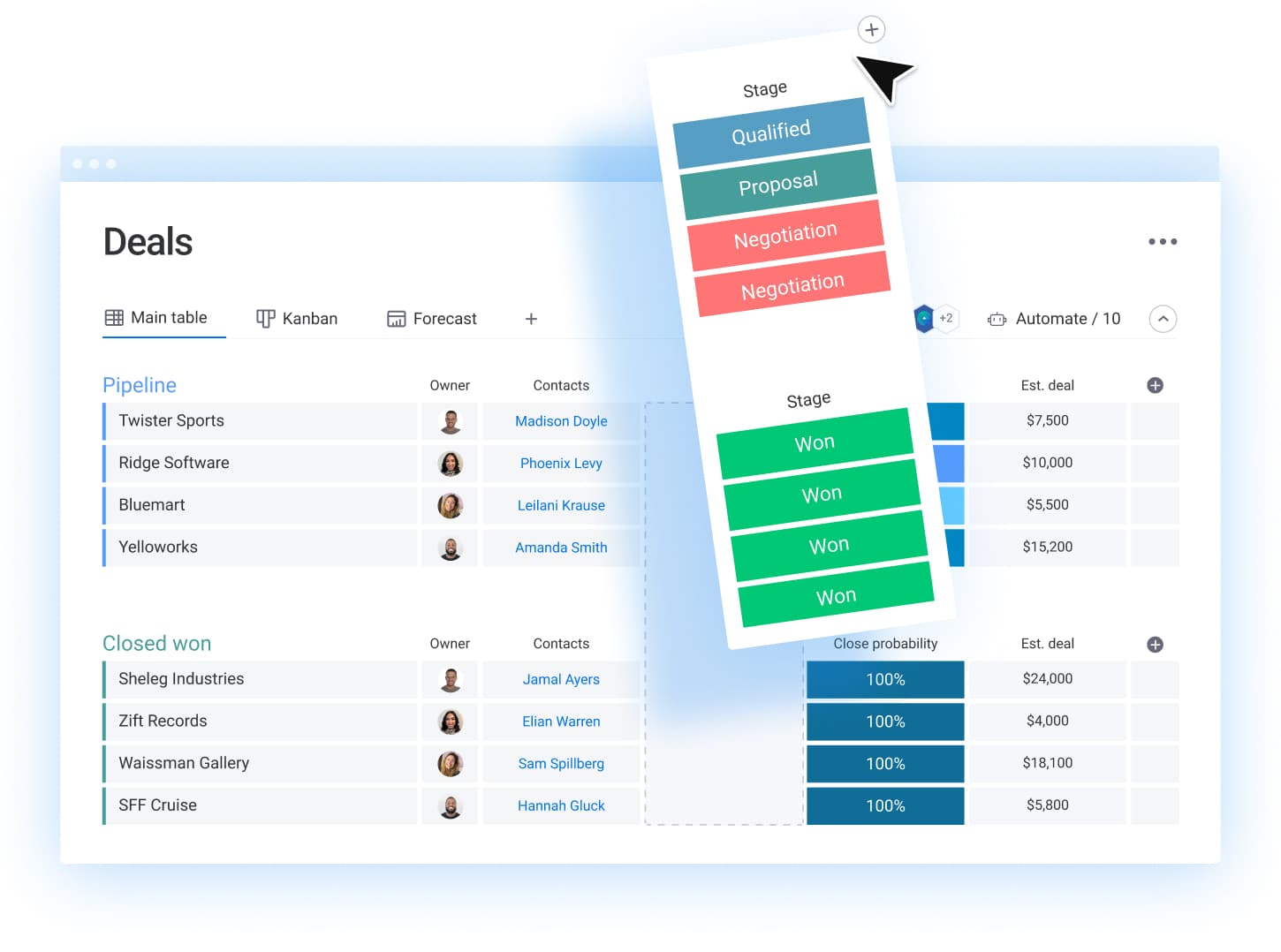 A customer relationship management tool, or CRM, is a sales platform that teams use to manage interactions with customers and prospects. CRM software keeps client data, purchase history, and multi-channel communications in one place, which makes it useful for sales, marketing, and customer service teams alike. Most platforms rest on 4 connected building blocks: leads (unqualified potential buyers), contacts (the people you work with), accounts (the companies they belong to), and deals (each opportunity moving through your pipeline stages).
The CRM is also where AI is starting to give sellers time back. Gartner’s 2026 survey of 210 sales leaders found AI saves sellers an average of 4.8 hours a week, yet 72% of sales organizations report low reinvestment of that time into high-value selling. Saved hours only pay off when reps know where to spend them, and an organized pipeline shows them exactly that.
monday CRM vs monday work management: What's the difference?
Both monday CRM and monday work management are built on the monday.com Work OS, but they aren’t the same product. monday.com is the platform, monday work management is its project and workflow product, and monday CRM is its dedicated CRM product.
They look alike, with shared boards, automations, and dashboards, and both:
- Help teams collaborate toward their goals
- Use AI to boost efficiency and productivity
- Offer advanced workflow automations that reduce manual work
- Scale from individual teams to enterprises
Both also run on the same data model and AI layer, so your boards and data carry over when you add one product to the other. The table below shows how they compare side by side.
| monday work management | monday CRM | |
|---|---|---|
| Primary purpose | Project management, team collaboration, and workflow automation across business operations | Customer relationship management, sales pipeline management, and revenue optimization |
| Core focus | Internal team productivity and project execution | External customer interactions and sales workflows |
| Target teams | Project managers, marketing, HR departments, operations teams, product teams | Sales teams, business development, account managers, customer success teams, marketing teams |
| Starting price (annual) | $9 per seat per month | $12 per seat per month |
| Native sales objects | Built manually on custom boards | Prebuilt Leads, Contacts, Accounts, and Deals boards |
| Key features | Customizable project boards Gantt charts and timeline views Task management and dependencies Team workload management Time tracking Resource planning | Lead and contact management Pipeline visualization Sales forecasting Email sequence integration Sales automation workflows Quote and proposal management Revenue analytics and reporting |
| AI agents | Project agents such as Risk Analyzer and Project Planner | Sales agents such as the Outreach caller agent, Lead sourcer agent, and Pipeline Guardian |
| Workflow types | Campaign launches Product development cycles Event planning Content creation HR onboarding Marketing campaigns | Lead qualification Sales opportunity progression Customer onboarding Account management Follow-up sequences Renewal processes |
| Reporting & analytics | Project performance, team productivity, resource utilization, budgeting, milestone tracking | Sales agent performance, conversion rates, revenue forecasting, churn rates |
| Core customizations | Flexible boards for any workflow, custom fields for project data, status labels for project phases | CRM-specific customization for sales processes, deal stages, lead scoring and routing, sales territory management |
| Examples | Managing a website design project Coordinating a product launch Tracking marketing campaign deliverables Managing employee onboarding Event planning Managing a content calendar | Managing a B2B sales pipeline Tracking leads from different channels Nurturing prospects through sales cycle Managing key account relationships Forecasting quarterly revenue |
| Automation examples | Auto-assign tasks based on project type Send notifications when deadlines approach Move items between status columns Generate recurring tasks | Automate follow-up tasks after meetings Send email sequences to new leads Update deal stages based on activities Notify team of high-value opportunities |
| Success metrics to track | On-time project delivery, budget adherence, team performance, task completion rates | Revenue growth, conversion rates, sales cycle length, deal win rates |
What features are unique to monday CRM?
What’s most important to understand is that monday CRM is a product built on top of monday.com’s core platform, the monday.com Work OS. What this means in practice is that monday CRM users can still access monday.com features but get additional features that make the platform a standalone CRM system.
Aside from the features we mentioned in the previous table, monday CRM has some of its own unique features that monday work management users don’t have access to. Here are the most important ones:
- Emails & Activities timeline: Every email, call, meeting, and note lives in one unified timeline that updates automatically.
- Email sequences: Automated multi-step outreach with reminders for manual steps.
- Deal Insights widget: Positive and negative deal-health signals, such as a stalled deal or no decision makers engaged.
- Sales pipeline view and CRM widgets: Deal stages, funnel charts, a leaderboard, and a sales gauge that show pipeline health at a glance.
- Advanced CRM reporting: Revenue, conversion, and forecasting reports built on live pipeline data.
- Shared email inbox and mass emails: Team-wide email templates, campaigns, and tracking in one place.
- Quotes and invoices: Create and send them from the same account record as the deal.
- CRM data enrichment and duplicate management: Fill in missing contact details and merge duplicate records to keep data clean.
These additional features, among others, are meant to boost revenue-focused operations in sales and marketing teams. Of course, that doesn’t mean that both monday CRM and monday.com can’t work symbiotically.
Can you use monday work management as a CRM?
Yes, monday work management can work as a CRM for a simple pipeline built on boards. You’d build contacts and deals boards manually, though, and you’d go without native email logging, sequences, mass email tracking, forecasting, and CRM widgets.
Customizable boards let you track sales projects and manage client relationships, and for basic sales project management, that works. Dedicated CRM functionality like lead scoring, pipeline forecasting, and sales automation lives in monday CRM. The table below shows where a board-built CRM holds up and where you’ll hit limits as your pipeline grows.
| Area | Works well in work management | Where you'll hit limits |
|---|---|---|
| Pipeline | A status column for deal stages and a Kanban view to move deals along | Forecasting depends on manual formulas that someone has to maintain |
| Client data | A board of clients with owners, contact details, and next steps | Reps copy every email and call into the board by hand |
| Collaboration and outreach | Sales and delivery teams see the same boards, updates, and files | Sequences, mass email tracking, and CRM widgets are available only in monday CRM |
Three signs tell you it’s time to move on: reps log emails manually, leadership can’t get a reliable forecast, and people keep their own spreadsheets on the side. If that sounds familiar, your board-built CRM did its job, and your sales process has grown past it. The upside is that nothing you built goes to waste. Your board structure, statuses, and automations become the blueprint for your monday CRM setup.
Integrated work management CRM vs specialized CRM: how to decide
To decide between an integrated work management CRM and a specialized CRM platform, start with where your work breaks down. If deals lose context at the handoff between sales and delivery, an integrated CRM with project management solves the root problem. If your pain is sales depth, like forecasting, sequences, and pipeline reporting, you’ll need dedicated CRM features wherever you land.
Fragmentation is something most teams already feel. In Microsoft’s 2025 Work Trend Index survey of 31,000 knowledge workers, 48% of employees and 52% of leaders said work feels chaotic and fragmented. The CRM model you choose shapes how many places your team checks to get one answer.
Most teams land in one of 3 models. The table below compares them on fit, strengths, trade-offs, and the cost and admin load each one brings.
| Model | Best for | Strengths | Trade-offs | Total cost and admin load |
|---|---|---|---|---|
| Integrated: CRM and work management on one platform | Teams where sales hands off to delivery, onboarding, or account management | One data model, shared automations, and one login for every team | Needs real CRM depth, beyond a board-built pipeline | One vendor and one admin model, often with a lower total cost |
| Separate or specialized: standalone CRM plus a separate project management platform | Large sales organizations with highly specialized processes | Deep sales features in a dedicated system | Handoffs rely on manual updates or custom connections | Two vendors, two contracts, and often a dedicated admin or IT team |
| Hybrid: separate systems connected through integrations | Teams with an existing CRM they plan to keep for now | Keeps current systems while syncing key data | Integrations need upkeep, and sync gaps can creep in | Integration costs plus ongoing maintenance time |
Before you commit, run your team through 4 questions. The answers point to the model that fits how you sell today and how you plan to grow.
- Where do handoffs break? If context gets lost when a deal closes, an integrated platform keeps sales history attached to delivery work.
- Who maintains the system? Without a dedicated admin or IT team, favor a platform your ops lead can change without code.
- How customized is your sales process? Unique stages, approvals, and territories call for a CRM you can reconfigure quickly as the process changes.
- How many platforms do reps already juggle? Each extra login is one more place for updates to go missing.
monday CRM sits in the integrated model while keeping dedicated CRM depth. You get prebuilt sales objects, forecasting, and sequences on the same platform as work management. Unlike many legacy CRMs, you can change pipelines and automations yourself with no code and no admin dependency.
How can monday work management and monday CRM work together?
In some cases, certain teams may benefit from focusing on one product over the other, but it’s also common for teams to use both together to really make the most of all available features and streamline company-wide operations.

Think of the two products as siblings in the monday.com family. Each works on its own, but they connect seamlessly. Sales teams will get the most out of monday CRM, while other departments can run their workflows in monday work management. Users switch between the two in one click and can still tag each other with full visibility.
For example, when a sales team closes a deal in monday CRM, it can automatically trigger a client onboarding project in monday work management. The onboarding team then sees the customer’s full interaction history and picks up exactly where sales left off.
Here’s how that handoff works. Each stage keeps the customer’s context attached, so nobody starts from scratch.
- Deal moves to “Won”: The rep updates the deal stage in monday CRM.
- Onboarding project starts: An automation creates a project on a work management board, linked to the account.
- Delivery gets the full story: The delivery team sees the account’s Emails & Activities history.
- Signals flow back: Renewal and upsell signals return to the account owner.
AI agents can hand work to each other along the way. A lead qualification agent can pass a prospect to an outbound sequencing agent, so outreach starts without anyone copying data between boards. Every agent runs within your permissions, so sensitive deal data stays with the right people.
Working across functions pays off, too. In Gartner’s 2026 survey of 227 chief sales officers, sales organizations collaborating with marketing and service on enablement content were 2.4 times more likely to achieve strong commercial growth.
How to move from monday work management to monday CRM in 4 steps
If your board-built pipeline is bursting at the seams, moving to monday CRM is less work than most teams expect. Both products run on the same platform, so you’re upgrading what you have instead of starting over.
- Audit your board-built pipeline: List the columns, statuses, and automations your team relies on. Flag workarounds, since monday CRM should solve those gaps first.
- Add monday CRM to your account: Your boards and data carry over, and team members switch products in one click.
- Import leads and contacts: Merge duplicates first, then bring records into the Leads, Contacts, Accounts, and Deals boards through Excel, Google Sheets, or an integration.
- Connect email and calendar: Sync Gmail or Outlook so Emails & Activities logs conversations automatically. Then add follow-up automations, plus sequences on Pro.
Start with the Deals board, since that’s where reps spend most of their day. Once the pipeline runs smoothly, add forecasting and dashboards so managers get CRM widgets and forecasts that update as deals move.
Which product should you choose: monday work management vs monday CRM?
Not sure which product to choose? We’re here to help.
Go with monday work management if you …
- Want a flexible project management platform
- Want to improve internal productivity through seamless collaboration
- Want to manage projects and automate project workflows across different departments
Go with monday CRM if you …
- Are a sales team focused on revenue generation
- Want to focus on managing customer relationships
- Want to optimize sales processes and track deals in your pipeline
Still unsure? Start with monday work management, the base that monday CRM is built on. You can configure it to act as a CRM, though you’ll miss the unique monday CRM features above, and if you find yourself leaning on it for sales, you can add monday CRM later without starting over. For a faster answer, the table below maps 5 common team types to a recommended starting point.
| Team type | Recommended start | Why |
|---|---|---|
| Marketing or operations team | monday work management | Campaigns, requests, and resourcing are internal workflows that run without sales objects |
| Solo founder selling and delivering | monday CRM | You get a pipeline and email tracking now, plus room to manage delivery projects on the same platform |
| Sales team of 10+ | monday CRM | Forecasting, sequences, and activity logging keep a growing team on the same playbook |
| Agency with client projects | Both products | Account managers run deals in monday CRM while delivery teams manage client work in monday work management |
| Revenue team replacing a legacy CRM | monday CRM | Prebuilt sales objects, imports, and no-code changes shorten setup without heavy IT support |
Understanding monday CRM plans and pricing
monday work management starts at $9 per seat per month and monday CRM starts at $12, both billed annually. monday CRM costs a bit more because it adds sales-specific features like email tracking, sequences, and forecasting. Work management also has a free plan for up to 2 seats.
The table below shows what you get with each monday CRM plan. Prices are monthly rates on annual billing. On monthly billing, Basic, Standard, and Pro cost $18, $25, and $41 per seat, so annual billing saves about a third.
| Basic | Standard | Pro | Ultimate | |
|---|---|---|---|---|
| Price per seat (annual) | $12 | $17 | $28 | Custom |
| Price per seat (monthly) | $18 | $25 | $41 | Custom |
| Active contacts and deals | $1,000 | $10,000 | 100,000 | Unlimited |
| Workspaces | $1 | $3 | 15 | Unlimited |
| Columns per board | 5 | 15 | 75 | Unlimited |
| Boards | Unlimited | Unlimited | Unlimited | Unlimited |
| File storage | 5 GB | 20 GB | 100 GB | Unlimited |
| Custom automations | Not included | 250 actions/month | 25,000 actions/month | Enterprise-scale |
| Quotes and invoices | 20/month | 50/month | 250/month | Unlimited |
| Custom dashboards | 1 | 5 | 50 | Unlimited |
| Features | Customizable pipelines Lead, contact, & deal templates | Everything in Basic plus: Emails & Activities timeline Gmail and Outlook integration Mobile apps Merge duplicate data | Everything in Standard plus: Mass email Email sequences | Everything in Pro plus: Advanced permissions HIPAA compliance Security & governance |
| AI features | AI usage (AI credits) | AI credits included AI sales agents monday sidekick AI meeting notetaker | Everything in Standard plus: AI workflow builder | Everything in Pro plus: Advanced log rules White-glove migration 24/7 prioritized support |
monday CRM also offers a 14-day free trial, so you can test CRM features on your own pipeline before choosing a plan. For a full view of every plan, visit our monday CRM pricing page.
Get more from your sales process with monday CRM
monday CRM includes newer AI features that help teams convert more leads and close more deals. Because it’s built on the monday.com Work OS, you also get CRM automations and AI that improves sales workflows alongside task and project management. Here are four capabilities worth a closer look.
Predictive analytics and AI forecasting
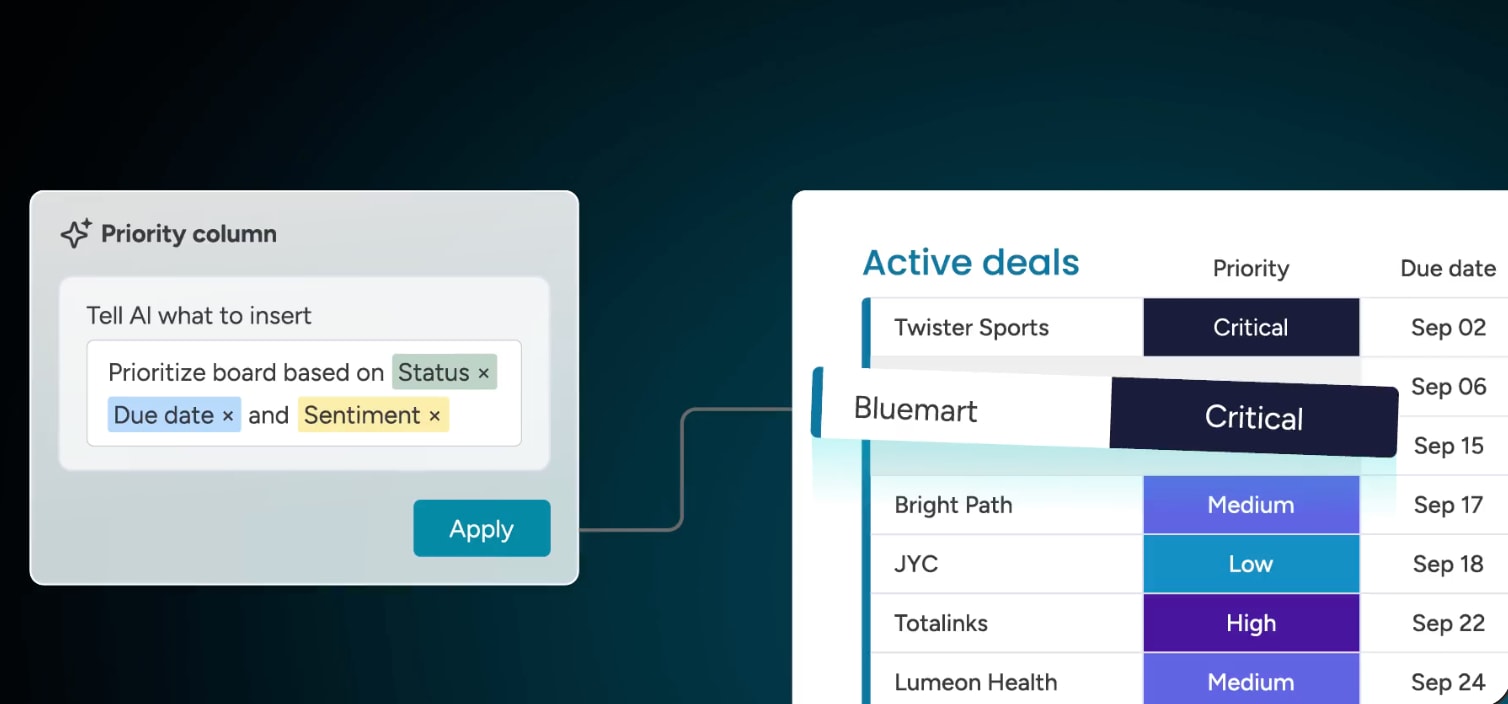 Predictive analytics and AI-powered sales forecasting show which deals are most likely to close, so reps can focus their effort on the right prospects. The same forecasting approach helps work management teams keep projects on time and within budget.
AI assistance with monday sidekick
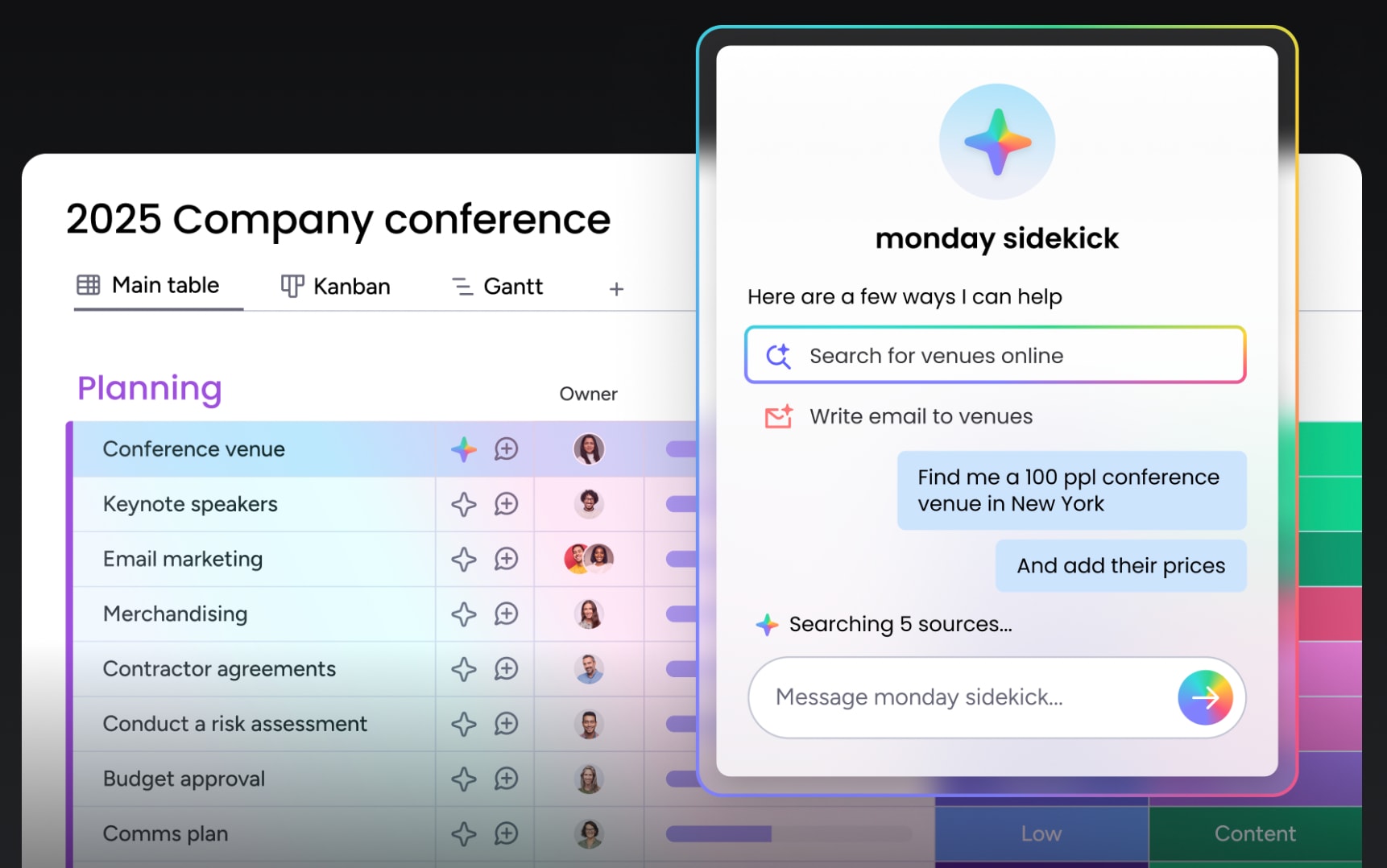 monday sidekick is a built-in AI assistant that any team member can use in plain language to complete tasks, get suggested next steps, and gather data. Sales teams can use it to draft pitches, write prospect emails, and enrich leads, while operations teams can use it for tasks like vendor outreach or research.
AI agents that work alongside your sales team
 AI agents take assistance a step further by doing the work themselves, running inside your pipeline and within your permissions. Templates like the Outreach caller agent, Lead sourcer agent, Lead Qualifier, and Pipeline Guardian handle repetitive steps like sourcing, scoring, and flagging stalled deals, and you can build your own AI sales agent with the no-code builder. Agents are included from the Standard plan with AI credits.
Build custom apps and connect AI assistants with monday vibe and MCP
 monday vibe turns a plain-language prompt into a secure custom app on your CRM data, like a commission calculator or an account health dashboard. monday MCP connects assistants such as Claude, ChatGPT, Copilot, and Cursor to your account so you can create leads, update stages, and log next steps within your permissions, which lets RevOps teams fill process gaps without waiting on a development queue.
Choosing between monday CRM and monday work management for your team's growth
Each product is built for a specific job, and both will help your team reach its goals, whether that’s launching a product or closing more deals. Teams that want to do it all without bouncing between programs can use monday CRM as both a sales platform and a project management solution, with advanced AI capabilities that scale as the team grows.
Whichever product you start with, your boards, data, and automations stay on one platform. Adding forecasting, AI agents, or a new delivery team later builds on what you already have. For revenue leaders, that means one view of pipeline and delivery, so you can report upward and plan resources around real numbers.
FAQs
What are the main benefits of using monday CRM?
The main benefits of using monday CRM are quicker deal closures, thanks to pipeline management and automated follow-ups that keep every lead on track. AI-powered insights also help teams focus on high-converting prospects and improve forecasting accuracy.
How does the pricing for monday CRM differ from monday work management?
monday CRM pricing differs from monday work management because it adds sales-focused features, starting at $12 per seat versus $9 on annual billing. Both use per-seat, tiered pricing with a 3-seat minimum on paid plans.
Is monday CRM a good CRM for small businesses?
Yes, monday CRM is a good CRM for small businesses due to its user-friendly interface, scalable pricing tiers, and sales features that aren't technically challenging. The system grows alongside your business, offering affordable pricing points and enterprise-level AI capabilities that help small sales teams compete.
Does monday CRM have a free plan?
monday CRM doesn't have a free plan, but it offers a 14-day free trial so you can test it on your own pipeline. monday work management does offer a free plan for up to 2 seats.
Do monday AI agents work in both monday CRM and monday work management?
Yes, monday AI agents work in both monday CRM and monday work management. Sales agents like the Outreach caller agent and project agents like Risk Analyzer share one data model, so they can hand work to each other.
What is the difference between CSM and CRM?
The difference between CSM and CRM is scope: CSM (customer service or customer success management) focuses on supporting customers after the sale. CRM manages the whole relationship, including leads, deals, accounts, and renewals.