
AI Agents
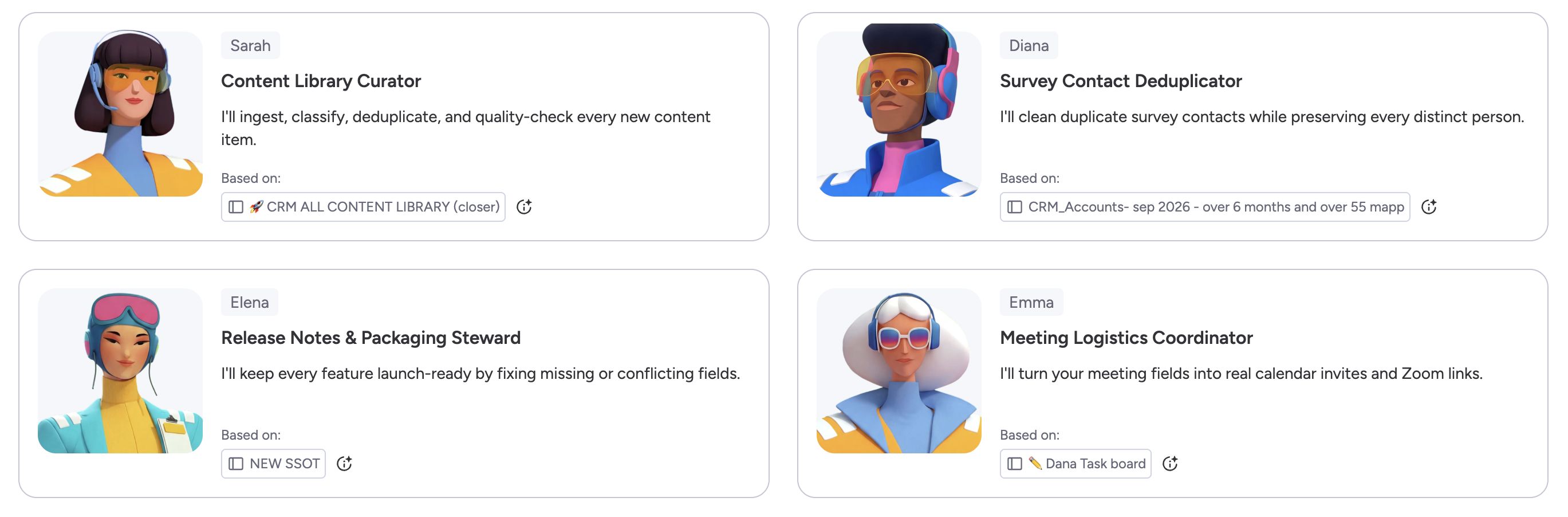
Four purpose-built AI agents now live in your monday CRM, each handling a specific part of the sales workflow automatically.


Lead Sourcing Agent
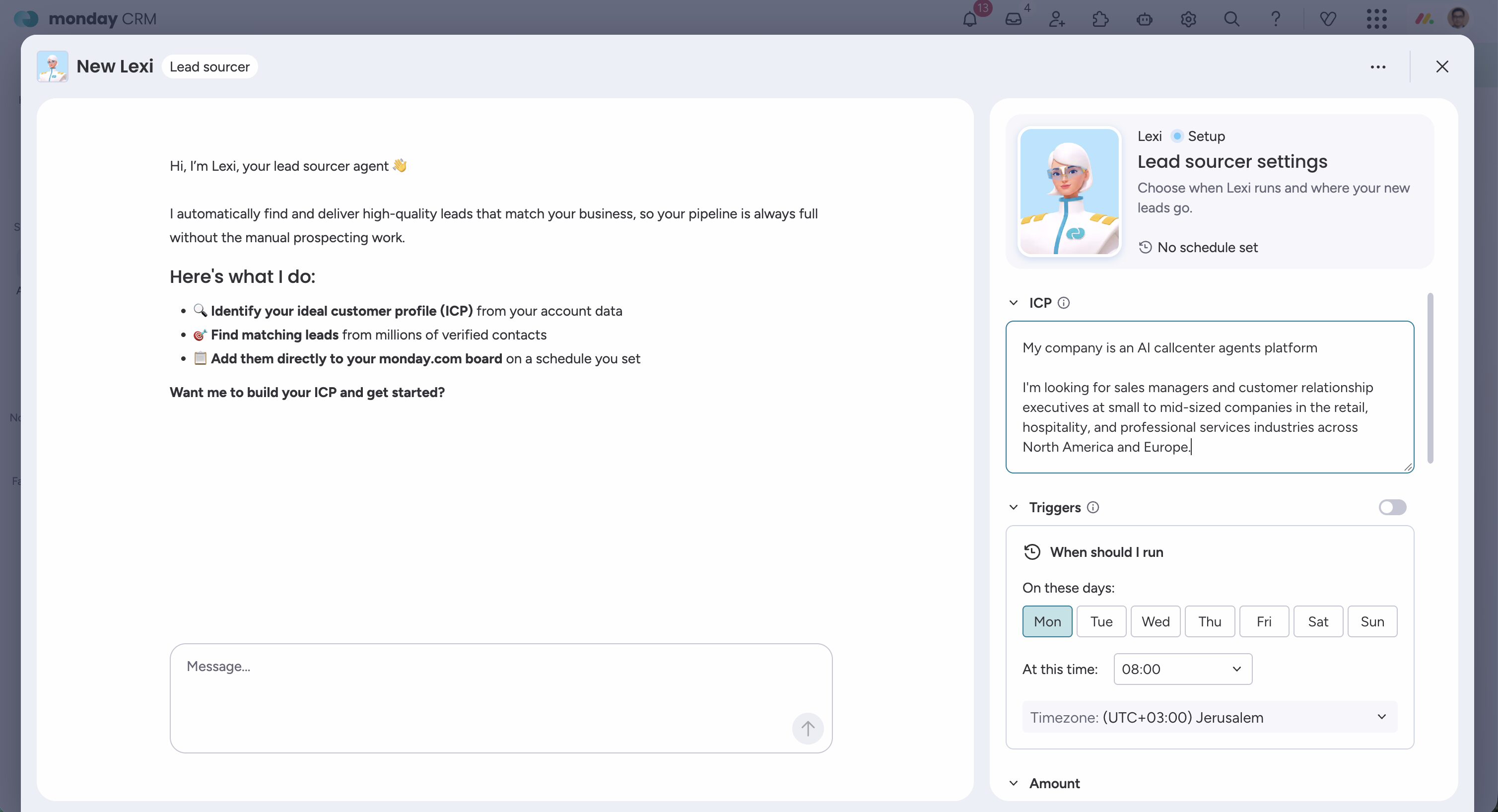
Finds and enriches leads on a schedule, ready for your review. Define your ideal customer profile once and Lexi does the sourcing.
- Define your target profile: industry, company size, geography, job title
- Lexi runs on a schedule, finding and enriching matching prospects
- New leads land in a review group. You approve before they enter your pipeline
- Your team stops spending hours building prospect lists by hand
- Your pipeline keeps filling without manual list-building
- Reps start their day at the first conversation, not the first search
- Open the Agents page in your monday CRM account
- Select Lexi, Lead Sourcing Agent
- Define your Ideal Customer Profile and set a run schedule
- Review leads in the “Leads to review” group on your board
Calling Agent
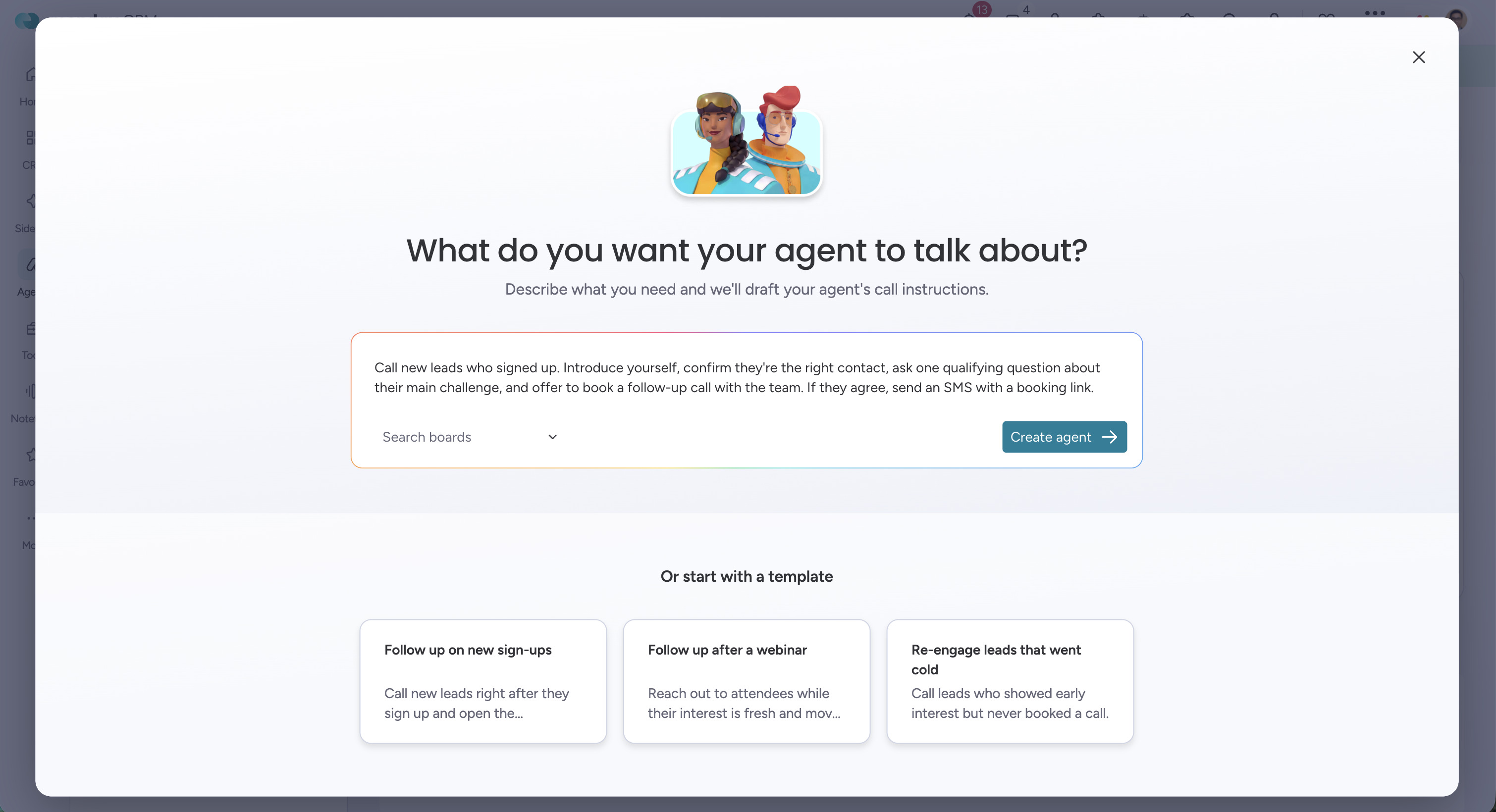
Alex: Calls new leads the moment they’re ready. Describe the job, set a trigger, and Alex handles the outreach.
- Describe the outreach job in plain English, Alex sets itself up
- Calls leads automatically when your trigger fires
- Leaves voicemails and sends SMS follow-ups when no one answers
- Logs call status, summary, and full transcript back to the CRM record
- Run up to 10 different calling campaigns in parallel
- Lead response time drops from hours to minutes
- Outbound volume scales without scaling headcount
- Every call is logged automatically, nothing falls through the cracks
- Open the Agents page in your monday CRM account
- Select Alex, Calling Agent
- Describe the outreach job and choose your board and trigger column
- Review and edit the generated script, then activate
Meeting Prep Agent
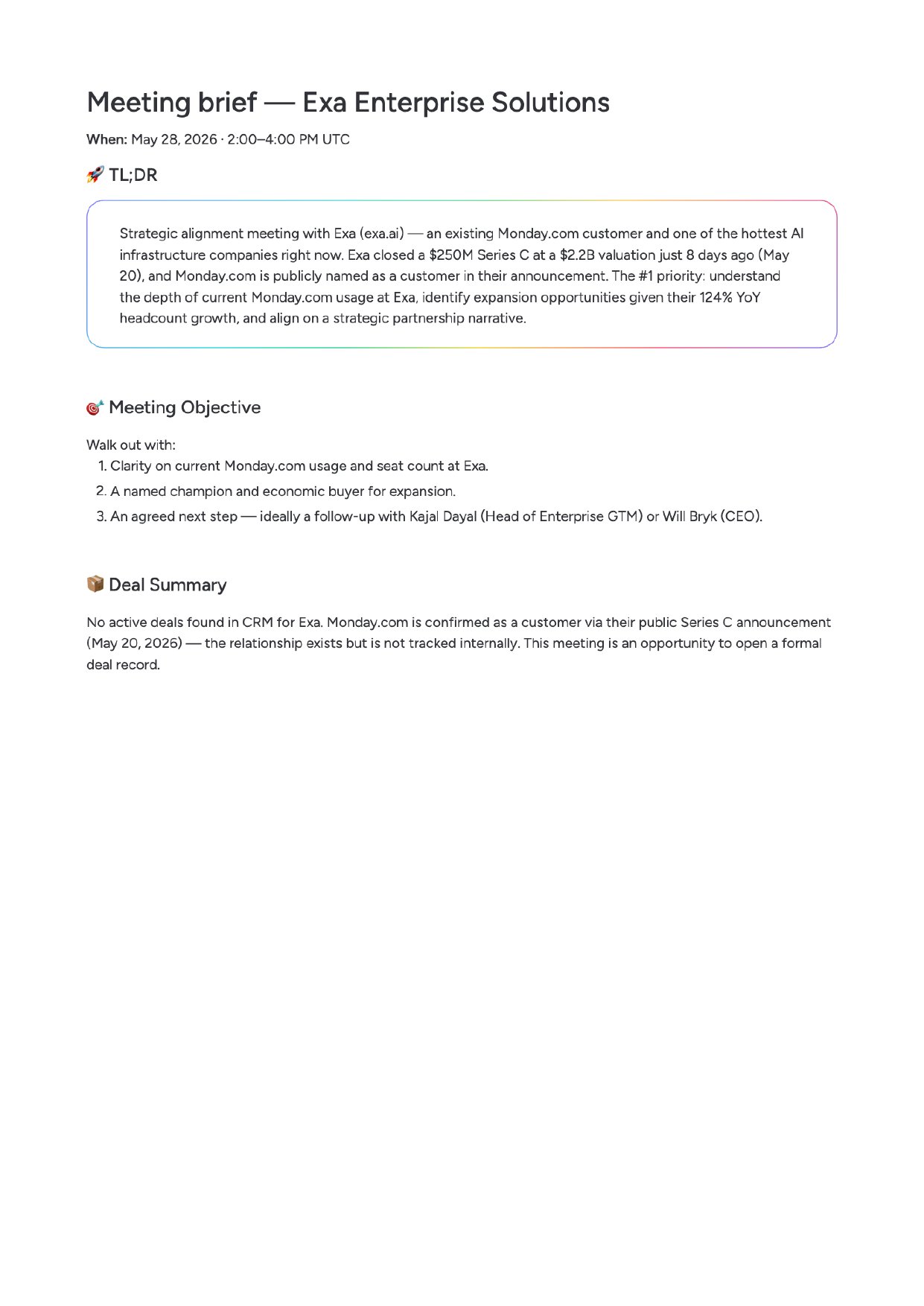
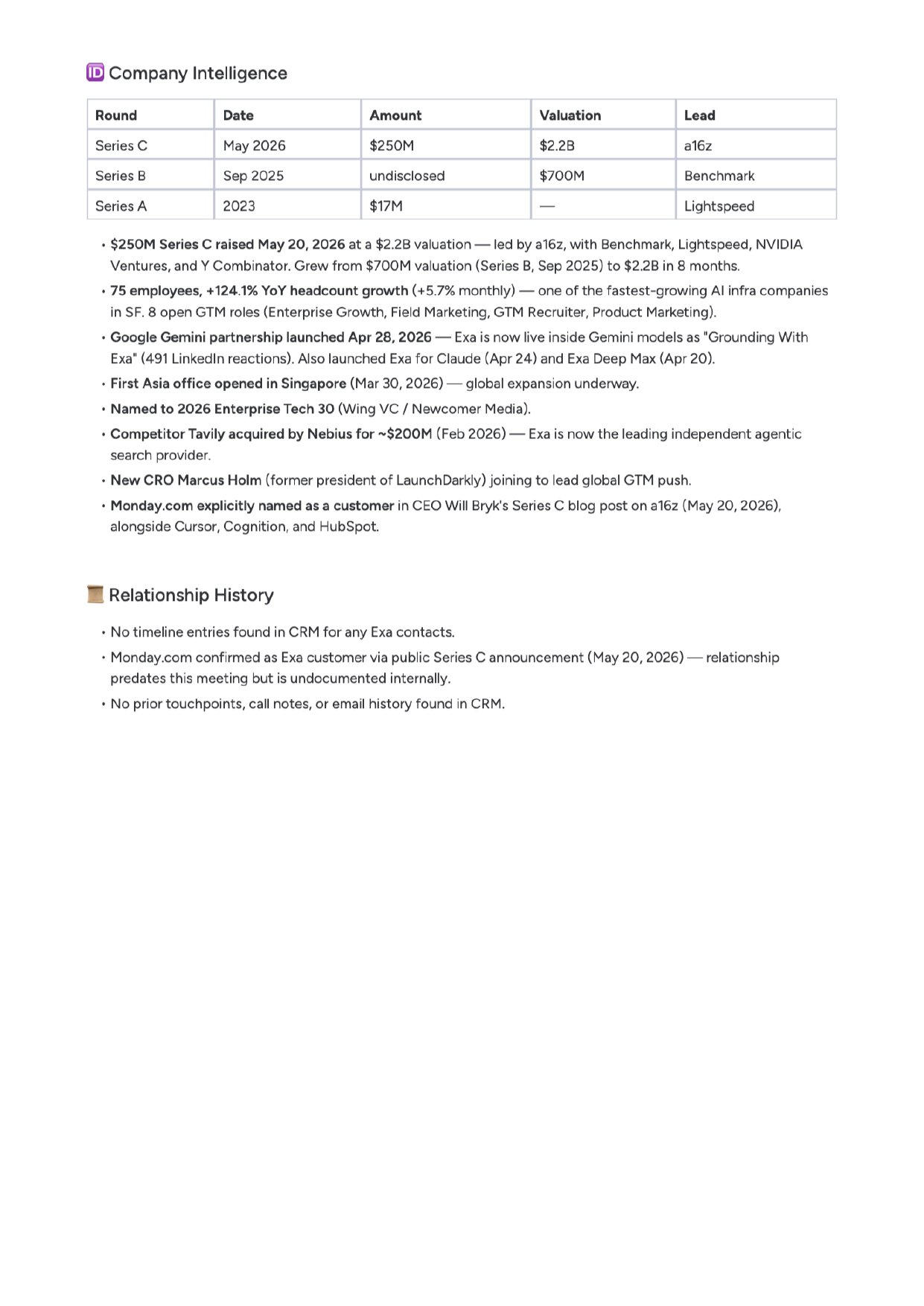
Generates a tailored pre-meeting brief before every external customer meeting. Your team shows up prepared, with no manual research.
- Who’s attending, role, decision-making role, and prior interaction history
- Deal status, stage, open tasks, last activity, and outstanding blockers
- 3–5 suggested talk points tailored to where the deal actually stands
- Company news from the last 30 days that’s relevant to the conversation
- Skips internal meetings, only preps customer-facing calls
- Adapts to the meeting type: discovery, demo, renewal, or QBR
- Surfaces contacts not yet in the CRM who are relevant to the meeting
- Prep time drops from 20–30 minutes to just a few
- No more “sorry, I need to look that up.” Reps walk in with full context
- On the CRM homepage, each meeting shows a “Prep Me” button
- Or open the Agents page and select Brett, Meeting Prep Agent
- Set up automatic briefs before every external meeting
Pipeline Monitoring Agent
Spots pipeline risks while there’s still time to act.
- Flags deals stalled relative to your own average stage durations
- Tracks your coverage ratio against your targets
- Drafts a suggested follow-up message per at-risk deal
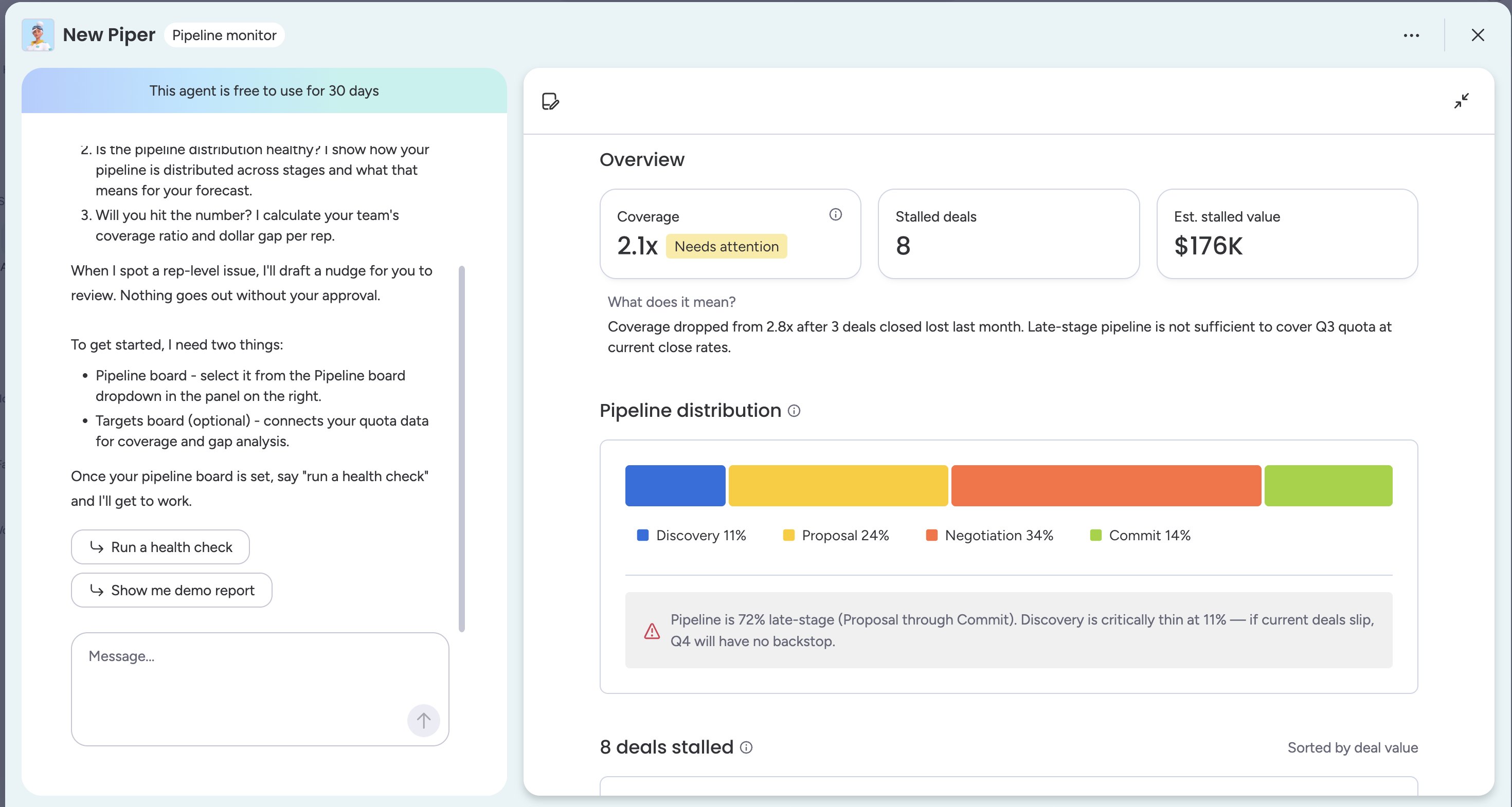
- At-risk deals surface while there’s still time to act
- Follow-up messages are drafted automatically, ready to send
- Coverage gaps surface earlier, giving your team time to fill the pipeline
- Open the Agents page in your monday CRM account
- Select Piper, Pipeline Monitoring Agent
- Connect your pipeline board and target board
- Set your preferred alert schedule and deal-lag threshold
Build Your Own Custom Agent
Beyond the built-in agents, monday CRM lets you create fully custom AI agents for any workflow your team needs, define the goal, connect a board, set the trigger. No code required.
New Home
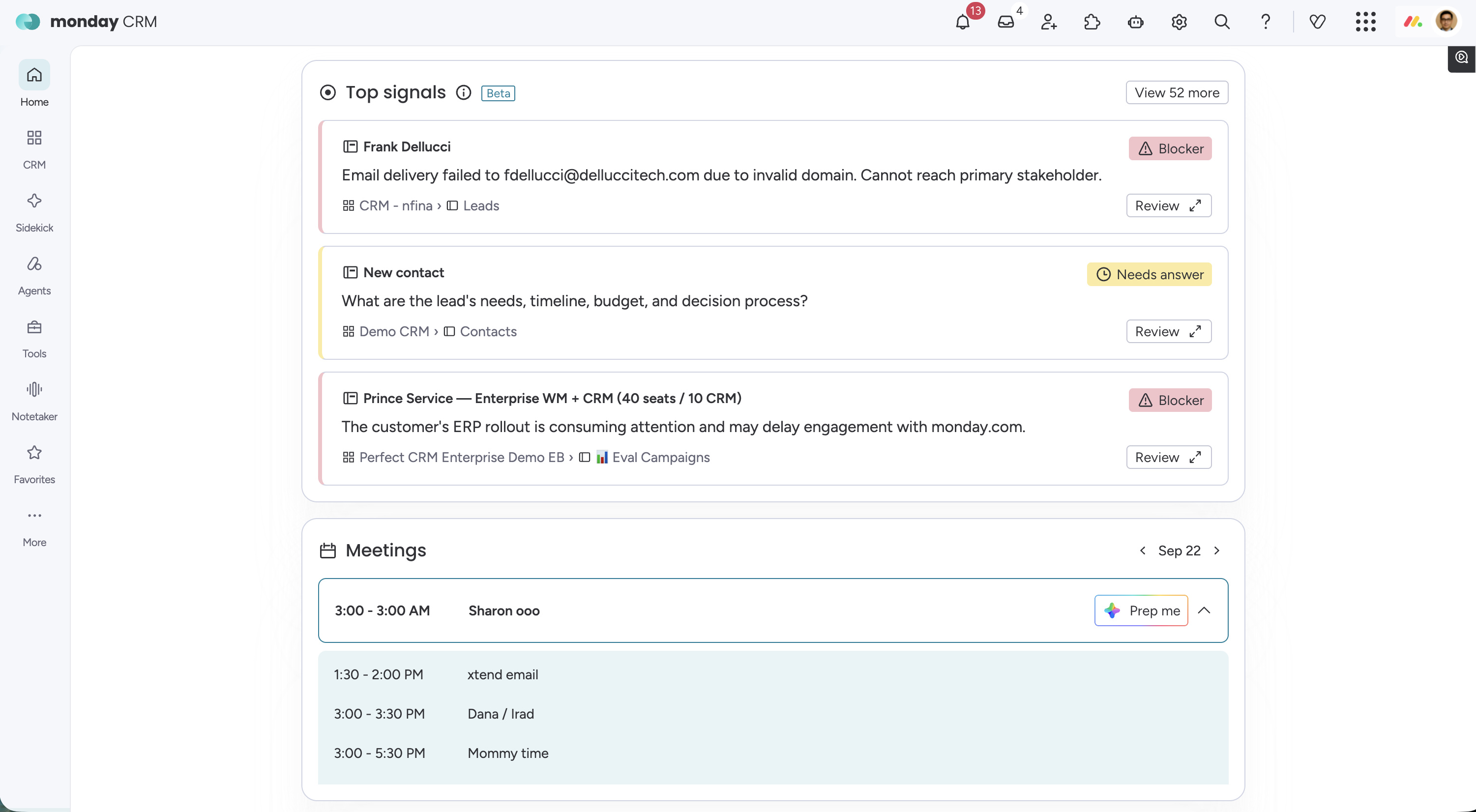
The CRM homepage is redesigned around your day. Everything you need to hit your number is visible the moment you open monday CRM.
📅 Calendar & upcoming meetings
All your external meetings with a Prep Me button that opens Brett’s brief directly.
📊 Pipeline snapshot
Live summary of deal count, deal value, and coverage against your targets.
✅ My open tasks
All open tasks across your accounts in one place. No more hunting across items.
⚡ Recent activity
A feed of emails received, calls logged, and notes added across your deals.
🤖 AI Signals Coming Soon
Proactive insights surfacing at-risk deals and follow-up opportunities before you go looking.
New Navigation
The CRM sidebar is redesigned to get you to the right place faster, clearer grouping, smarter shortcuts, built around how sales teams actually work.
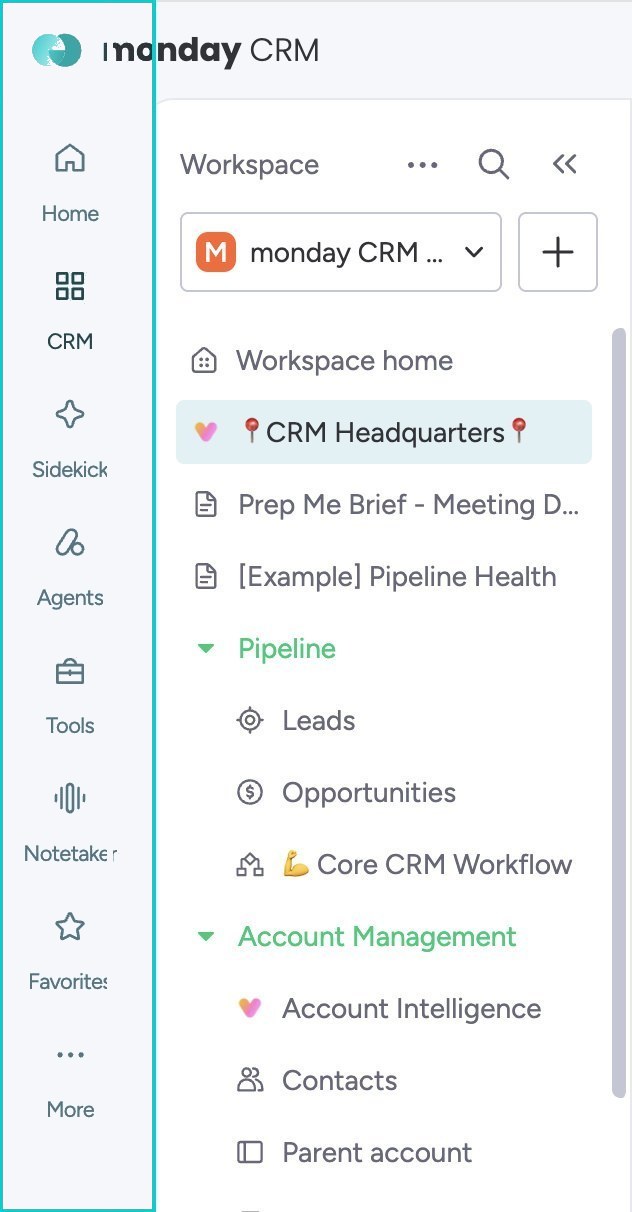
🗂 Streamlined sections
Boards, agents, and settings organized into clear sections. Nothing buried.
🤖 Agents always accessible
Every AI agent has a dedicated sidebar entry, open, configure, or check run history in one click.
🔍 Quick search & jump
Jump to any board, contact, or account in seconds from the top of the nav.
📌 Pinned views
Pin your most-used boards and views for instant access at the top of the sidebar.