Every construction team knows the feeling. A promising lead comes in while the crew is on-site, the details land on a scribbled notepad, and by the time anyone reaches the back office, the follow-up has already gone cold. Finding the best crm for construction starts with closing that gap between the field and the office.
A construction CRM keeps bids, contacts, and job-site updates in one place so nothing slips through the cracks. This guide ranks 10 strong options, breaks down the benefits and features that matter, and shows you how to choose the right fit for your firm. monday CRM is one option built for exactly that kind of clarity, and it sits alongside nine other capable contenders in the list below.
Key takeaways
- Centralized data: A construction CRM centralizes leads, contacts, and project data so field and office teams work from the same source of truth.
- Sales-to-delivery connection: The best crm for construction connects your sales pipeline to project delivery, not just deal tracking.
- Vertical vs. horizontal tools: Vertical tools like Procore and Buildertrend lead on construction-native workflows, while horizontal CRMs like Pipedrive and Zoho lead on sales simplicity.
- Wide pricing range: Pricing ranges widely, from free tiers and $14/user/month plans to premium plans costing several hundred dollars a month.
- All-in-one platform: monday CRM combines a flexible no-code CRM with AI, automations, and 200+ integrations to run bids through build in one platform.
What is a construction CRM?
A CRM (Customer Relationship Management) system for construction is specialized software designed to help construction companies manage their customer relationships, projects, and business processes more effectively.
It provides a centralized repository for storing customer data, leads, project details, and interactions in one accessible platform to improve communication, streamline processes, and enhance client relationships.
Benefits of using a construction CRM
A construction CRM improves operational efficiency, customer satisfaction, and profitability. Here are the key benefits:
- Stronger client relationships: Track client histories, preferences, and communication logs so your team can personalize every follow-up.
- Better collaboration: Real-time updates and document sharing keep team members, clients, and subcontractors aligned.
- Centralized data: Store all essential client and project data in one platform so everyone can find it fast.
- Automated workflows: Trigger updates, reminders, and to-do lists automatically so nothing depends on manual follow-up.
- Clear analytics and reporting: See project profitability, workforce productivity, and sales pipelines to make data-driven decisions.
- Efficient lead and sales management: Track leads and clients from first inquiry to post-construction relationships for a more organized pipeline.
- Mobile access and room to scale: Let project managers, contractors, and field teams reach critical information from anywhere, with software that grows as your firm does.
7 essential features of a construction CRM
Here are the essential features construction companies should look for when choosing their CRM software to help them manage projects, relationships, and communications more effectively.
- Customization: tailor fields, workflows, integrations, and reporting to match your unique processes and data requirements.
- Lead management: capture, qualify, track, and nurture leads and opportunities through the sales pipeline.
- Project tracking: follow projects from start to finish, including budgeting and resource allocation, with quick insight into each project’s stage and assignments.
- Workflow automation: streamline repetitive tasks based on triggers or events to improve operational efficiency.
- Analytics and reporting: use customizable reports to track KPIs, analyze sales performance, and spot trends that inform decision-making.
- Mobile access: reach key features and customer data on the go with robust iOS and Android apps.
- Third-party integrations: connect with existing systems, such as project management and accounting software, to keep data flowing and eliminate manual entry.
10 best construction CRM software options
With so many options available, choosing the right platform can feel overwhelming. Many construction companies use construction-specific tools like Procore, Buildertrend, and JobNimbus, while flexible CRMs like monday CRM, Pipedrive, and Zoho handle sales and client relationships. Here’s a breakdown of the top 10 construction CRMs, their key features, pricing, and best-fit use cases.
| Software | Best for | Standout feature | Pricing |
|---|---|---|---|
| monday CRM | Construction companies that need a flexible, customizable, and intuitive platform | Customization and flexibility | Premium plans from $12/seat/month |
| Pipedrive | Small to medium-sized construction companies or contractors looking for a visual Kanban-style pipeline | Visual sales pipeline management | Premium plans from $14/user/month |
| HubSpot CRM | Small to medium-sized construction businesses looking for a scalable solution | Sales and marketing automation | Free plan available; premium plans from $7/user/month |
| Procore | Construction companies of all sizes managing complex projects | CRM and project management integration | Custom pricing on request |
| Zoho CRM | Small to medium-sized construction companies looking for a scalable solution | Lead management | Free plan available; premium plans from $14/user/month |
| Jobber | Construction and remodeling businesses with teams working on-site | Comprehensive client management | Plans from $29/month |
| Capsule CRM | Small to mid-sized construction firms that need a customizable, mobile-friendly CRM solution | Robust mobile app | Free plan available; premium plans from $18/user/month |
| BuilderTrend | Small to medium-sized construction businesses, including builders, remodelers, and contractors | CRM and project management integration | Premium plans from $499/month |
| Pipeline CRM | Small to medium-sized construction companies, contractors, and builders | Visual sales pipeline management | Premium plans from $25/user/month |
| JobNimbus | Small to mid-sized construction firms and roofing contractors | CRM and project management integration | Custom pricing on request |
1. monday CRM
Best for: construction companies that want a flexible platform to manage sales and projects together.
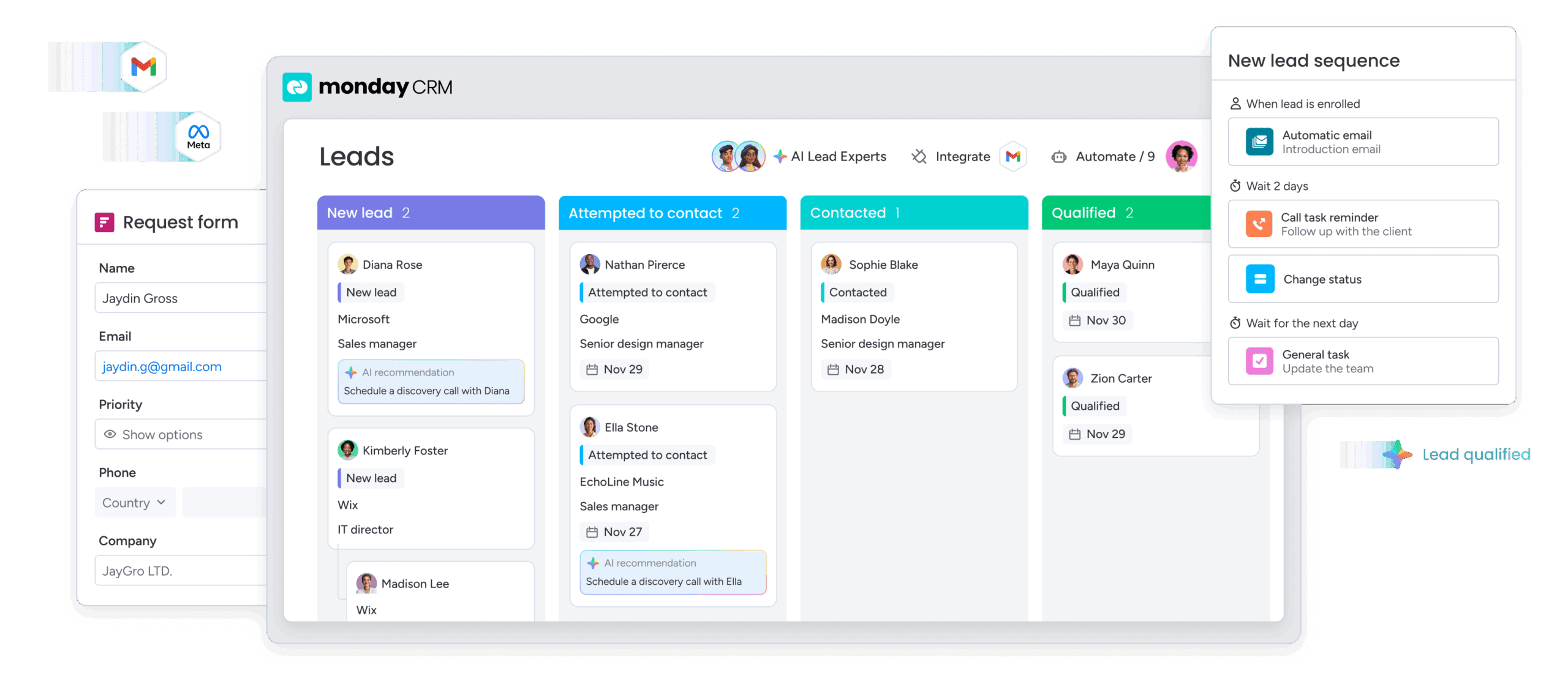
monday CRM is a no-code platform that connects your sales pipeline to project delivery, so construction firms can run bids through build in one place. Built on the monday.com Work OS and used by more than 250,000 customers worldwide, it’s highly customizable without heavy IT setup.
Use case
monday CRM works well for construction teams that need to move from winning a bid to delivering the build without switching tools. Estimators, sales reps, and project managers can customize pipelines and boards to match their own processes, then share one live view from the office to the job site.
Key features
- monday sidekick: a context-aware AI assistant that drafts follow-up messages and surfaces next steps on your deals.
- monday agents: autonomous AI agents that handle routine work like updating records and moving deals forward.
- AI Deal Insights: flags pipeline risks early so you can spot stalled bids before they go cold.
- No-code automations: set up round-robin lead assignment, reminders, and status updates without writing code.
- Dashboards and mobile app: track budget status and job-site activity in one view, then update deals from the field.
Pricing
monday CRM offers paid plans from $18/user/month for Basic, $25/user/month for Standard, and $41/user/month for Pro on monthly billing, plus custom quote-only pricing for Ultimate. A free trial is available so you can test the platform with your team before committing.
Why it stands out
- Sales plus delivery in one: Connect pre-sales and post-sales work so you run bids through build without switching tools.
- Low barrier to adoption: Teams customize the platform without IT help, backed by the monday.com Academy and 24/7 support.
- Enterprise-grade security: ISO/IEC 27001, SOC 2 Type II, and HIPAA compliance protect client and project data.
2. Pipedrive
Best for: Small to mid-sized contractors who want a simple, visual sales pipeline.
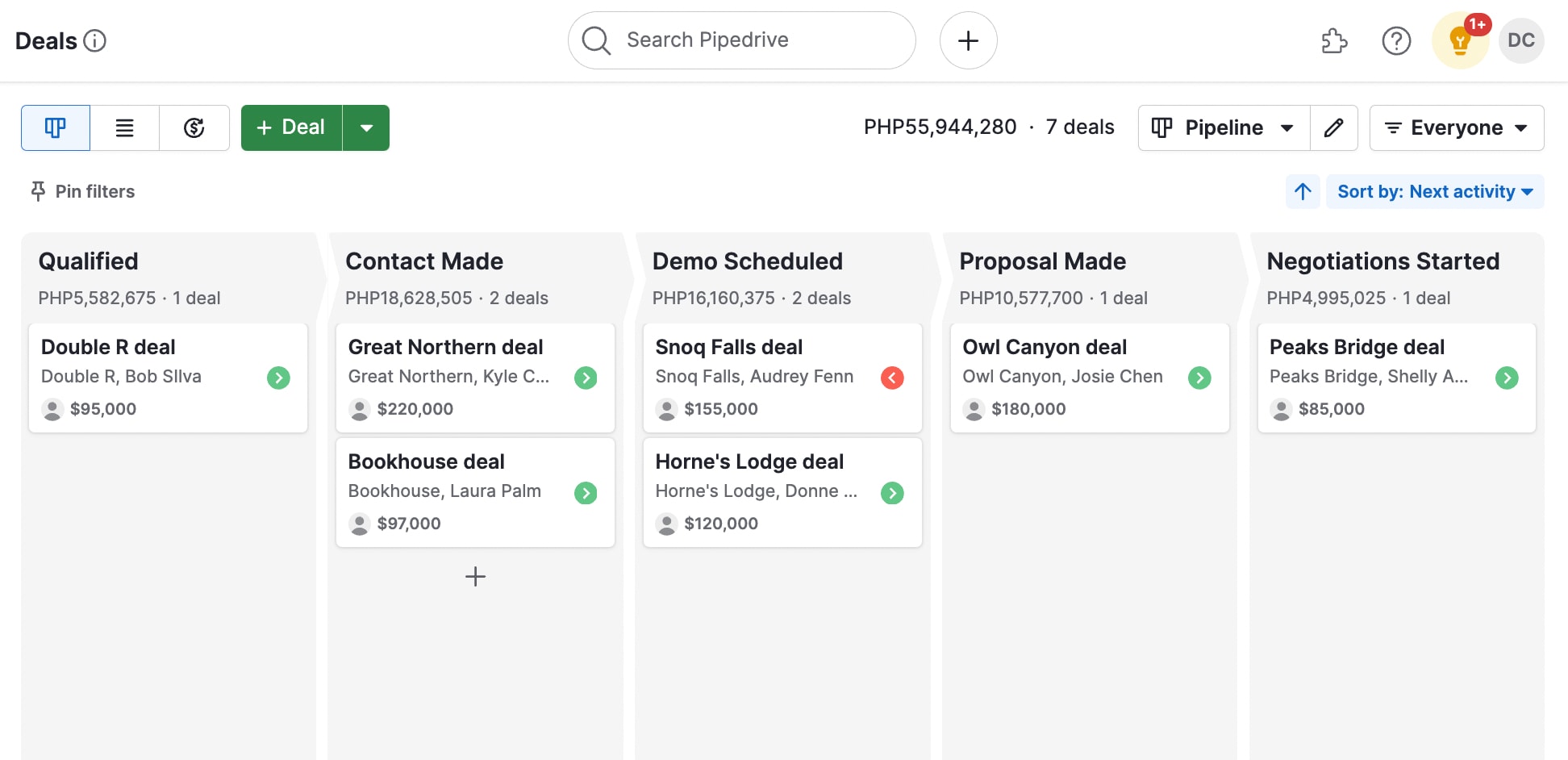
Pipedrive is a sales-first CRM known for its Kanban-style pipeline, making it easy for contractors to track deals from first inquiry to signed contract. It’s popular with smaller construction teams that want a straightforward tool without a heavy setup.
Use case
Pipedrive works well for contractors who need to keep bids and leads moving without a lot of admin. Reps can manage deals from the office or the job site, with a mobile app that keeps follow-ups on track between visits.
Key features
- AI sales assistant: Surfaces suggestions on which deals to prioritize and what to do next.
- AI email writing: Drafts follow-up and proposal emails to help reps respond to bids faster.
- Workflow automation: Cuts admin with automated data entry, reminders, and ready-made templates.
- Visual pipeline management: Moves deals through custom stages on a drag-and-drop board.
Pricing
Pipedrive offers four paid plans, starting at $14/user/month for Lite and going up to $79/user/month for Ultimate, all billed annually. A free trial is available, but there is no free plan.
3. HubSpot CRM
Best for: Construction firms that want marketing automation alongside their CRM.
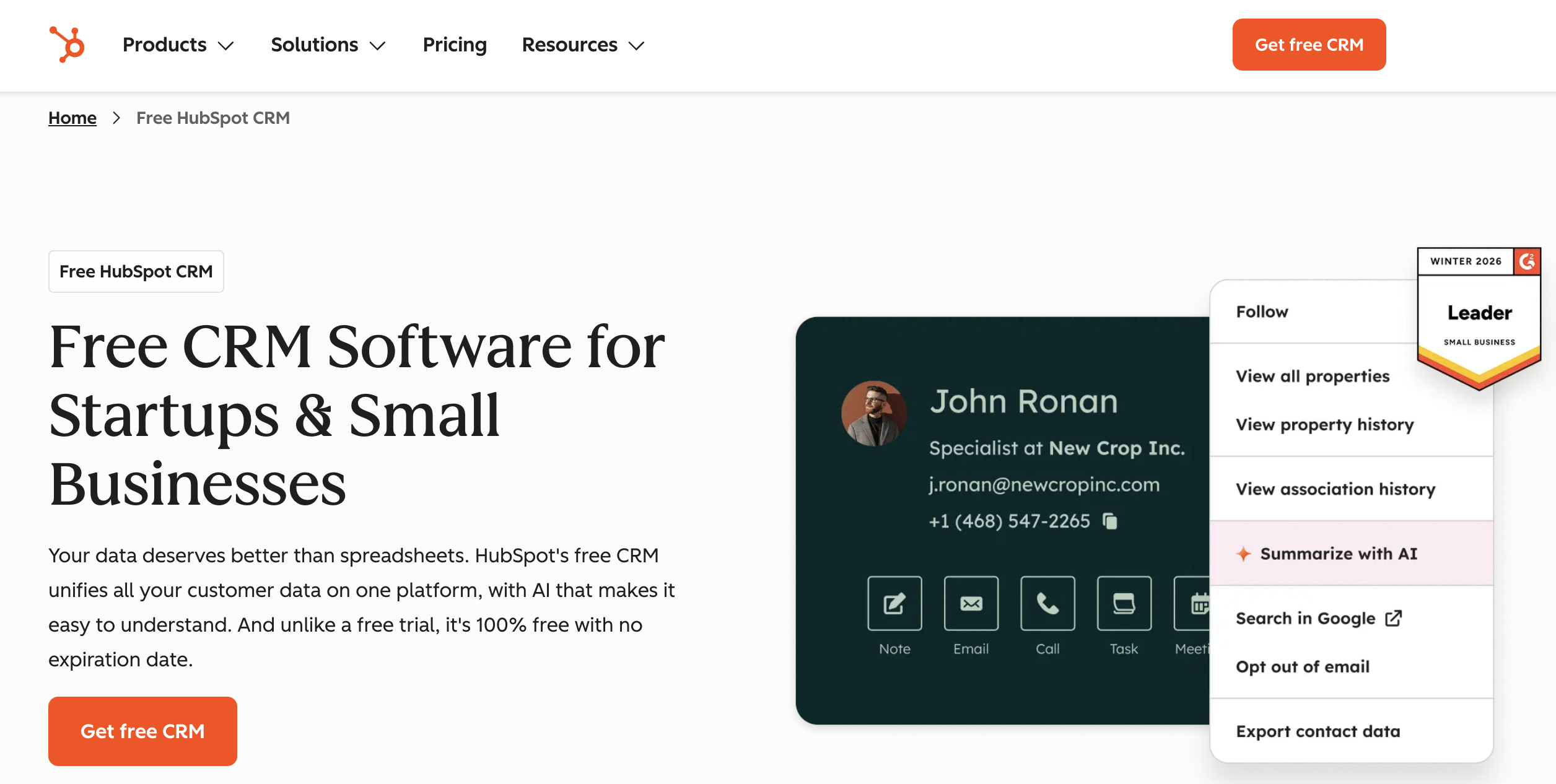
HubSpot CRM pairs a generous free plan with deep sales and marketing tools, making it a strong fit for firms that want to scale lead generation alongside their pipeline. A large ecosystem and education library keep onboarding straightforward.
Use case
HubSpot works well for construction firms that generate leads through their website, email, and campaigns and want everything tracked in one place. Sales and marketing teams can share a single view of every contact, from first click to closed project.
Key features
- Breeze AI assistant: Helps draft emails, summarize contact records, and suggest next steps on deals.
- AI lead scoring: Prioritizes the prospects most likely to convert so reps focus on the right bids.
- Marketing automation: Nurtures leads with automated email sequences and campaigns.
- Customizable dashboards: Shows customer data, pipeline status, and performance metrics at a glance.
Pricing
HubSpot offers a free CRM plan, with paid Sales Hub plans starting at $7/user/month for Starter. Free tools and trials are available, so you can test the platform before upgrading.
4. Procore
Best for: Larger contractors managing complex projects from bid to build.
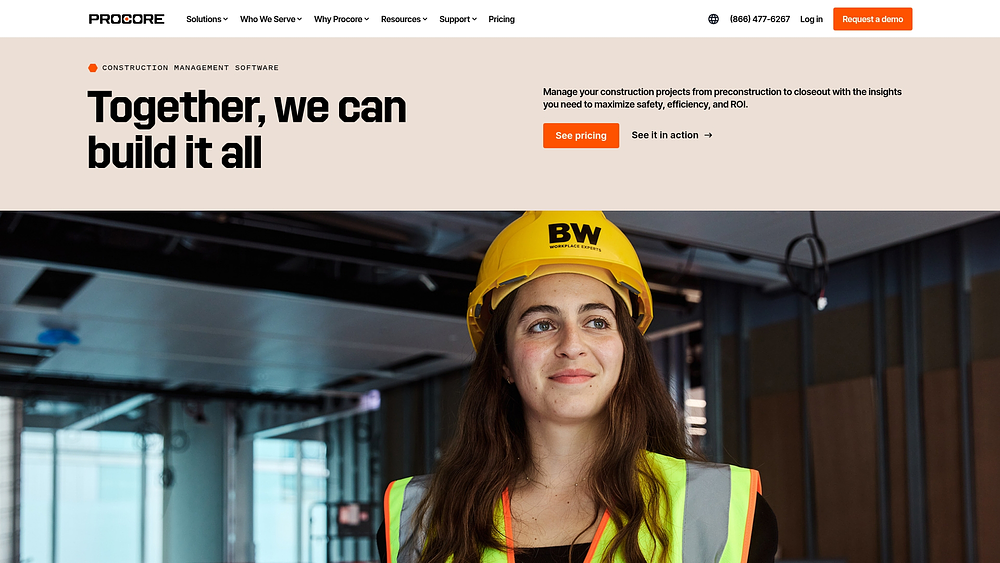
Procore is a construction-native management platform with a built-in CRM for bid and client tracking. It’s trusted for large, complex projects that span the full build lifecycle, and the CRM connects client data to planning, scheduling, and execution.
Use case
Procore works well for larger contractors that need client and bid data to flow directly into project delivery. Estimators, project managers, and executives can work from one connected system, from the first bid through final handover.
Key features
- Procore Helix AI: Surfaces insights across project data and helps teams find answers faster in a large system.
- Contact management: Track client, partner, and subcontractor details in onesystem.
- Pipeline management: Monitor leads and deals through each sales stage.
- Project management integration: Link relationship data to planning, scheduling, and execution.
Pricing
Procore uses quote-only pricing, so you’ll need to request a custom quote based on your projects and team size. There is no public price list or free plan.
Considerations
- Quote-only pricing: The enterprise focus can be costly and complex for small firms.
- Heavier platform: The CRM is one module of a larger construction system.
5. Zoho CRM
Best for: Cost-conscious small and mid-sized firms already in the Zoho ecosystem.
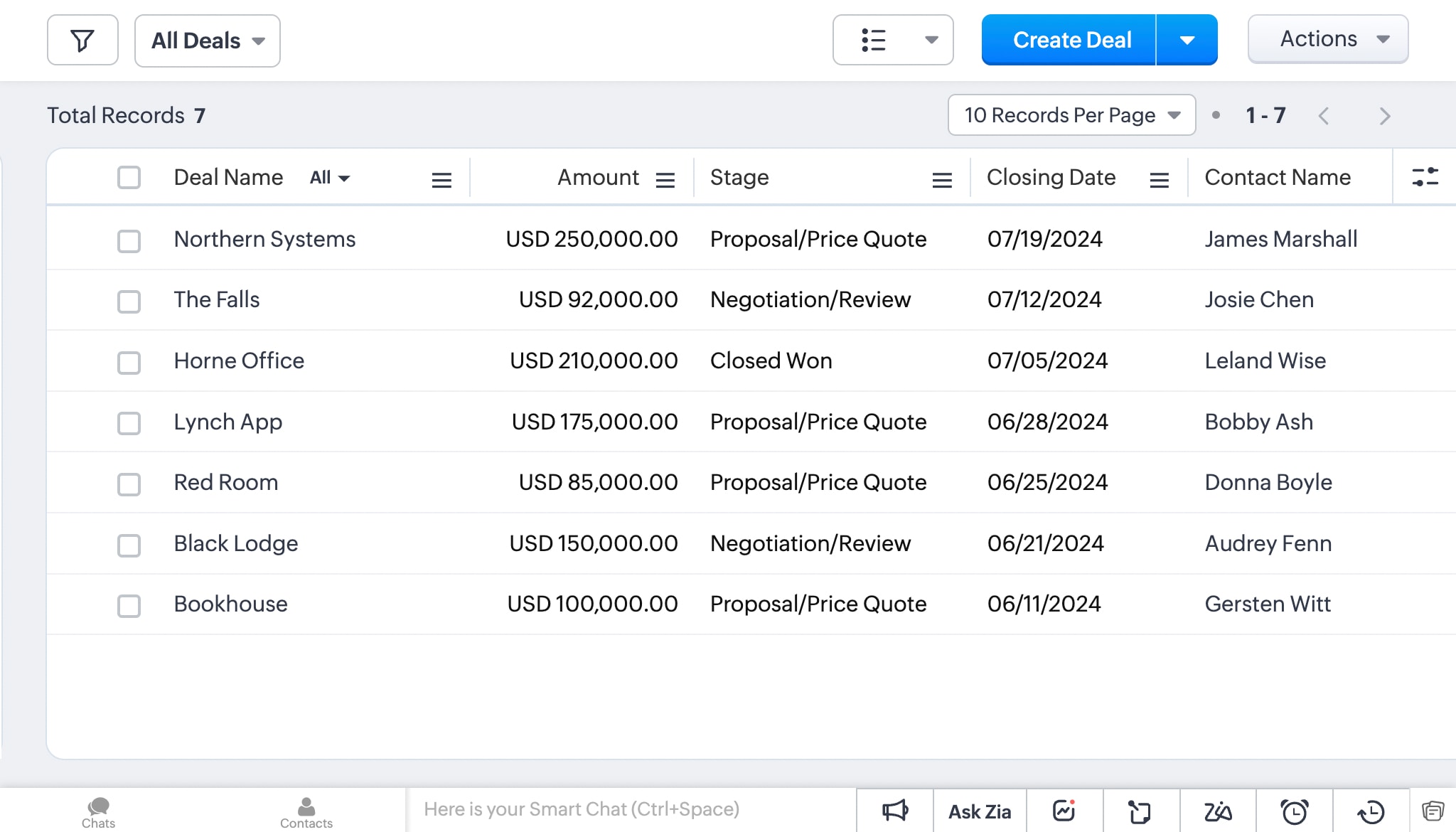 Zoho CRM is a budget-friendly, feature-rich CRM within the wider Zoho suite. It’s popular with small and mid-sized construction firms that want solid sales tools without a premium price tag.
Use case
Zoho CRM works well for construction firms that already use other Zoho apps and want their lead and client data to connect across the business. Sales teams can capture inquiries, follow up on bids, and keep every conversation in one place.
Key features
- Zia AI assistant: Answers questions about your pipeline, suggests the best time to contact leads, and surfaces next steps on deals.
- AI lead scoring: Scores and ranks leads so reps focus on the bids most likely to close.
- Lead management: Captures leads, then nurtures them through the pipelinewith automated follow-ups.
- Omnichannel communication: Reaches customers by email, live chat, phone, and social from one place.
- Mobile app: Manages on-site updates and information from the field.
Pricing
Zoho CRM offers a free plan for up to 3 users, with paid plans starting at $14/user/month for Standard and going up to $52/user/month for Ultimate. A free trial is available on paid plans so you can test higher-tier features before committing.
Considerations
- Not construction-specific: Advanced features and integrations often require higher tiers.
- Learning curve: The interface takes time to master.
6. Jobber
Best for: Remodeling and field-service firms with on-site teams.
Jobber is field-service software built for construction and remodeling teams that work on-site. It focuses on scheduling, invoicing, and client management, and a strong mobile app keeps crews connected from request to invoice.
Use case
Jobber works well for remodeling and field-service firms that need to coordinate crews and keep clients informed without a lot of admin. Office staff can schedule jobs and send invoices while crews update job details from the field.
Key features
- AI receptionist: Answers calls and captures new client requests when your team is tied up on-site.
- AI-assisted messaging: Helps draft quotes, follow-ups, and client updates so responses go out faster.
- Client management: Stores client information, job history, and communication logs.
- Project management: Tracks jobs across sites from request through final invoice.
- Mobile app: Updates job details and tracks time and materials from anywhere.
Pricing
Jobber plans start at $49/month for Core and go up to $499/month for Plus on monthly billing. Plans are billed per account with a set number of users included, annual billing saves up to 40%, and a free trial is available.
Considerations
- Smaller-firm focus: Less suited to complex commercial construction or advanced sales pipelines.
- Cost at scale: Higher tiers add cost quickly.
7. Capsule CRM
Best for: Small firms that want a simple, affordable, mobile CRM.
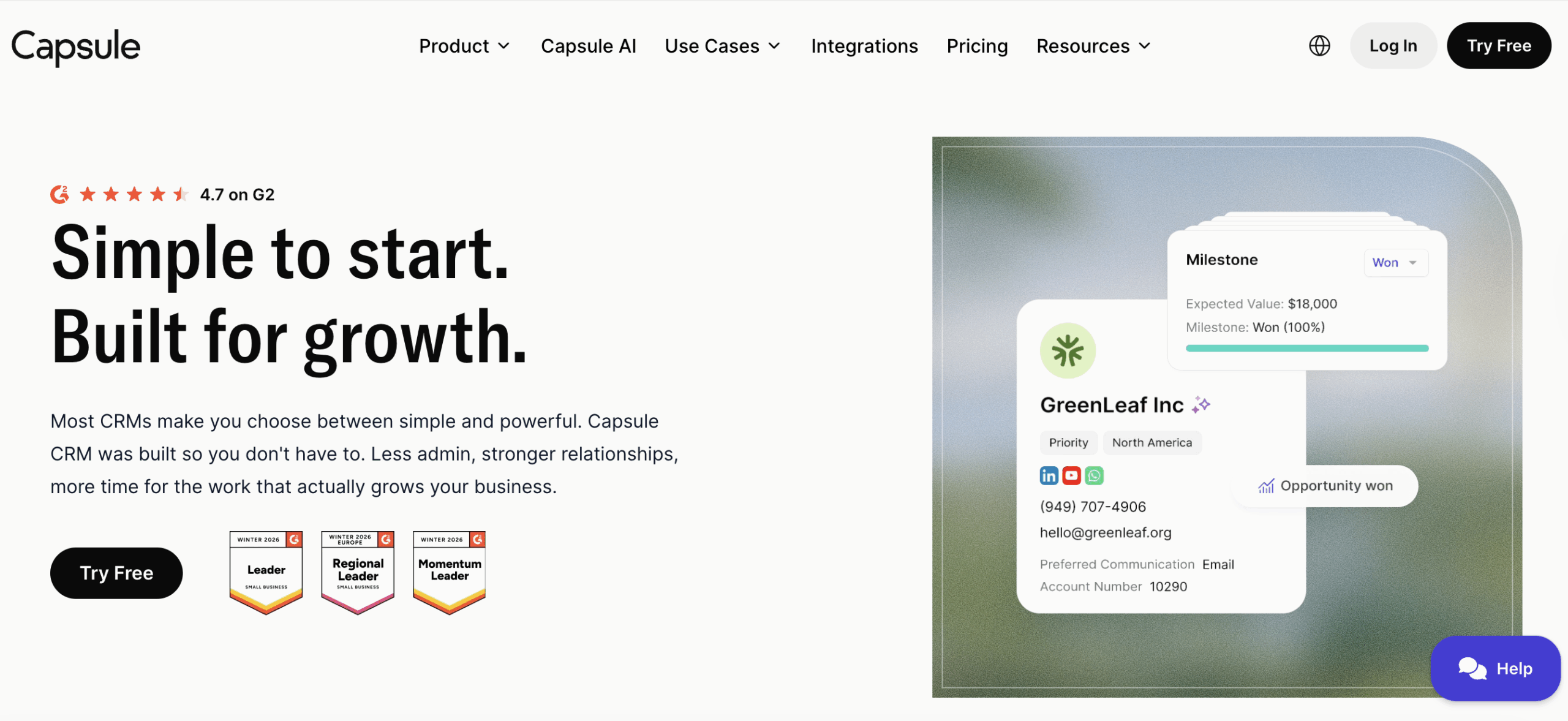
Capsule CRM is a simple, mobile-friendly CRM for small and mid-sized construction firms. It offers customizable fields and milestones without a heavy setup, and affordable tiers make it easy to start small and grow.
Use case
Capsule CRM works well for small construction firms that want to track contacts, bids, and follow-ups without a complicated setup. Teams can update records from the job site and keep every client conversation in one place.
Key features
- AI-assisted content tools: Helps draft and refine emails and notes so follow-ups on bids go out faster.
- Mobile app: Manages contacts and deals from anywhere with iOS and Android apps.
- Customization: Tailors fields, tags, and milestones to project-specific data.
- Project management: Tracks projects from initial bid to completion.
Pricing
Capsule CRM offers a free plan for up to 2 users and 250 contacts, with paid plans starting at $18/user/month for Starter and going up to $72/user/month for Ultimate. A free trial is available on paid plans so you can test higher-tier features before committing.
Considerations
- Lighter feature set: limited native automation and reporting depth versus larger platforms.
- Not construction-specific: lacks built-in field workflows.
8. Buildertrend
Best for: Residential builders and remodelers that want an all-in-one construction platform.
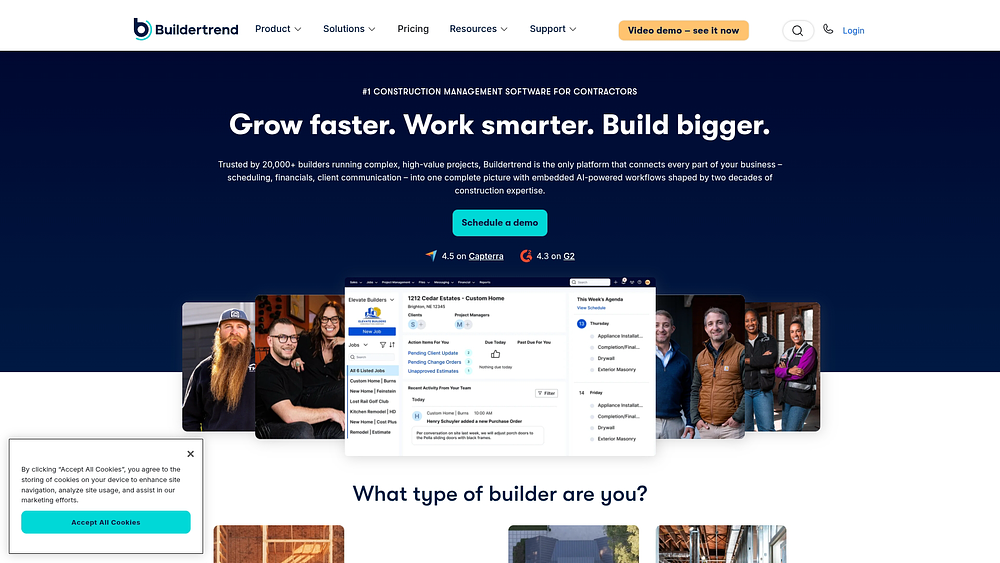
Buildertrend is a construction-native, all-in-one platform for builders, remodelers, and contractors. It combines project management, CRM, financials, and sales in one system, and strong client communication keeps every stakeholder informed.
Use case
Buildertrend works well for residential builders and remodelers who want leads, proposals, and project delivery in one connected system. Office staff, project managers, and clients can all follow the same job from first inquiry through final handover.
Key features
- AI-assisted tools: Helps teams draft communications and surface project details faster across a large system.
- Sales management: Captures and nurtures leads, then creates proposals and contracts.
- Project management: Runs scheduling, messaging, to-do lists, and daily logs.
- Financial management: Tracks budgets and bids and integrates with QuickBooks and Xero.
Pricing
Buildertrend uses quote-only pricing, so you’ll need to request a custom quote based on your team and needs. Plans are listed from $499/month in market comparisons, and a demo is available to explore the platform before committing.
Considerations
- Quote-only pricing: no public list pricing, so you have to request a custom quote.
- Learning curve: the deep feature set can be more than a lightweight CRM needs.
9. Pipeline CRM
Best for: Small and mid-sized contractors that want a simple, adoptable sales pipeline.
Pipeline CRM is a visual, sales-focused CRM that serves small and mid-sized contractors and builders. It’s known for a straightforward setup that helps teams get up and running quickly, and customizable stages make it easy to track bids and deals.
Use case
Pipeline CRM works well for contractors who want to keep bids and leads moving without a heavy learning curve. Sales reps and estimators can track every deal, supplier, and client in one place, with follow-ups handled in the same view.
Key features
- AI-assisted workflows: Helps speed up routine selling tasks like drafting follow-up emails and prioritizing next steps on deals.
- Pipeline management: Visualizes leads, bids, and deals with customizable stages.
- Automation: Streamlines work with task reminders, email templates, and scheduled follow-ups.
- Contact management: Tracks subs, suppliers, and clients with custom fields.
Pricing
Pipeline CRM offers paid plans starting at $25/user/month for Start, $33/user/month for Develop, and $49/user/month for Grow, with quote-only pricing for Enterprise. A free trial is available so you can test the platform before committing.
Considerations
- Limited field depth: fewer native construction workflows than vertical tools.
- Basic reporting: reporting is lighter than larger platforms.
10. JobNimbus
Best for: Roofing and small to mid-sized contractors that want an all-in-one lead-to-billing tool.
JobNimbus combines CRM and project management for construction and roofing contractors. It runs a full lead-to-billing workflow with estimating, scheduling, and invoicing, and its strong contractor focus has earned it high user ratings.
Use case
JobNimbus works well for contractors who want to manage the whole job in one system, from first inquiry through final invoice. Office staff can build estimates and schedule crews while field teams update project details from the job site.
Key features
- AI-assisted tools: Helps teams draft communications and move jobs forward faster with less manual admin.
- Project management: Tracks projects and revenue with estimating, scheduling, and invoicing.
- Customization: Builds multiple sales pipelines to fit your process.
- Mobile app: Updates project information from job sites in real time.
Pricing
JobNimbus uses quote-only pricing, so you’ll need to contact sales for a personalized package based on your team and needs. There is no public price list or free plan, but a demo is available to explore the platform.
Considerations
- Quote-only pricing: Reduces upfront transparency.
- Best for smaller contractors: Less suited to large commercial projects.
How to choose the right construction CRM
With so many different construction CRM solutions available, deciding on the right option can be challenging. The best construction CRM for your company will depend on your unique requirements and work processes.
Step 1: Identify your business needs and objectives
Assess your construction business requirements, including project size, complexity, and number of users. Then pinpoint the key challenges you want your CRM software to solve.
Step 2: Research your options
Ask other construction firms and your professional network for recommendations, then check reviews on sources like G2 and Capterra. Compare pricing structures to make sure they fit your budget.
Step 3: Define your requirements
List the essential features you need and check for integrations with the tools you already use. Use that list to build a shortlist and a set of test criteria.
Step 4: Test the software
Take advantage of free trials and involve your team in the testing process. Score each platform against your test criteria.
Step 5: Compile the feedback
Collect input from the team members who tested each tool, focusing on user-friendliness and the learning curve. Also assess the level of customer support and training available.
Step 6: Make your decision
Compare your options based on features, cost, and team feedback, weighing both current needs and future growth. Factor in intangibles like resources, responsive service, and company reputation.
Why monday CRM fits construction teams
Construction work runs on two tracks at once: winning the bid and delivering the build. Most tools only handle one. monday CRM brings both together in one no-code platform, so your sales pipeline connects directly to project delivery.
Teams customize boards, deal stages, and unlimited pipelines to match how they estimate, bid, and manage clients, all without developers. The result is one clear view that keeps the office and the field working from the same page.
monday sidekick
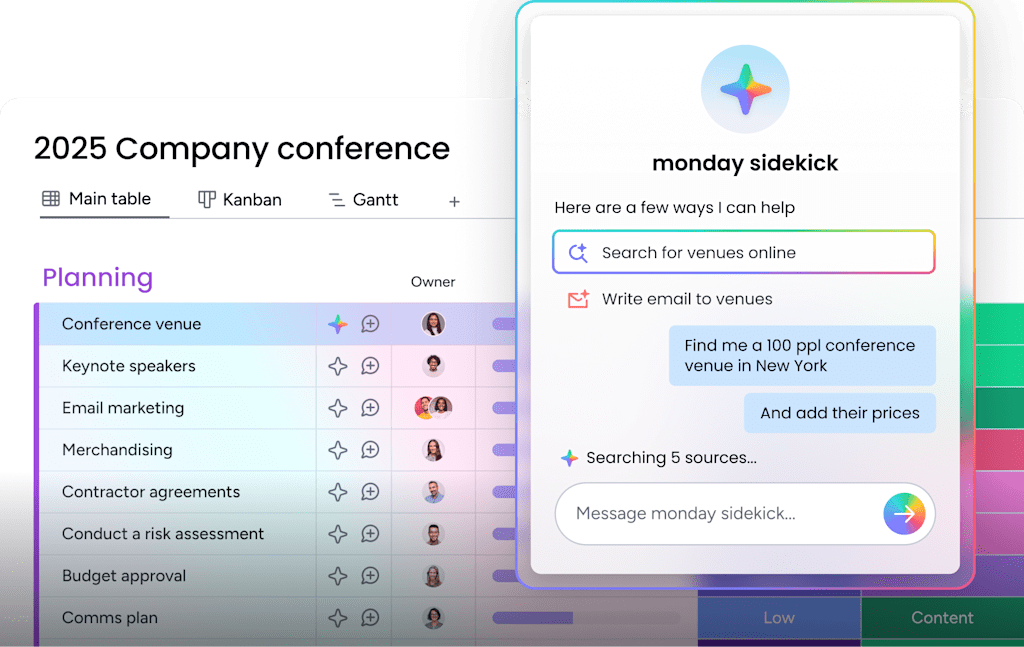
monday sidekick is a context-aware AI assistant that drafts follow-up messages and surfaces next steps on your deals. For construction teams, that means bid follow-ups go out quickly, even when the crew is on-site and the office is stretched thin.
monday agents
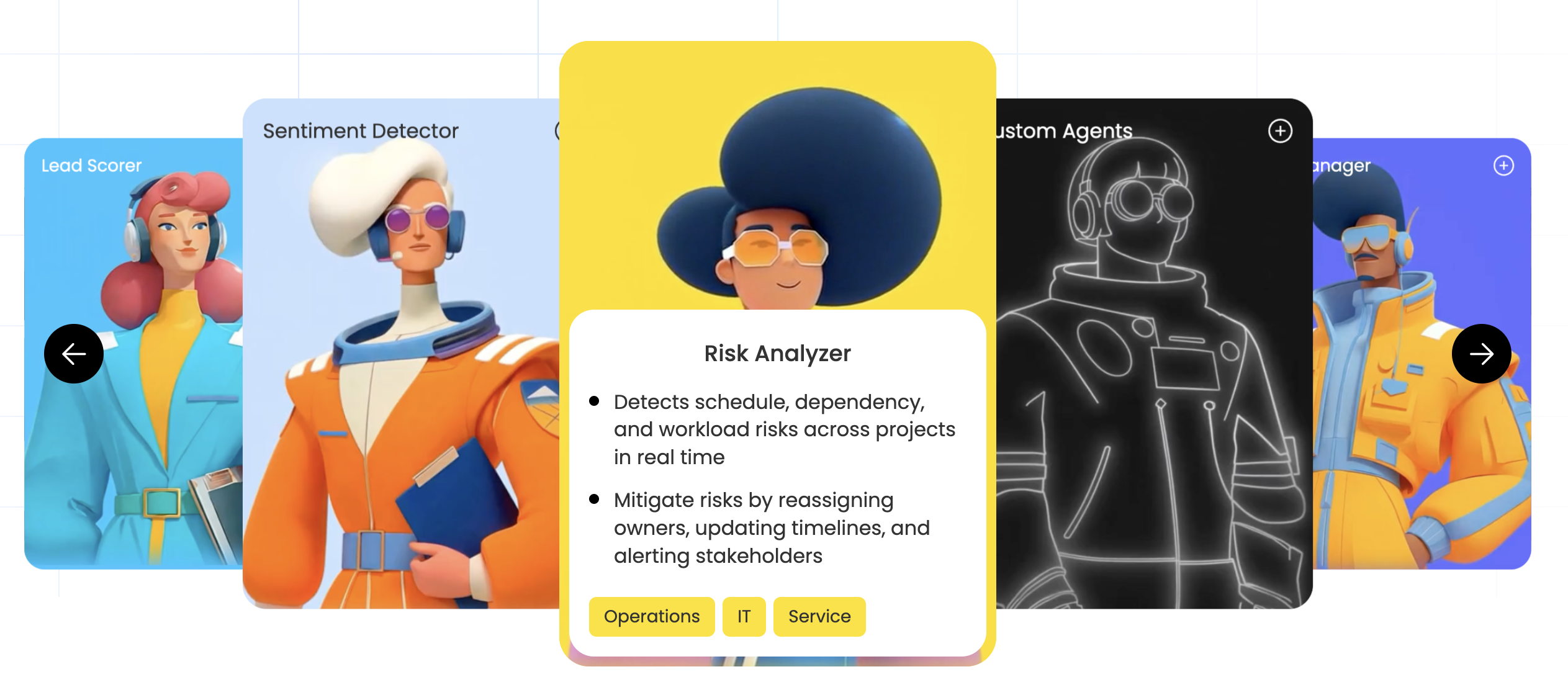
monday agents are autonomous AI agents that execute routine work across your boards. They can handle repetitive admin like updating records and moving deals forward, so your estimators and project managers spend more time on bids and less on busywork.
AI Deal Insights and monday vibe
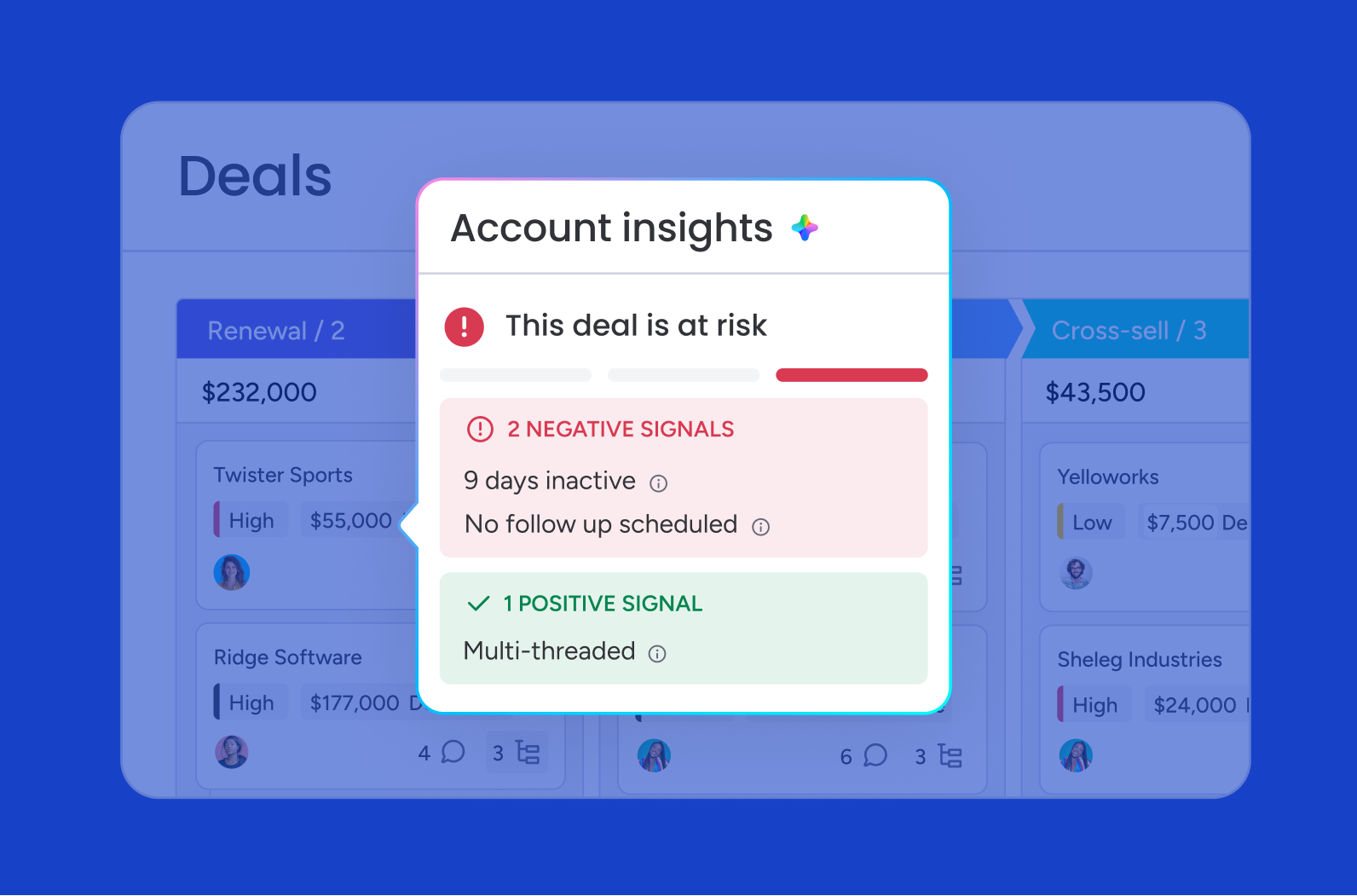
The AI Deal Insights widget flags pipeline risks early, helping leaders spot stalled bids before they go cold. monday vibe builds no-code apps from a simple prompt, so you can create custom tools for estimating or job-site tracking without waiting on IT.
No-code automations
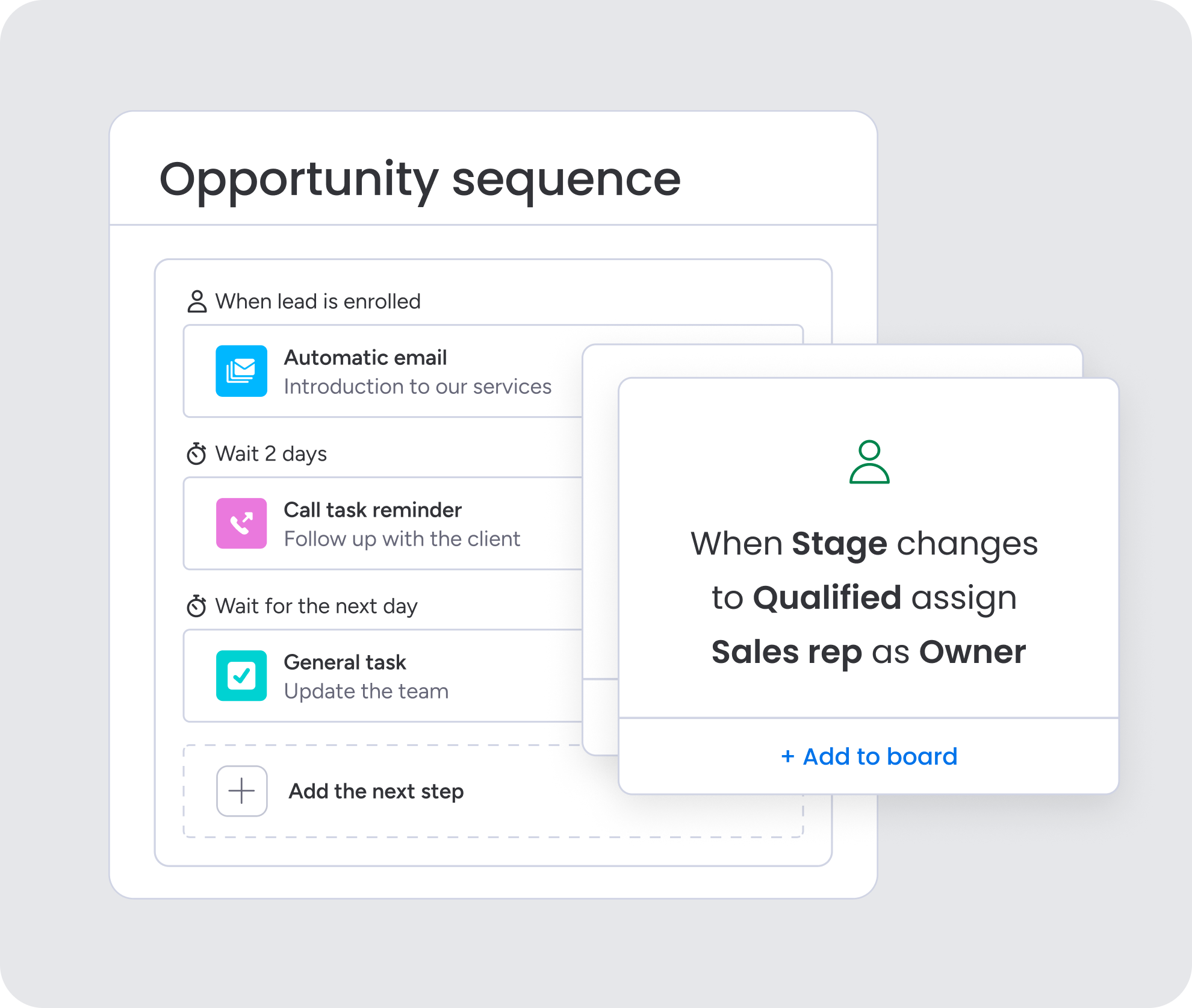
No-code automation recipes handle round-robin lead assignment, reminders, and status changes automatically. The workflow builder chains these steps into repeatable processes, so every new lead gets routed and followed up on without manual effort.
Build your construction sales engine with monday CRM
Construction moves fast, and the firms that win turn scattered leads, bids, and job-site updates into one connected flow. Moving from spreadsheets and disconnected tools to a unified, automated system changes how quickly you respond and how clearly you see what’s coming next.
monday CRM brings that flow together with real-time dashboards for budget and job-site visibility, AI-powered automation for lead assignment and reminders, and sales plus project delivery in one no-code platform. Start by mapping the workflows that slow your team down most, from bid follow-ups to field-to-office handoffs, then let automations handle the rest. Try monday CRM today.
FAQs
Why is a CRM useful for construction companies?
A robust CRM does more than just track, store, and analyze customer data for construction companies. It also helps bridge the gap between construction sites and the main office by allowing real-time collaboration and simplifying document submissions and approvals.
Who uses a construction CRM?
Various stakeholders in the construction industry use a construction CRM, including general contractors, subcontractors, construction managers, project managers, estimators, sales and marketing teams, customer success teams, executives, and external consultants.
What are the 3 types of CRM?
There are three main types of CRM: operational, analytical, and collaborative. Operational CRMs focus on automating and streamlining sales and marketing processes. Analytical CRMs leverage data analysis to inform business decisions. Collaborative CRMs enhance communication and information sharing across different departments to improve customer interactions and satisfaction. However, many organizations use CRM systems that combine elements of all three types.
What software do most construction companies use?
Most construction companies use a mix of software to run their business. Many rely on construction-specific platforms like Procore, Buildertrend, and JobNimbus, while flexible CRMs like monday CRM are widely used to manage sales and client relationships.
What are the 4 types of CRM?
The four types of CRM are operational, analytical, collaborative, and strategic CRM. Operational CRM streamlines daily sales and service tasks, analytical CRM turns data into insights, collaborative CRM shares information across teams, and strategic CRM focuses on long-term customer relationships.
How does monday CRM help construction teams?
monday CRM helps construction teams by centralizing leads, deals, and projects in one place. It automates lead assignment and reminders and provides real-time dashboards for budget and job-site visibility.