Every open bid in construction is a race against changing scopes, competing crews, and clients who want instant updates. monday CRM tracks every job, from first estimate to signed contract, in one place. The platform's AI handles the routine updates and follow-ups behind the scenes, keeping every bid a step ahead.



The moment a bid turns into a contract, monday CRM covers it all: job details, subcontractor assignments, and client history are attached automatically. No more digging through email threads or spreadsheets to piece together where a project stands.
Move every bid through visual pipeline stages, from New Opportunity to Awarded, with drag-and-drop deal cards that keep estimates, job costs, timelines, and files attached to the record.
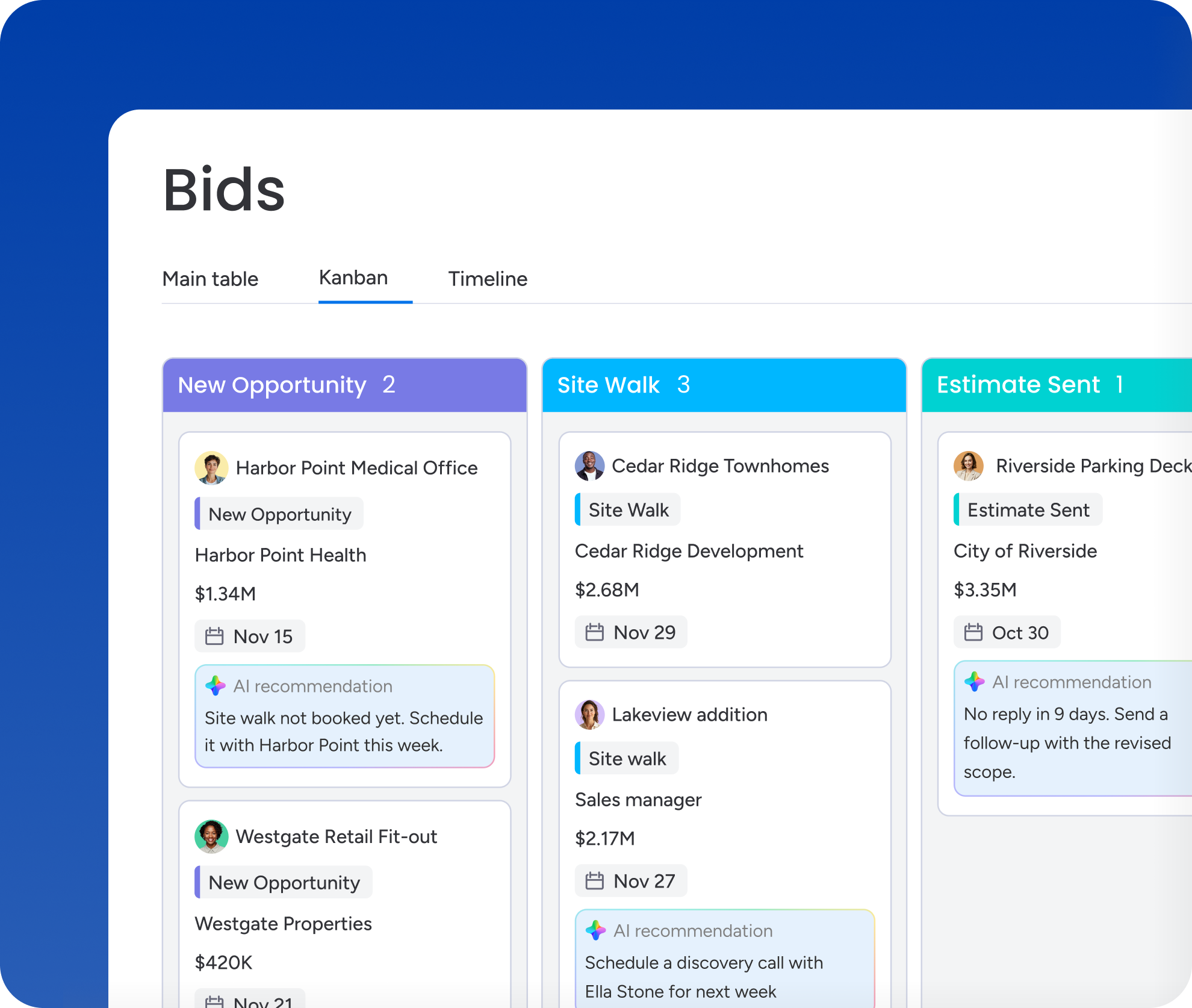
monday CRM's AI workflows and automations handle the repetitive updates, reminders, and status changes that eat into an estimator's day.
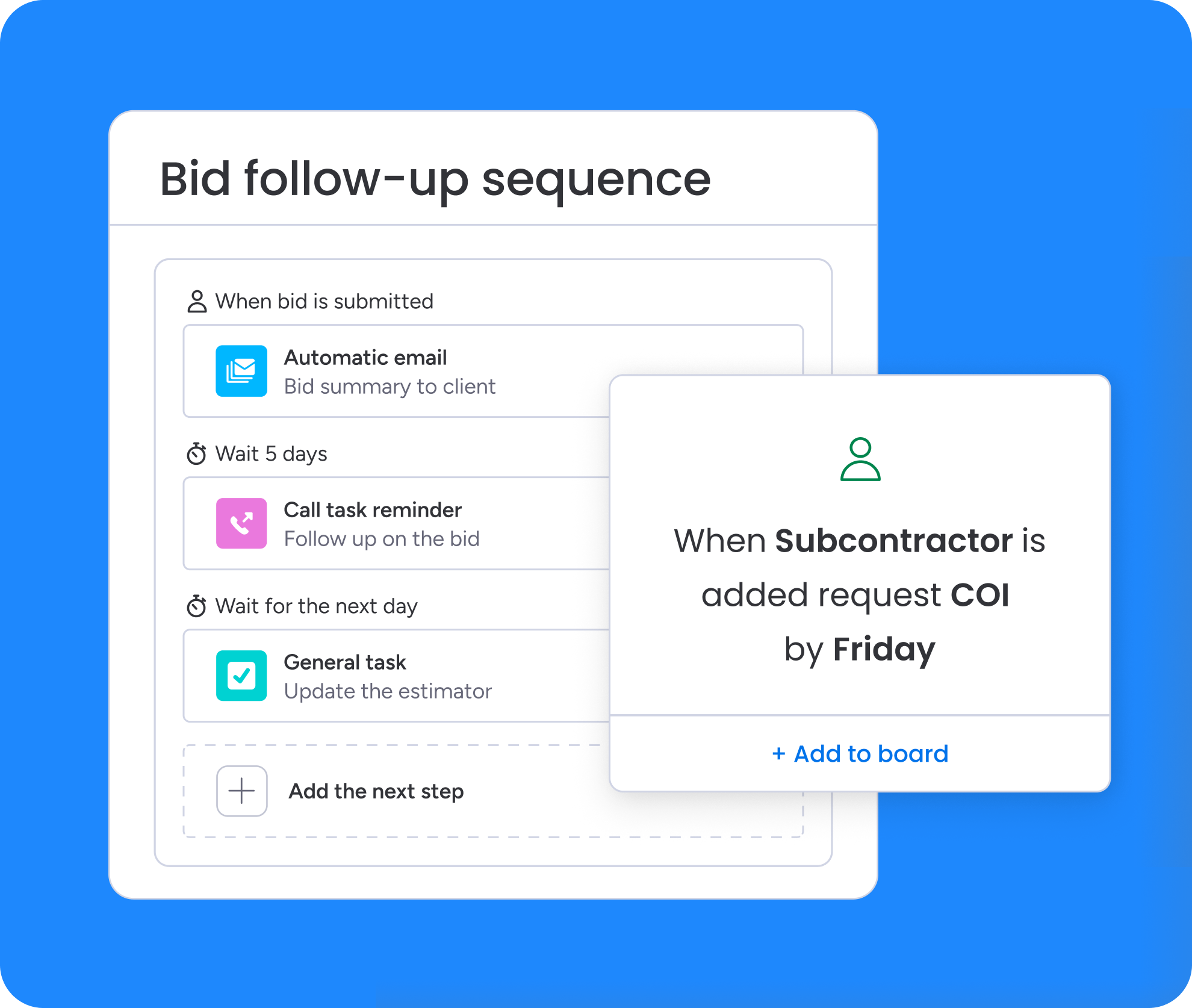
monday CRM connects estimating, sales, and operations on one platform, so nothing gets lost when a bid moves from pursuit to production.
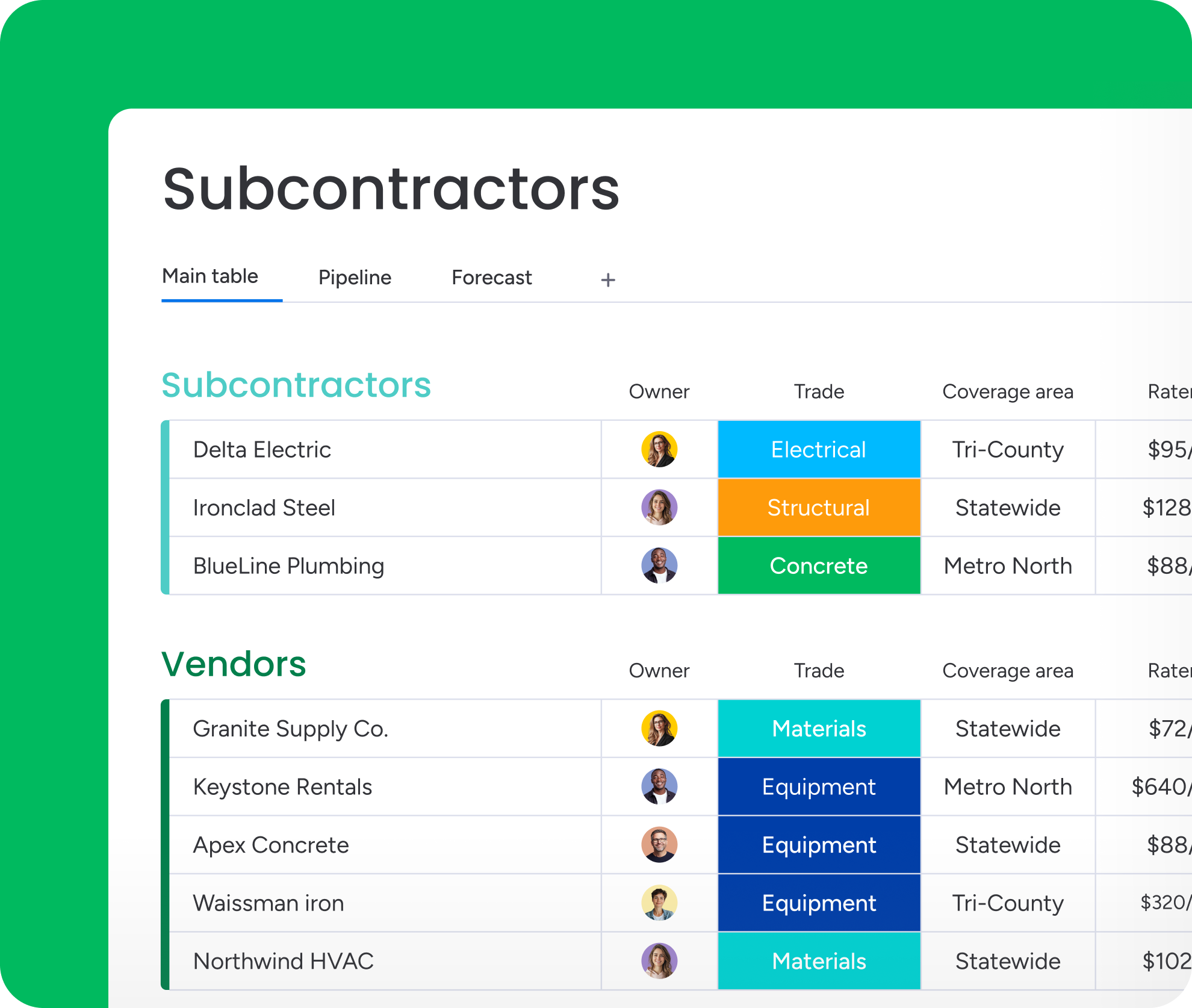
Organize subcontractors, vendors, and clients in dedicated Contacts and Accounts boards, then link them to bids and jobs so stakeholder context travels with every deal.
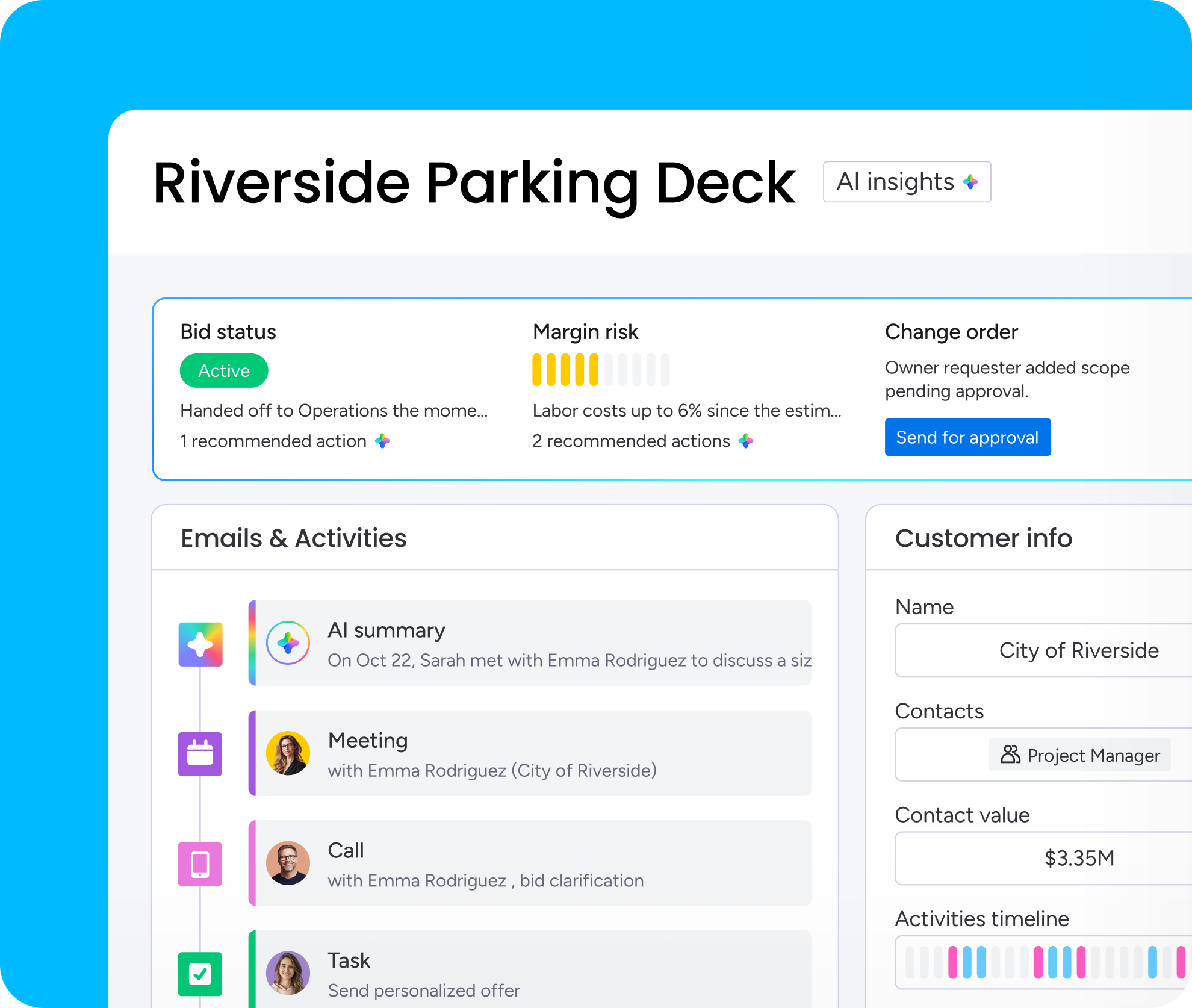
monday CRM's AI agents cut down on admin across bidding and job tracking, so your team spends less time updating records and more time winning the next job.
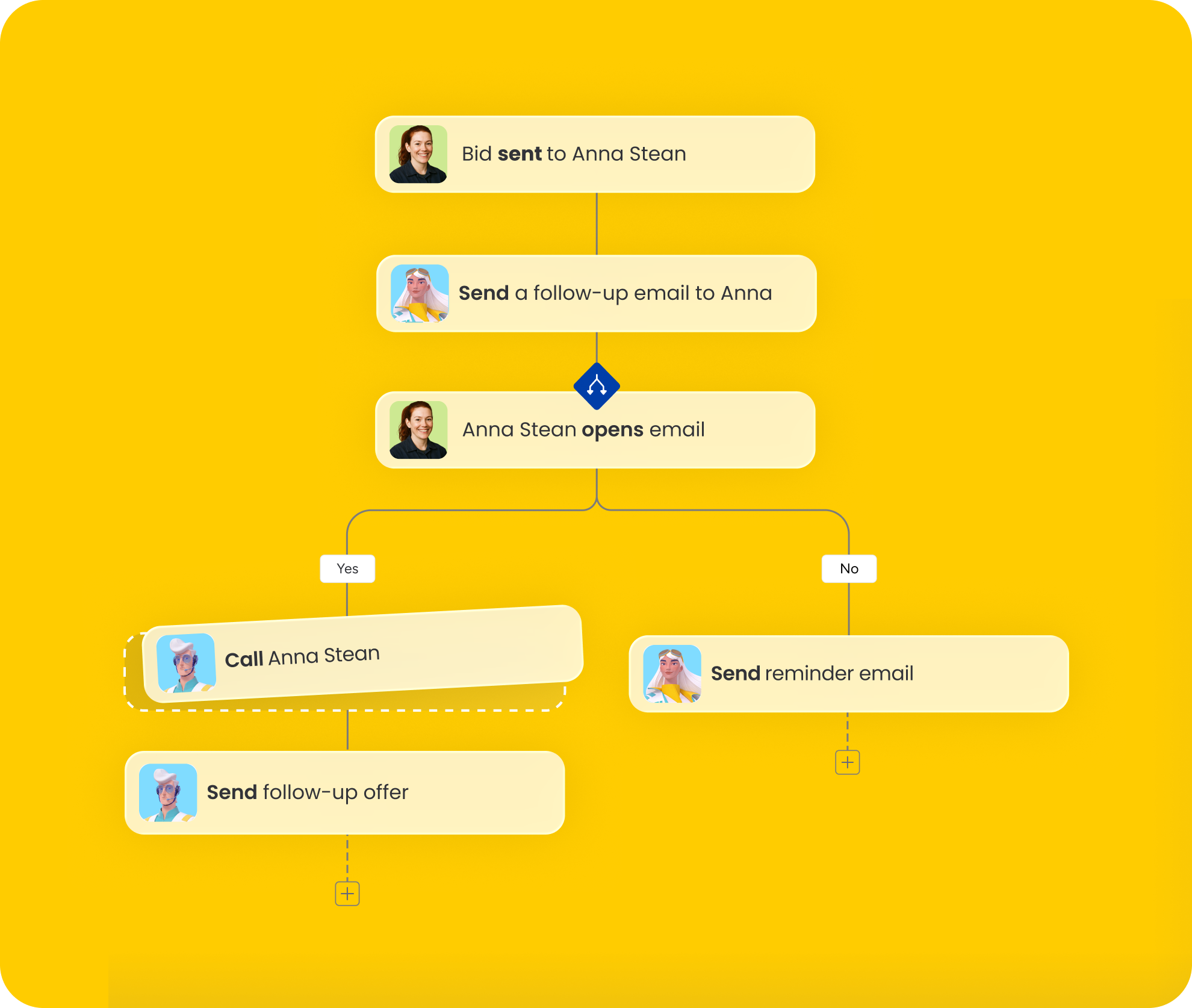
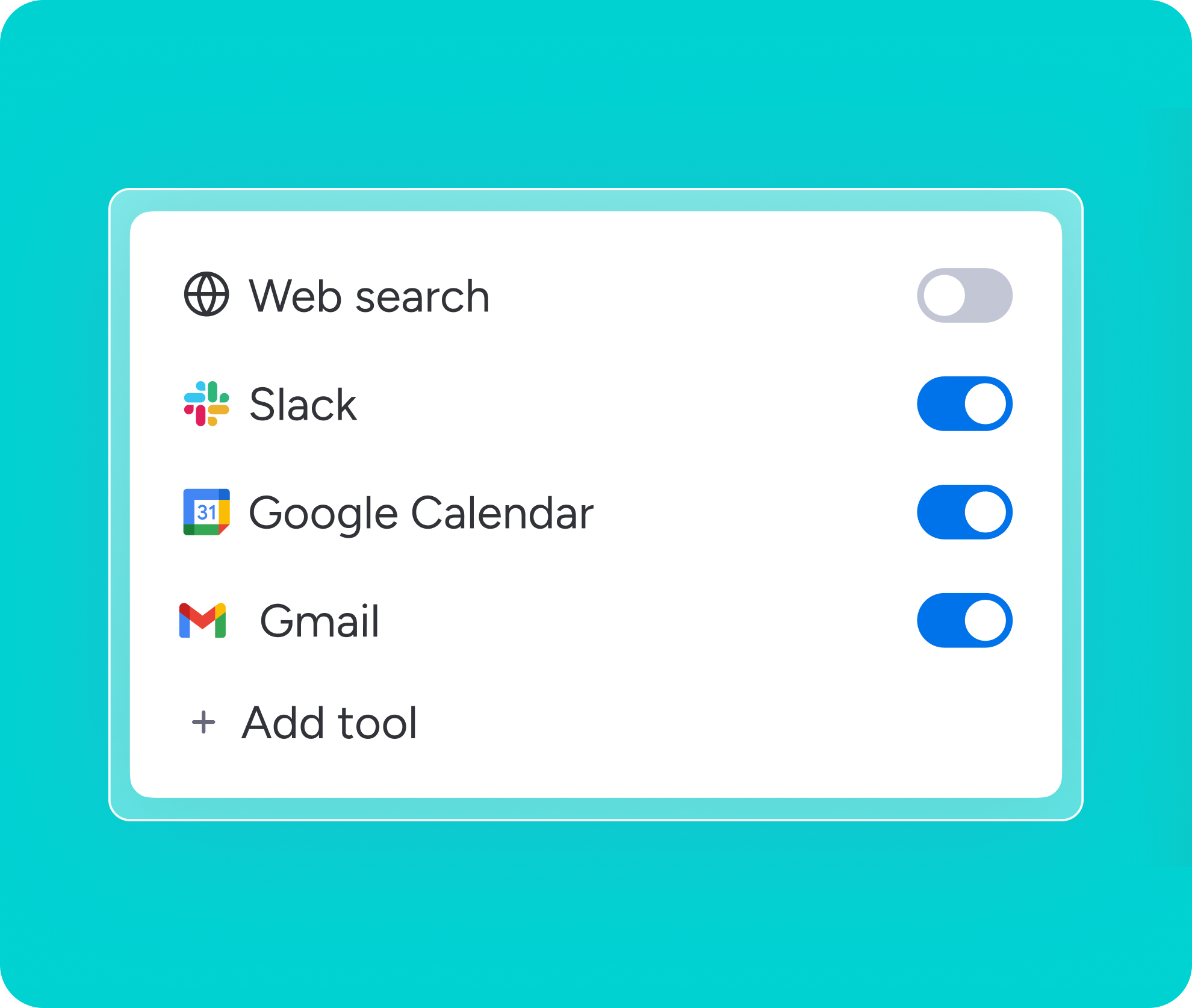
Connect your existing stack to monday CRM through integrations and automations, so bid and client data stay synced.
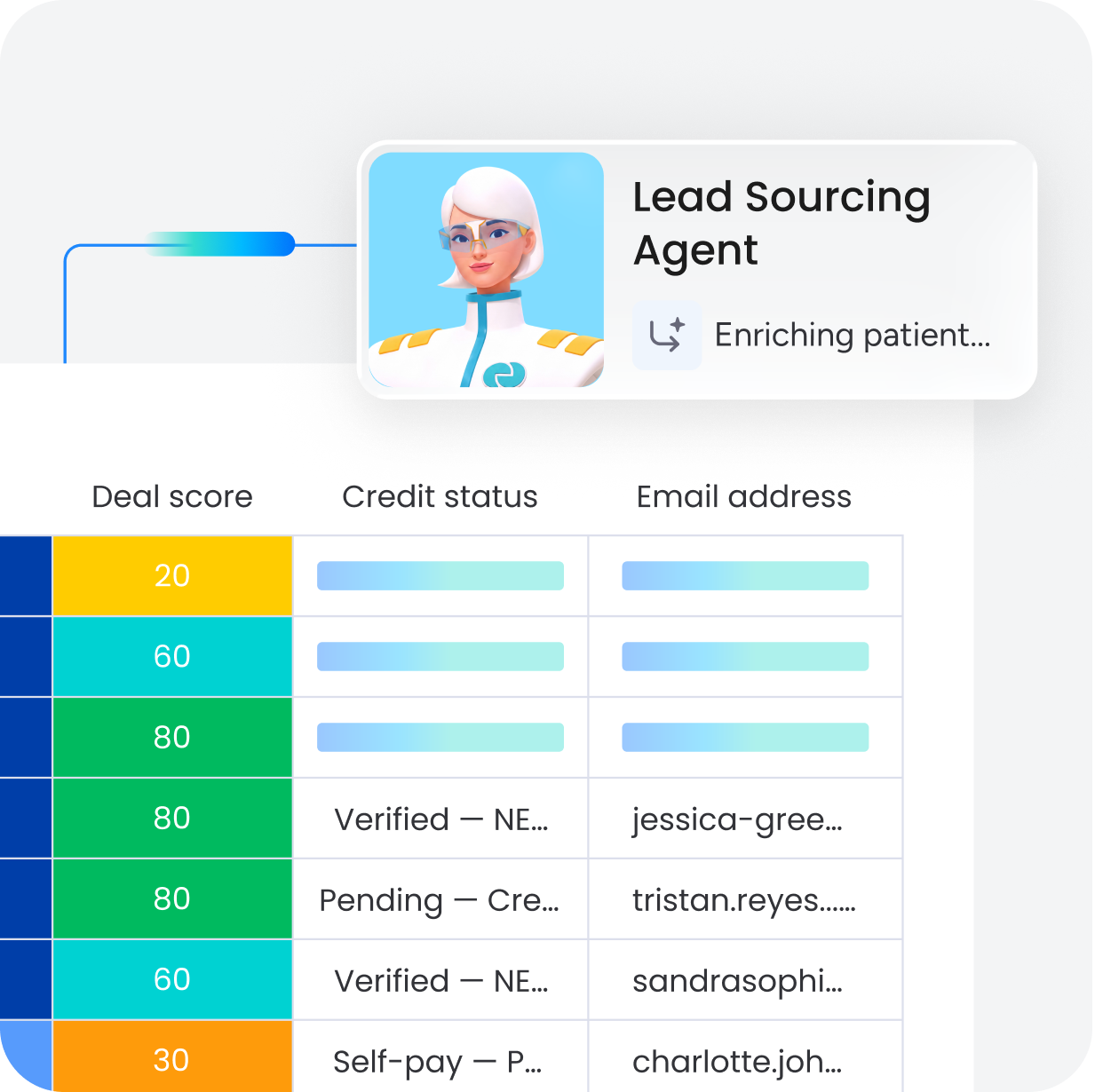
monday CRM applies AI throughout the bid process, capturing details, prioritizing what matters, and drafting your next step.





“With monday CRM, I have visibility into all the information I need to manage customer relationships and understand our sales performance.”



"Now we have a lot less data, but it’s quality data. That change allows us to use AI confidently, without second-guessing the outputs."

Integrate your tech stack to reduce admin time and boost velocity.







Get the unfiltered scoop from sales leaders about how to tackle major challenges with care.
Be the first to get the latest on the newest features and updates we’re rolling out on monday CRM.

Sharpen your monday CRM skills and master every stage of the customer journey.

Follow us on LinkedIn for pro sales tips, product updates, hilarious memes, and much more!
monday CRM connects leads, deals, contacts, and accounts so every bid ties to the right company, stakeholders, and job details without jumping between spreadsheets and inboxes. Set up custom pipeline stages, like New Opportunity, Site Walk, Estimate Sent, and Awarded, and move bids forward with drag-and-drop deal cards. The Emails & Activities timeline keeps every call, meeting note, and file attached to the record, so the full history of a bid is always one click away.
While it isn't a dedicated job costing software, monday CRM keeps estimate totals, budget categories, and cost-to-date fields visible on every deal of job record. Add columns for labor and material allowances, contingency, and margin, then use dashboards to compare projected figures against updated ones as a job progresses. Estimate versions can be stored as files, with every change logged automatically, so your team always knows which numbers are current.
Estimating, sales, and operations teams work together from the same information in monday CRM since the deal record is connected to the account, contacts, files, and activity history. Permissions and customizable views let each team see the fields they need, while leadership gets full visibility through dashboards. Automations can notify the right people the moment a deal moves to Awarded or Contract Review, so operations inherits context instead of starting from scratch.
Subcontractors, vendors, and clients live in dedicated Contacts and Accounts boards, then link to the relevant bids and jobs using Connect Boards, so stakeholder context stays attached to every opportunity. Every call, email, meeting, and note logs automatically to the Emails & Activities timeline. Custom fields can track trade, coverage area, rates, and preferred-vendor status, and logged activity creates a clear audit trail of bids sent and approvals received.
Store certificates of insurance directly on a subcontractor's record and add a COI expiration date column to track compliance at a glance. Automations can flag an upcoming expiration, for example, notifying the account owner and updating status to Renewal Needed 30 days out, so nothing lapses without notice. This keeps compliance visible to the whole team, with the latest certificate always on hand instead of buried in an inbox.
Yes, monday CRM connects with your existing stack through integrations and automations. Connect Gmail or Outlook to log emails and meetings automatically, use WorkForms or the Jotform integration to capture new bid requests, and sync with tools like QuickBooks for accounting. Webhooks and Zapier extend the connection to estimating and scheduling software that doesn't have a native integration.
The platform helps teams reduce admin across the bid process thanks to different features and AI agents. The AI Notetaker joins bid calls and site walkthroughs to log key details automatically, while the Meeting Prep Agent briefs your team before each call. The Lead Sourcing Agent scores new opportunities, and the Pipeline Monitor Agent flags stalled bids and recommends next steps. The Deal Insights widget surfaces risk signals like a stalled deal or no scheduled follow-up, so your team can step in before a bid goes cold.
monday CRM adapts to different construction sales cycles without heavy technical setup. General contractors can build multi-stakeholder bid workflows, homebuilders can track communities and buyers as accounts, and specialty contractors can prioritize fast lead routing and repeat-customer visibility. Create segment-specific pipelines, like GC hard bids, negotiated work, or service calls, each with its own stages, so the platform matches how your team actually sells rather than forcing one generic process.
Teams using monday CRM can manage customer relationships and revenue workflow: lead intake, bid tracking, stakeholder communication, follow-ups, and forecasting, so you win work and keep account context intact. On the other hand, construction project management software focuses on delivery execution once a job starts. monday CRM still tracks post-sale client onboarding and ongoing account activity, and dashboards report on pipeline health, conversion, and activity levels, but its core strength is visibility across bids, contracts, approvals, and relationship history, not job-site execution.
Start by importing leads into the Leads board, through manual entry, spreadsheet import, forms, or an integration, then qualify them into Contacts and Deals as real opportunities. Set up a construction-specific pipeline, connect deals to the right accounts and contacts, and turn on email and calendar capture so activity logs automatically. From there, add key fields like site address, bid due date, and scope, and layer in automations for reminders and handoffs as your process comes together.