monday CRM gives B2B sales teams one workspace to manage every deal, automate daily sales work with AI, and keep reps and managers aligned, wherever they work. Track leads, deals, and accounts in one visual pipeline, from first touch to closed deal, and map yours in minutes.
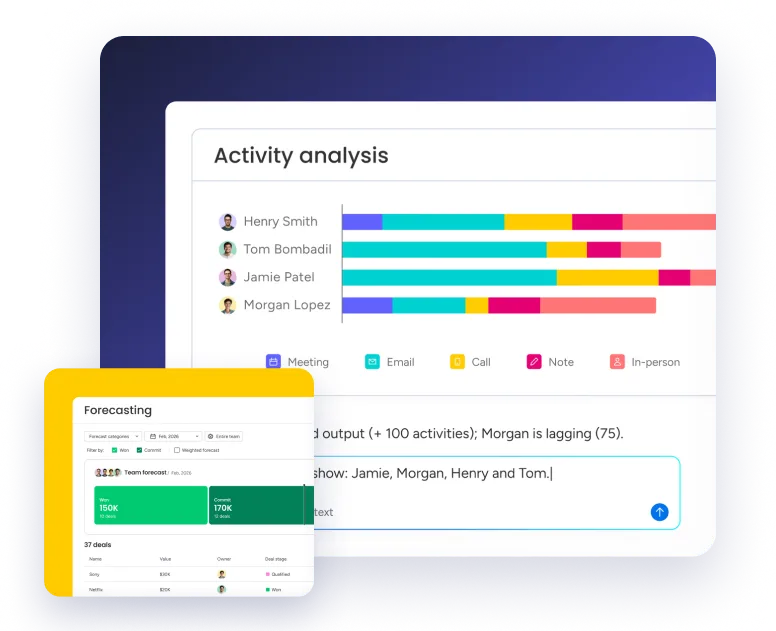
monday CRM helps sales teams run a clean, predictable pipeline with less manual admin, so reps spend more time selling and managers get visibility and instant updates. Track every lead, deal, account, and touchpoint in one workspace, then use AI, automations, and integrations to keep follow-ups moving across remote and global teams.
Every deal shows its stage, owner, value, and next step at a glance, with accounts, contacts, and conversations connected so no context gets lost between reps.
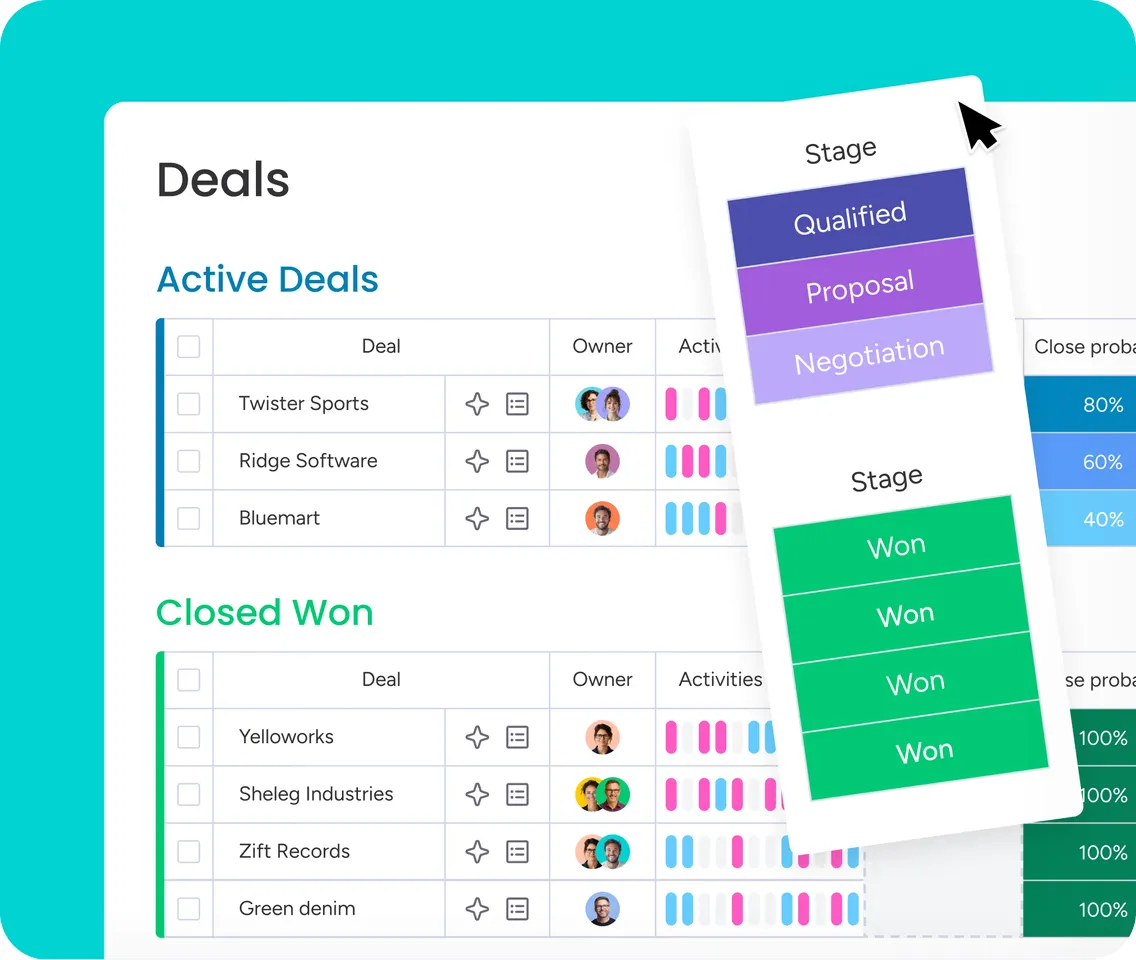
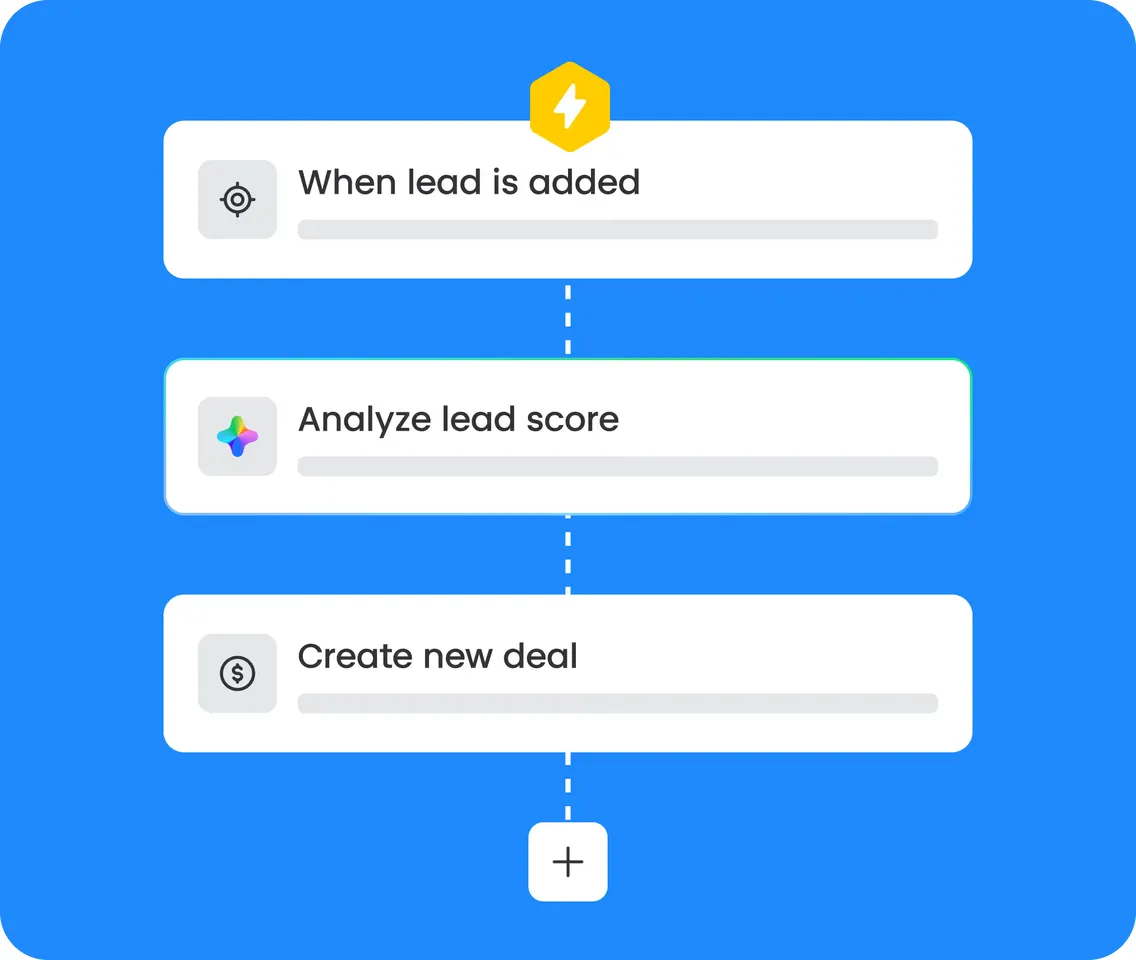
monday CRM uses no-code automations to keep every deal moving without manual updates. Set the rules, and the platform assigns, notifies, and hands off automatically.
Your existing tools connect directly into monday CRM, so data flows into one workflow instead of living in ten different tabs. You keep your tech stack while cutting the sprawl.
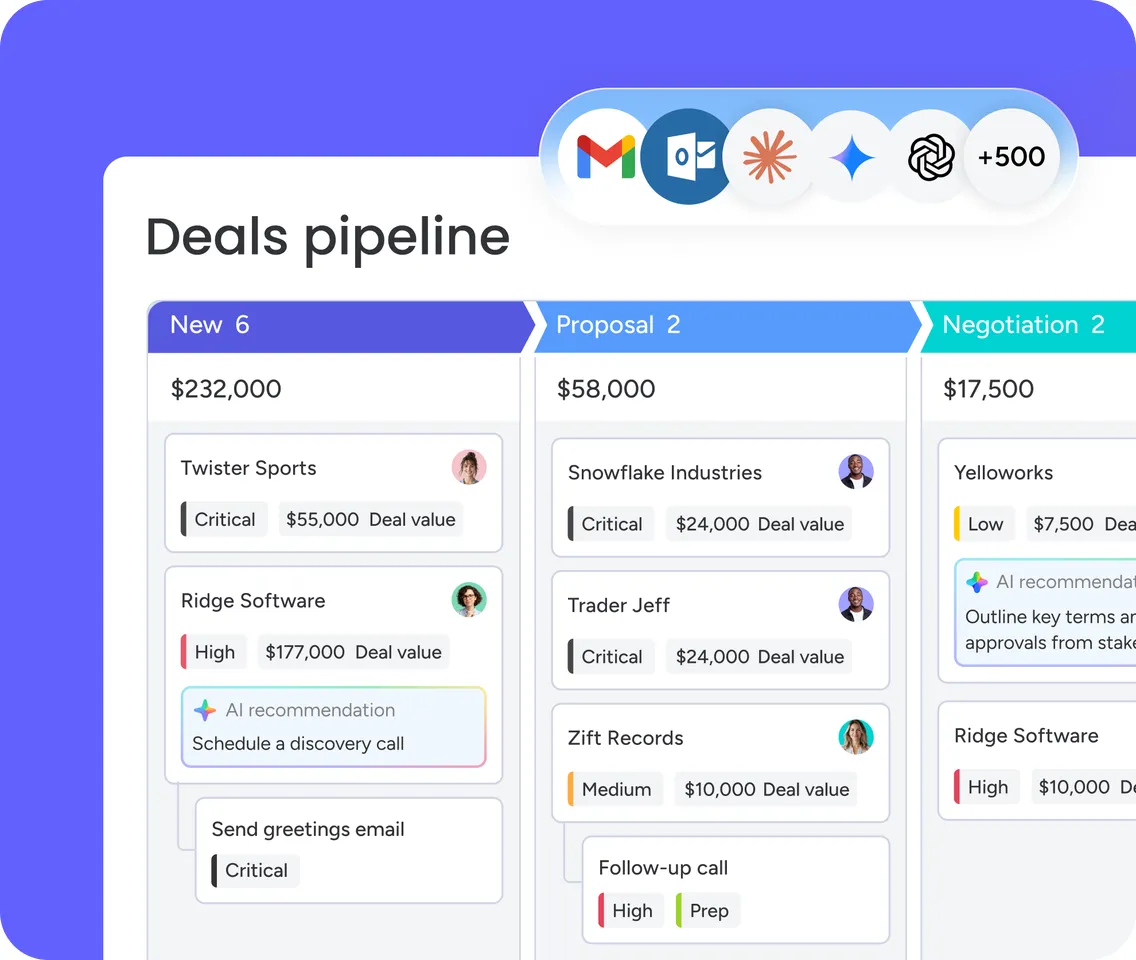
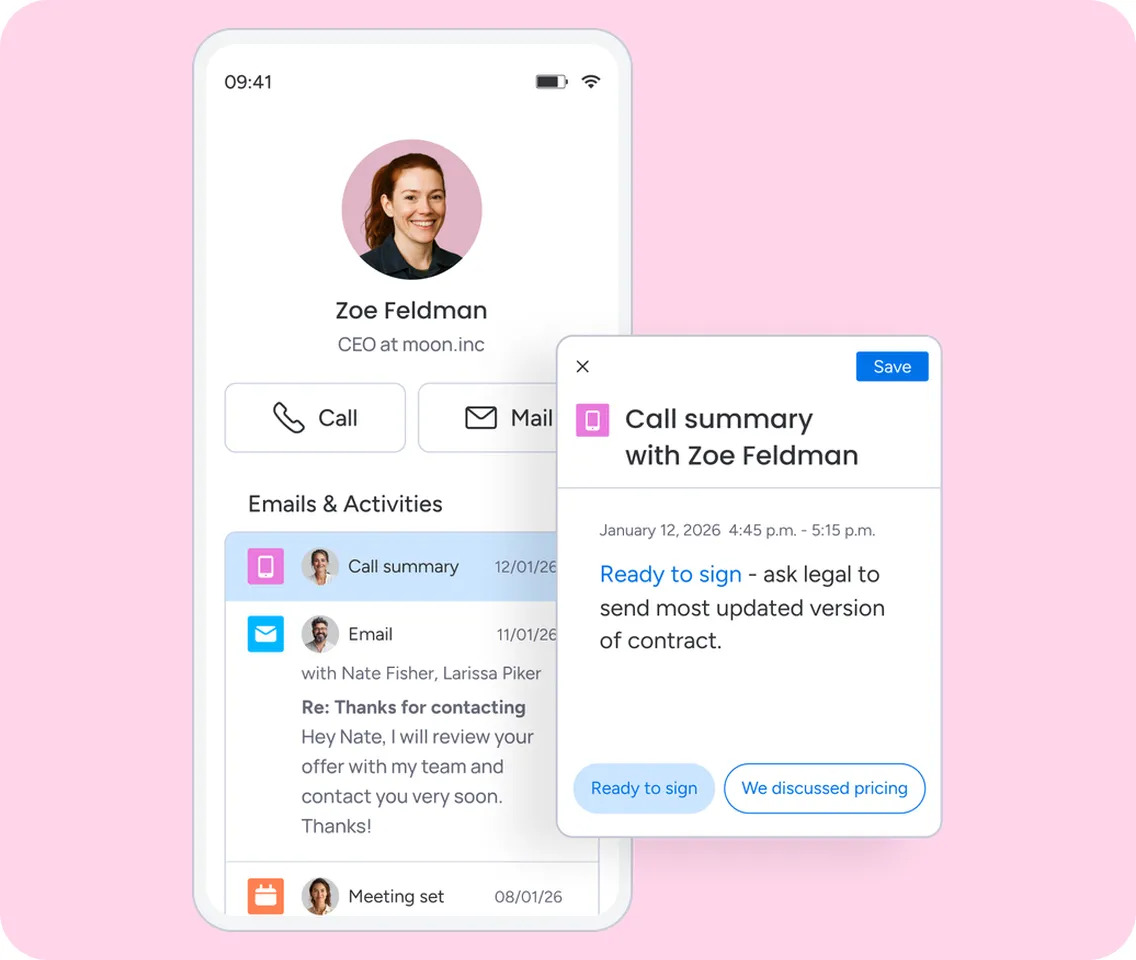
monday CRM keeps distributed sales teams in sync on shared boards. Everyone sees the same data, so managers can track execution without constant check-ins.
Adapt as your team grows. Add reps, open new regions, and change your process without rebuilding your CRM or waiting on developers.
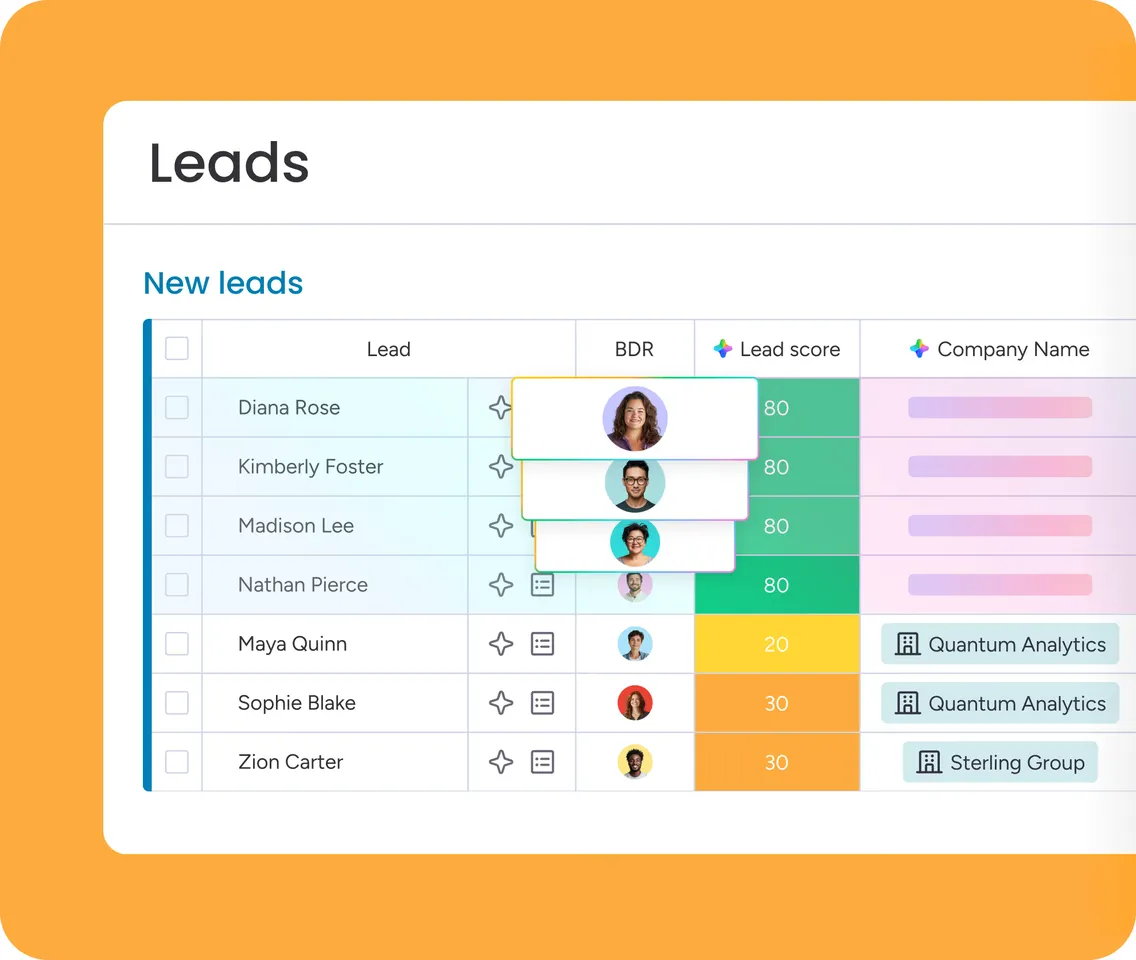
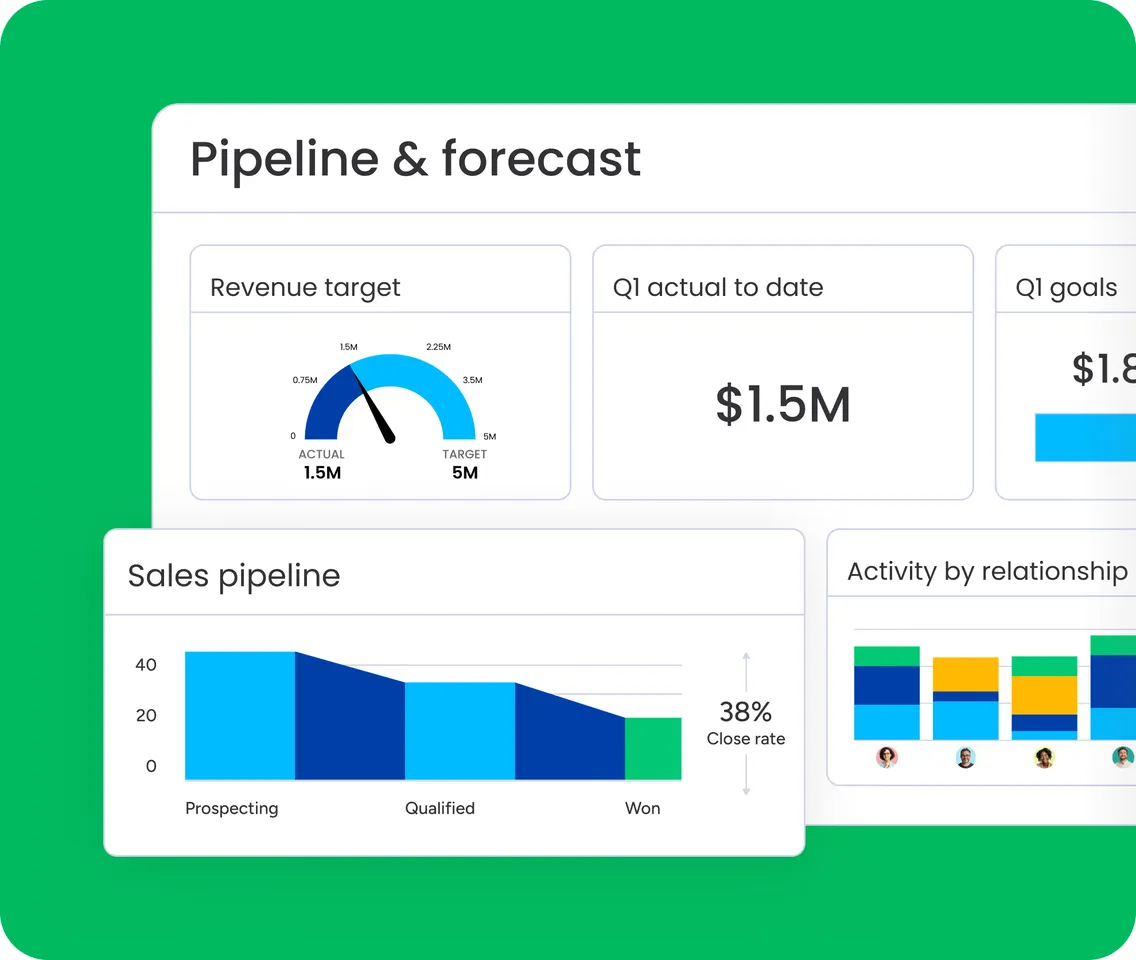
Every level of your team sees a live view of performance. Customizable dashboards turn deal data into forecasts, so you can spot gaps early and act before the quarter slips.
Capture what's happening across every deal, surface what matters, and take action, so your pipeline keeps moving without your reps buried in admin.
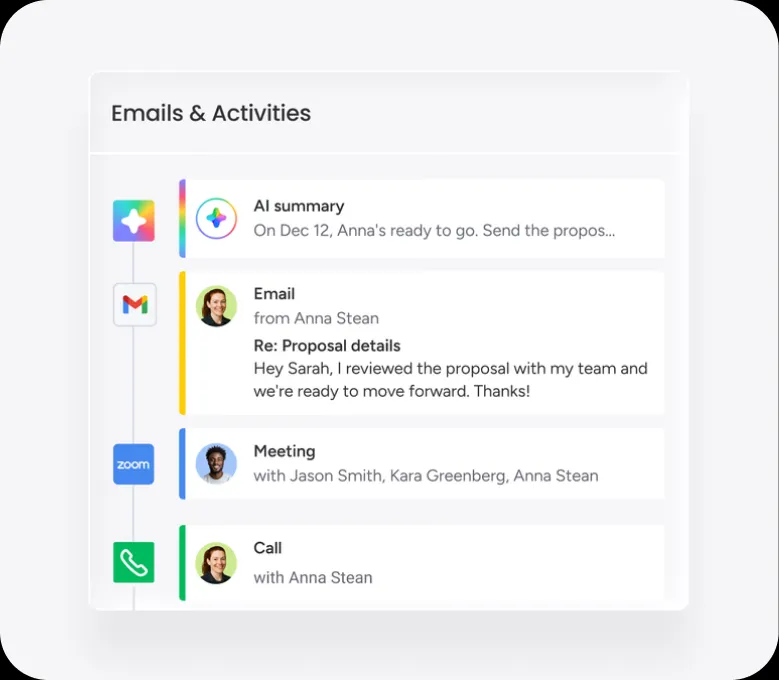
Record emails, meetings, and calls on the deal timeline, with AI summarizing the full history to get up to speed fast. AI Notetaker captures decisions and next steps from every call automatically.

With monday CRM, your team always knows which deals need attention. The Sales Gauge widget tracks how each deal and rep compares to target, so managers see who’s falling behind before it shows up in the forecast.
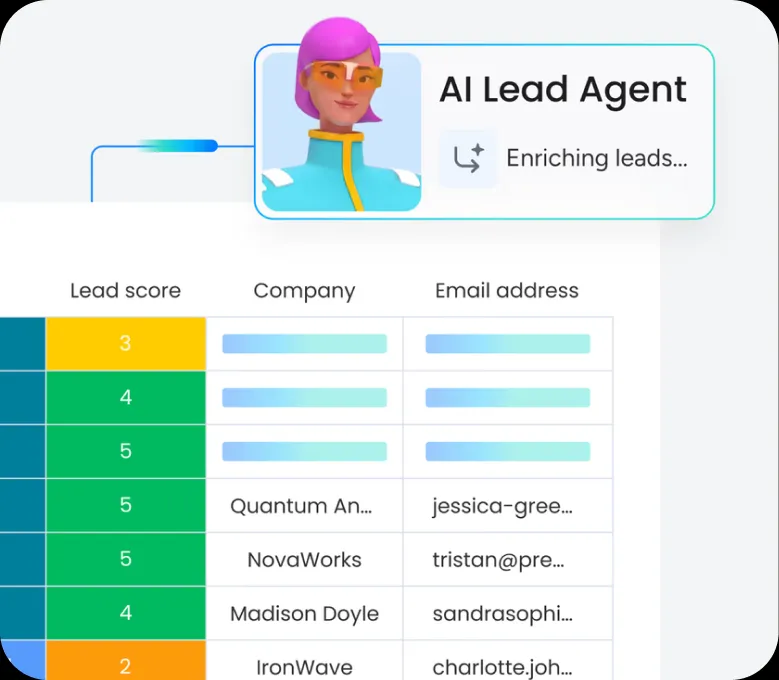
The Lead Sourcing Agent sources and enriches new leads, while the Sales Agent runs initial outreach and qualification. Once a rep takes over, the AI email composer drafts the next follow-up in seconds, so momentum never stalls.


"Now we have a lot less data, but it’s quality data. That change allows us to use AI confidently, without second-guessing the outputs."


“We became a company that moved from chasing data to leading with it.”



“The way you can integrate monday CRM with monday work management is the smartest thing that we’ve done.”



“If I ever dreamed of building a CRM for our needs, it would look like monday CRM.”

Integrate your tech stack to reduce admin time and boost velocity.








Get the unfiltered scoop from sales leaders about how to tackle major challenges with care.
Learn more
Be the first to get the latest on the newest features and updates we’re rolling out on monday CRM.
See the latest updates
Sharpen your monday CRM skills and master every stage of the customer journey.
Explore our blog
Follow us on LinkedIn for pro sales tips, product updates, hilarious memes, and much more!
Check our latest postsFor long B2B cycles, monday CRM centralizes Deals, Accounts, Contacts, and every interaction in one place, so context never gets lost across months of back and forth. A visual pipeline and an item timeline in Emails & Activities track emails, meetings, call summaries, and notes, while every deal stays connected to the right account and stakeholders, with milestones like close date and next step kept in the same record.
monday CRM gives you a live view of deal health using pipeline stages plus AI-powered signals. The Deal Insights widget surfaces at-risk deals and recommended interventions based on engagement, stalled stages, and missing next steps. You can customize which signals count as positive or negative per stage, and mute signals for certain status labels to cut down on noise.
Yes. monday CRM uses no-code automations to keep your pipeline accurate and reps focused on selling instead of updating fields manually. Automations trigger when a status changes, a date arrives, or an item is created, then update fields, notify owners, or create tasks, for example creating a follow-up activity at a key stage, or alerting a manager when a deal sits with no logged activity.
monday CRM uses AI to reduce busywork and sharpen execution, from summarizing communication to suggesting next steps. The Lead Sourcing Agent sources and enriches prospects, while the Sales Agent runs initial outreach and discovery, so reps spend less time qualifying and more time selling. Deal Insights also surfaces at-risk deals, and the AI email composer drafts messages right inside the workflow.
In monday CRM, connect Gmail or Outlook through Emails & Activities to keep every email logged in a single timeline, while two-way Google Calendar and Outlook Calendar integrations add meetings automatically. Zoom brings recordings and transcripts onto the same customer timeline, leads import through forms, Excel, or integrations like Facebook Ads, and open APIs connect the rest of your business apps.
monday CRM keeps remote teams aligned with shared boards and a single source of truth for every deal. Reps leave updates directly on the deal, @mention teammates, and keep notes, files, and communication history centralized on the record, so managers don’t need extra check-ins. Required fields and automations can also prompt reps automatically whenever a next step is left blank.
monday CRM starts you with prebuilt Leads, Deals, Accounts, and Contacts boards, which you tailor to your own sales process. From there, build a repeatable onboarding workflow that assigns training tasks and required CRM steps, using standard views like Pipeline view and dashboards so new reps see what matters. Automations guide reps to their first deal and remind them when data or next steps are missing.
Yes. monday CRM lets you standardize one sales process while tracking regional differences in the same system. Set the currency on each deal, add region-specific fields like territory or language, and control who can see or edit them with permissions. Groups, filters, and dashboards let you segment performance by region, while automations keep handoffs consistent no matter where a deal closes.
In monday CRM, forecasting runs on real-time pipeline data. Customizable dashboards roll up deal values by stage, owner, or month, so managers can compare forecast against actual revenue and drill into any rep’s pipeline. Funnel, pipeline, and leaderboard widgets help spot gaps early, while the Sales Gauge widget tracks targets against actuals by month, rep, or segment.
Most teams go live quickly in monday CRM, since the core boards, Leads, Deals, Accounts, and Contacts, are ready to use and customization is no-code. A practical rollout looks like importing leads, mapping deal stages, connecting email through Emails & Activities, and adding round-robin automations for balanced routing. Most teams start with one pipeline, then expand to new regions and teams as they grow.